Getting Started
Insert the Game Pak into the Game Boy and turn it on. Stars will shoot across the screen, followed by the Title Screen. Press the A or B Button or START to begin.
Starting a New Game
Select NEW GAME from the Main Menu to play the game from the beginning.
Continuing a Game
If you have a previously saved game, you can choose CONTINUE to start the game from where you last left off.
Saving a Game
Don't forget to save your game in the Journal before quitting the game. Open the Game Menu with the A Button and select OPTN, then choose JOURNAL to save your game.
You can save anywhere in the Kingdom of GreatTree. Be careful - you can't save your games in most places in the Mystic World.
Basic Commands
Press the A Button to talk to people or examine things. Face the direction of the person you want to talk to or the sign boards, dresser, or spots you want to examine and press the A Button to collect important information.
If the message is long, you'll see an arrow pointing down. Press the A Button again to flip through the messages.
Game Menu
Press the A Button to display the Game Menu and check the status of your party.
•
There are five options you can use to check status. These are explained on pg. 8-11.
•
An indicator at the top right displays the amount of Gold you are carrying.
INFO
This option displays strength information for the monsters in your current party. Press the A Button to flip to the next Info page.
•
= This monster is female.
•
Lv = The overall strength level of the monster.
•
ATK (Attack) The higher this number, the more damage you can inflict on enemy monsters.
•
DEF (Defense) The higher this number, the less damage you receive.
•
AGL (Agility) The higher this number is, the higher the chance that your monsters can attack enemy monsters first, before the enemies attack.
•
INT (Intelligence) Monster's intelligence during battles.
•
WLD (Wildness) The higher this number is, the higher the chance that your monsters will not obey you.
•
HP (Hit Point) Monster's health. When it reaches zero, the monster is knocked out.
•
MP (Magic Point) Monster's power to perform magic spells and special skills.
•
Personality Monster's personality.
•
Species Monster's species name.
•
Family Monster's family. When the monsters are bred, there will be a "+ number" such as "+2" or "+5." The higher this number is, the stronger the new monster will be.
•
Master Monster's master.
•
Ex Monster's earned Experience points.
•
Next LV Number of Experience points a monster needs to advance to the next level.
ITEM
This option displays a list of items you currently carry. Select an item and press the A Button to display USE and DEL options.
If you want to use an item, select USE. To throw away an item, select DEL. A description of each item appears at the bottom of the screen. Press SELECT to organize the items.
SKILL
This option displays a list of magic spells and special skills that the monsters in your current party have learned. When you select a monster that has learned magic spells or special skills, a list of all the magic spells and special skills appears.
All of the learned abilities will be displayed in the list, but most of the abilities can only be used during battles. A description of each skill appears at the bottom of the screen.
OPTION
This option displays a list of game options you can set.
•
TEXT SPD changes the speed of text displayed during battles.
•
CH ORDER changes the order of monsters in your current party.
•
CH PLAN changes the battle plans of each monster.
•
JOURNAL records (saves) the adventure in your Journal.
Battle Commands
Displays the names of monsters in your current party and their amount of HP and MP. Keep your eyes on your monsters' HP and MP! If you don't, it's going to cost you!
FIGHT
These are the options you can select during battles. When you choose FIGHT, the monster fights automatically according to the instructions set in CH PLAN in OPTN from the Game Menu.
This option is for fighting enemies. Battle begins when you select FIGHT. To change how your monsters fight, change their battle plans by choosing PLAN in the Battle Menu.
PLAN
You can give out basic plans or specific instructions to fight in battles to your monsters. Change your plans or instructions according to the situation you are in.
•
CHARGE - Your monsters attack aggressively at all times.
•
MIXED - Your monsters use magic spells and special skills to help or support themselves in battles.
•
CAUTIOUS – Your monsters use magic spells or special skills to protect or heal themselves.
•
COMMAND – You can instruct each individual monster to do what you want. Train your monsters well! If you don't, they will not listen to your commands!
•
NO SP SK – When you're fighting in the Arena, COMMAND is replaced by NO SP SK. Your monster will not use any magic spells or special skills when this command is selected. You will not be able to instruct each monster to do what you want during the battles in the Arena.
ITEM (Battle)
When it's your turn to attack, you can also use items that you carry into battles (see pg. 29). For example, use herbs to




 (SGB Enhanced) (GB Compatible).png)
 (SGB Enhanced) (GB Compatible).png)


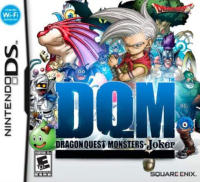


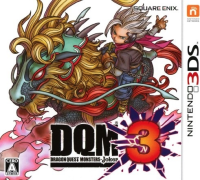

.png)


 (Rev A).png)
 (SGB Enhanced) (GB Compatible).png)
 (SGB Enhanced) (GB Compatible).png)
 (En,Es,It) (SGB Enhanced) (GB Compatible).png)


 (SGB Enhanced) (GB Compatible).png)



.png)

_1.png)

.png)