Before Using Your 3DO® System
Exposure to certain light patterns, flashing lights, or backgrounds, on a television screen or while playing video games, may induce an epileptic seizure in a very small percentage of individuals. Certain conditions may induce previously undetected epileptic symptoms even in persons who have no history of prior seizures or epilepsy.
If you, or anyone in your family has an epileptic condition, consult your physician prior to playing. If you experience any of the following symptoms while playing a video game-dizziness, altered vision, eye or muscle twitches, loss of awareness, disorientation, any involuntary movement, or convulsions-IMMEDIATELY discontinue use and consult your physician before resuming play.
Game Set-Up
1. Make sure your 3DO system is set up correctly. Check the owner's manual if you have any questions. 2. Press the Power Switch Button to turn the 3DO system ON. The button is on the front of the unit. 3. Make sure the first of at least two control pads is plugged into the Control Port on the Multiplayer console. If not, turn the player OFF, plug in a controller, and turn the player ON again.
4. Pop-up the top, or press the Open/Close Button to open the CD drawer. Put the BattleSport CD in, label side up. Push the lid closed or press the button again to close the drawer. 5. You should see the 3DO logo. If you don't see the 3DO logo after a few seconds, turn OFF the player and begin again at step 1. 6. When the BattleSport main window appears, press the Play/Pause Button to begin. Proceed to the Quickstart instructions. Getting In
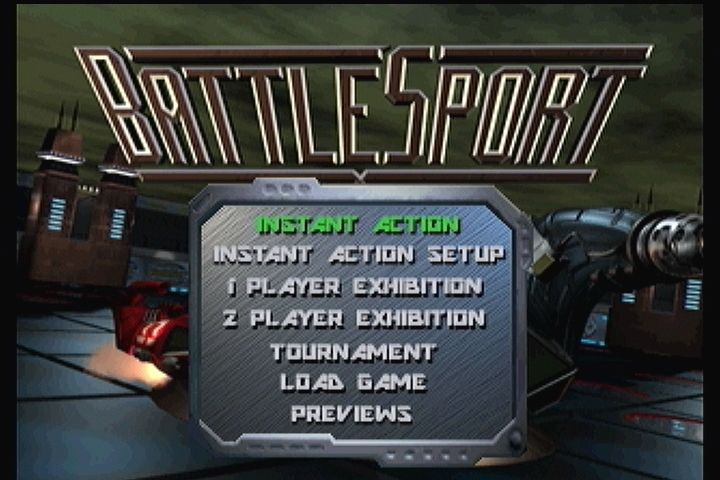
At the Introduction screen, press Start to get to the main menu. From the Main Menu, choose 1 or 2 Player Exhibition Mode and press the Play/Pause Button. Pay attention to the announcer and he'll guide you through the sign-in process. After you set up the arena options, pick an opponent (if you're in 1 Player Mode) and then pick a tank.
With that done you can go to the Equipment Store to pick up a few "accessories" and then you'll head straight into battle. Exhibition Mode is the recommended mode for the new player because it lets you learn about each opponent and tank option and configure the game accordingly. Instant Action mode, on the other hand, uses default settings and takes you immediately into battle.
When you want to change any of the Instant Action defaults, choose Instant Action Setup. There you can configure Instant Action mode for 1 or 2 players, pick an Arena to play in, etc. Experienced players should enjoy using Instant Action Mode to get quickly into a new game. Both the Instant Action Mode, and the Exhibition Mode, can be played by either one or two players. The Tournament Mode is played by one player against a set of increasingly difficult computer-controlled opponents and tanks. Tournament Mode is for the experienced BattleSport competitor who knows their tank and their weapons - enter at your own risk. 1 Player Exhibition Mode
Go up against some of the best of the meanest BattleSport gladiators. This is the recommended mode for the beginning player. It allows you to choose your tank and your opponent and provides lots of data on each option. It also lets you choose the arena, and shows you what power-ups are available and what type of goal you'll be aiming for. It takes a little longer to get into the arena than Instant Action mode, but it gives you more data and more control over the game. Here's what you'll configure in Exhibition mode:
Signing In
Enter your name in the Sign-In window. Use the D-Pad and the A Button to select each letter, then press the Play/Pause Button (or select End and press the A Button) to save your sign-in name and continue.
Setting Up
Set up your upcoming battle. Arrow-down to the other choices to set the Game Type, Equipment Store and Shot Clock options.
•
Arena Selection Use your LEFT/RIGHT D-Pads to scroll through the Arena choices and then pick one that you think you can handle. There's over 50 of them, and no two are alike - see the section Arena Features section if you feel the need for more information.
•
Game Type Lets you play three timed periods (ranging from 1- to 9-minute periods) or score-based battles (ranging from 1-99 goals). Exhibition Mode can be played with or without the Equipment Store, where you load up on weapons and defenses. See The Equipment Store section below for details on what's available.
•
If you want, adjust the Shot Clock - shot clock violations mean immediate loss of possession. FUMBLE!
Press the Play/Pause Button to confirm your choices and continue.
Select Your Opponent
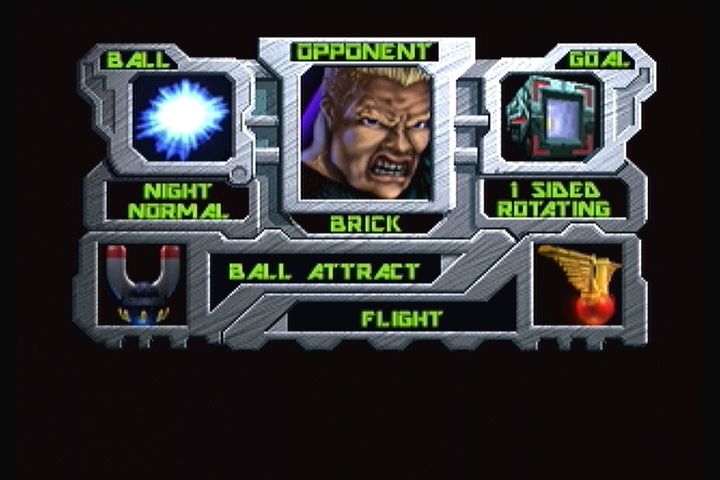
Choose your first opponent. Don't waste time agonizing over it - you'll go up against each of them in time. Press C for additional data. Pick one and press the Play/Pause Button to continue.
Select Your Vehicle
Check out what each tank's strengths are, then pick one that you think can do the job. When you've found one that reflects your style, press the Play/Pause Button to continue.
Tank Configuration
If you're playing Exhibition mode with the Equipment Store ON, you'll soon be staring at a mouth-watering selection of missiles, lasers, radar jammers and other toys of ill-will. Lucky for you, money is not needed when playing one or two player Exhibition Mode. See The Equipment Store section below for details on

.png)
.png)
.png)
