OVERVIEW
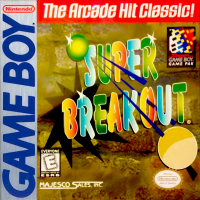
Congratulations! You now own the classic arcade game, SUPER BREAKOUT®. The goal of the game is simple: to knock out all of the visible bricks using as few balls as possible.
This version of SUPER BREAKOUT® offers all the game variations of the original arcade coin-op including: cavity, progressive, double, and classic BREAKOUT!
GETTING STARTED
To get started with SUPER BREAKOUT®, please begin with the following:
•
Making sure your Nintendo® Game Boy® System is turned off, then plug the SUPER BREAKOUT® Game Pak into the Nintendo® Game Boy® or Game Boy® COLOR System.
•
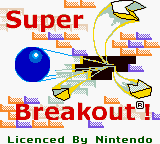
Turn on your Game Boy®. In a few moments the Majesco Sales, Inc. Company Logo Screen should appear. If the screen remains black, adjust the contrast dial on your Game Boy®. PLAYER SELECTION
Once the SUPER BREAKOUT® Title Screen has appeared, you may press the Start Button to display the Game Selection Screen.
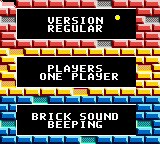
Once the Game Selection Screen appears, you may select the desired game variation, the number of players, and the type of audio effect which occurs when a brick is hit.
•
Pressing the Control Pad up or down, or pressing the Select Button causes the bouncing ball to move between the three available options.
•
Once the ball is bouncing in front of the desired option, you may view the available selections for that option by pressing the Control Pad right or left, or pressing Button A or Button B.
•
Once the desired selection is visible, you may move the bouncing ball to another option as noted above.
Once the Start Button is pressed, the visible selections for all three options will be automatically chosen and the game will begin.
TWO-PLAYER GAME
When playing a two-player game, each player's turn will continue until they have lost their current ball.
After the current ball is lost, the Get Ready Screen will appear indicating the next player can begin by pressing the Start Button. Play will alternate until both players have used all 5 balls.
GAME VARIATIONS
Your Game Boy® or Game Boy® COLOR version of SUPER BREAKOUT offers the following game variations:
PLAYER OPTIONS
BRICK SOUND OPTIONS
GAMEPLAY
Each player starts with 5 balls. The object of the game is to knock out all of the visible bricks using as few balls as possible.
This is done by using the paddle, located at the bottom of the screen, to deflect the ball up into the wall of bricks. Every time the ball collides with a brick as it moves up the screen, the brick will crumble and disappear as it deflects the ball back down toward the player's paddle.
•
Press the Start Button at any time during play to pause the game. Pressing the Start Button once again takes the game out of pause and resumes play.
CONTROLS
To maneuver the paddle, use the Control Pad as follows:
•
Pressing Left moves the paddle to the left.
•
Pressing Right moves the paddle to the right.
•
Pressing Button A while moving the paddle allows it to move faster.
•
Pressing Button B whenever the Ball Indicator is flashing will release one of the player's balls into play.
•
Pressing Button A speeds up the paddle.
BREAKOUT SCORING
During play, you may collect points in the following manner:
•
When colliding with the bricks in the closest row to the paddle, the player will be awarded 1 point.
•
For each row of bricks above the closest row, the player will be awarded 1 additional point.
•
Thus when colliding with a brick in the second row from the paddle, a point value of 2 points will be awarded, when colliding with the third row from the paddle, a point value of 3 points will be awarded, etc.
.png)


 (En,Fr,De,Es,It,Nl) (GB Compatible).png)
 (GB Compatible).png)








 (GB Compatible).png)


_1.png)
_1.png)
_1.jpg)








.png)


