SET PIECES
TAKING A DIRECT FREE KICK
Follow these steps to hit your intended target:
•
Push the Control Stick to aim your shot, and push the Control Stick to set the height of your kick.
•
To adjust the kicker's angle to the ball, push the C Stick. The greater the angle, the more spin is put on the ball.
•
To take the kick, press and hold the B Button (or press and hold the A Button for a short pass). The Kick Meter begins to fill.
You can take a driven shot (L Button + B Button), choose a short pass to fool the defense (A Button), or call a teammate to roll the ball to you (hold the Z Button) in your pursuit of the goal.
•
Release the B Button (or the A button) to kick or pass the ball once the desired power is reached.
TAKING AN ATTACKING INDIRECT FREE KICK
•
Push the Control Stick to aim towards the area of the pitch you want the ball to go.
•
To take the kick, press the A Button to pass or hold, and release the X Button to cross.
•
Hold the Z Button to call a teammate to roll the ball to you and then hold the B Button to shoot.
TAKING A DEFENSIVE INDIRECT FREE KICK, GOAL KICK, OR CORNER
•
Long pass: X Button (hold for increased power)
•
Low lob: L Button + X Button (indirect free kick/corner only—hold for increased power)
TAKING A THROW-IN
•
Move receiving player: Control Stick
•
Change receiving player: A Button
TAKING A PENALTY KICK
•
Driven shot: B Button (hold for increased power)
•
Chip shot: L Button + B Button
DEFENSIVE WALL
•
Move player/wall: Control Stick
•
Add player to charge down the defensive wall: B Button (when additional player is available)
DEFENDING A PENALTY KICK
•
Dive/Move along goal line: Control Stick
PLAYING THE GAME
Master your skills on the pitch in 2006 FIFA World Cup to dominate your opponents on the biggest stage in sports.
PLAY NOW
Go straight onto the pitch and take on any country in the game. Before taking the pitch, be sure to view scouting reports by pressing the Y Button from the Select Teams screen.
TEAM MANAGEMENT
Tinker with your starting lineup, shake up your team, and find the winning formula. You can change players from any of the squads around the world.
CREATION CENTRAL
Build a player from scratch—or edit players you've already created—and choose everything from his name and skin tone to his stats. You can have up to 16 created players in the game.
EDIT PLAYER
Edit any player from any country and access all of his personal attributes. Change players to suit your imagination or to match their real-life counterparts.
SQUAD MANAGEMENT
Choose which country's lineup you'd like to change, then determine which players among the starters and reserves should switch positions. Press the X Button to view the Player Bio and make sure you have them where they can do the most damage.
ON THE PITCH
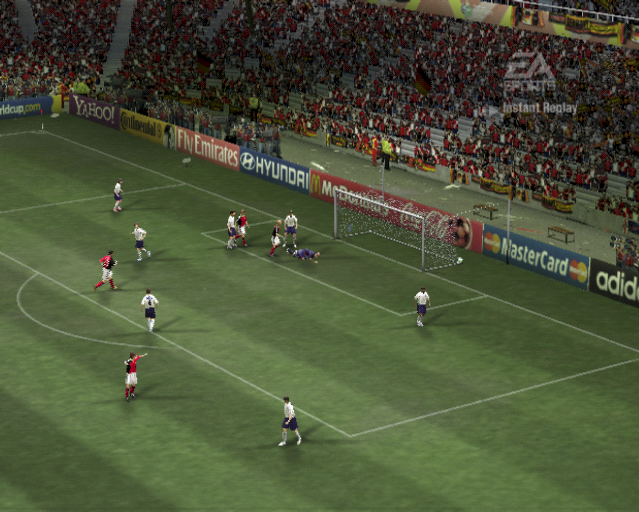
Get familiar with the on-screen icons, track your stamina, and master all the fundamentals in 2006 FIFA World Cup.
CONTROL HIGHLIGHTS
•
Controlled player in possession of the ball
•
Controlled player when not in possession of the ball
•
Off-screen controlled player indicator
•
A player with great skill who can dominate any game
PLAYER STATUS BAR
•
Gera — Fitness level/Playing style level
FITNESS LEVEL/PLAYING STYLE
During a match, a Player Status Bar appears at the bottom of the screen displaying the highlighted player's current level of fitness and playing style.
FITNESS
The fitness level decreases the more a player sprints, slowing him down, but replenishes when he returns to normal pace.
POWER, WEIGHT, AND DIRECTION
When shooting or lobbing, a Power Meter appears at the bottom of the screen. Keep the kick or pass button pressed to increase power (elevation and distance) and release when the meter has filled sufficiently.
PASSING
•
Through balls, passes, lobs, and crosses are automatically directed towards a teammate or a teammate's run (in the direction of the Control Stick).
•
To play first-time balls (passing or shooting without first controlling the ball), press the pass or shoot button before the ball reaches your player.
DRIBBLING
•
The faster you travel, the trickier it is to trap an incoming pass or keep control of the ball. Try to balance your pace with the need for control.
•
Place your player between the ball and an opposing player to shield the ball and maintain possession.
SECONDARY DEFENDER
For the defender nearest the ball, tackling isn't always the best form of defense. When facing the man in possession, it's sometimes more effective to block his route to goal and then call in a secondary defender (press the L Button) to make the challenge.
TACTICS AND MENTALITY
Press the +Control Pad to make tactical adjustments to your team's attack during the