LOADING
•
Make sure the POWER Button is OFF on your Nintendo GameCube™. •
Insert your LEGENDS OF WRESTLING™ Nintendo GameCube™ Game Disc as described in the instruction manual. •
Insert Nintendo GameCube™ Controller into Controller Socket 1. LEGENDS OF WRESTLING™ is for up to 4 players. Each player should insert a Controller into the proper Controller Socket at this time.
•
If you wish to save a game, insert a Nintendo GameCube™ Memory Card into Memory Card Slot A. •
Press the POWER button ON (important: make sure not to touch the Control Stick while doing so).
Controller Layout
INTRODUCTION
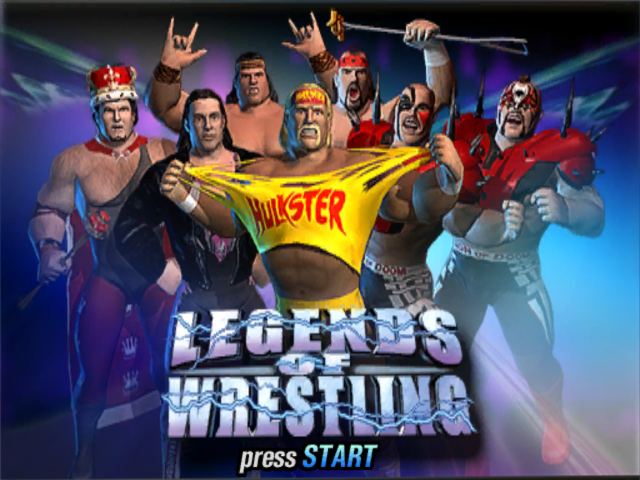
Their skills and ring feats are the stuff of legend: Hulk Hogan, Captain Lou Albano, King Kong Bundy, Bret "Hitman" Hart, Cowboy Bob Orton. These are just a few of the Legends of Wrestling, the greatest talents who ever ruled the ring. From brutal single matches to old-school tag team contests, there are lots of ways to wrestle. You can thump around in Exhibition matches, take on a Tournament of exhausting exchanges, or go for the full-throat of an entire Career season of matches. There are plenty of special moves, signature moves and just plain nasty tricks to keep the action intense and entertaining.
And even though Legends of Wrestling boasts the most amazing roster of ring talent ever, it won't be complete until you add to it in Create A Legend mode, where you can cobble your own clobbering colossus together, then bring him into the action to test the greats. So what are you waiting for? Dive in, the canvas is fine!
Menu Navigation
•
A Button: Accept/Advance
•
+ Control Pad: Move cursor/highlight
•
Control Stick: Move cursor/highlight
MAIN MENU
Press START at the title screen. You will advance to the Main Menu, where you have these selections:
•
Exhibition: Play a variety of single and tag team matches against the computer or another player.
•
Career: Choose a wrestler and guide him through an entire season of stomping.
•
Create: Create your own legend and bring him or her into any mode.
•
Tournament: Enter a Vs., Tag Team or Tag Belt Tournament with up to six players.
•
Options: Adjust option settings and access your Memory Card to load and save option settings.
BASIC CONTROLS
Wrestling is all about sizing up the situation and taking advantage of the moment. Check out these situations and learn what you need to know for each one. Of course, we're only giving you the basics. There's a ton of moves and tactics to discover yourself!
STRIKES
There are three levels of strikes: weak, medium and strong. Generally, these are done from the ready position using the Control Stick and the A Button. All wrestlers can perform all three strikes.
•
or on the Control Stick + A Button = Medium Strike
•
↑ or on the Control Stick + A Button = Strong Strike
ATTACKS
There are three possible levels of attack: 1, 2 and 3. Every wrestler can perform Attack I, but a wrestler's style determines whether or not he can perform Attack 2 and/or Attack 3. There are also Behind Attacks, Bent Over Attacks and Behind Bent Over Attacks. Ouch! Attacks are generally performed from the ready position using the Y Button.
•
or on the Control Stick + Y Button = Attack 2
•
↑ or on the Control Stick + Y Button = Attack 3
In The Ring
•
TAUNT/PERFORM FINISHER (correct situation) when Finisher Meter is full.
•
CALL A TAG TEAM PARTNER TO CHEAT
Tagging
Get next to your teammate, then press the Control Stick towards him and press the B Button to tag. The current wrestler will exit the ring and the tagged wrestler will enter.
From the Tie-Up
Your most devastating moves occur when you have your opponent "tied up" in a grapple. Unless he can escape, he is vulnerable to a host of killer attacks:
Situations From Behind A Tie-Up
How can you get out of a tie-up?
•
↑ on the C Stick - Break Tie-up
•
L Button - Toss Opponent
Intermediate Start Position (ISP)
When grappling with an opponent (Tie-up, Behind Tie-up), press one of your 4 face buttons (From Tie-up):
•
Y Button = Scoop Slam ISP
•
A Button = Vertical Suplex ISP
•
X Button = Head Between Legs ISP
•
B Button = Belly to Belly Suplex ISP
If you do not hit another button, you will do your default move. If you have more than one move from the ISP, press the Y Button to
.png)


_2.png)
_3.png)
.png)

.png)


















.png)

.png)






.png)

