Getting Started
1. Set up your PlayStation®2 computer entertainment system according to its instruction manual. Attach game controllers and other peripherals as appropriate.
2. Make sure the MAIN POWER switch (located in the back of the console) is turned on.
3. Press the RESET button. When the power indicator lights up, press the open button and the disc tray will open.
4. Place the SHOWDOWN™ LEGENDS OF WRESTLING™ disc on the disc tray with the label side facing up. Press the open button again and the disc tray will close.
SHOWDOWN™ LEGENDS OF WRESTLING™ supports up to eight players. To play with more than two players, you must have one (up to 5 players) or two (up to 8 players) multitaps (for PlayStation®2) (sold separately) inserted in controller port 1 and/or controller port 2. Insert your controllers sequentially into controller port 1-A, controller port 1-B, etc.
DUALSHOCK®2 ANALOG CONTROLLER CONFIGURATIONS
•
left analog stick (L3 button when pushed down)
•
right analog stick (R3 button when pushed down)
Memory Card
SHOWDOWN™ LEGENDS OF WRESTLING™ only supports MEMORY CARD slot 1. To save game settings and progression, insert a memory card (8MB) (for PlayStation®2) (sold separately) into MEMORY CARD Slot 1.
It is advised that you do not insert or remove accessories or memory cards (8MB) (for PlayStation®2) once the power is turned on unless instructed to. Make sure there is sufficient space on your memory card (8MB) for PlayStation®2) before commencing play.
SHOWDOWN™ LEGENDS OF WRESTLING™ supports manual save and load of game data from the Options Menu.
Progressive Scan
SHOWDOWN™ LEGENDS OF WRESTLING™ supports progressive scan for those equipped with HDTVs. By default the game display is in standard interlace mode.
To switch to progressive scan mode, HOLD the ○ button and the ✕ button while the game boots up. At the confirmation screen, press the ✕ button to continue.
Introduction
Welcome to Showdown Legends of Wrestling, an engaging new entertainment experience. You will be striking, strangling, and stomping an enormous cast of classic canvas characters. Showdown Legends of Wrestling offers exciting new features. Among them is Edit A Legend, which for the first time gives you the ability to edit any wrestling great you choose. You can also create your very own wrestlers from scratch in Create A Legend mode. There are tons of fantastic modes to play in, from the gutty grit of Showdown Challenge (spanning the golden wrestling years of the 70s, 80s and 90s) to the instant gratification of Quick Play. You can also enjoy Tournament, Tag Teams, and Exhibition matches.
We welcome your feedback on this game and the overall franchise. You can email us at showdownfeedback@acclaim.com.
Disclaimer
Showdown Legends of Wrestling presents computerized harming of humans for entertainment. It would be foolish and mean to attempt such things in real life. Please don't. Main Menu
Press the START button to advance to the Main Menu.
•
QUICK PLAY Start stomping without all the pussyfooting. See page 14.
•
MATCH PLAY One-off matches of every description, including Classic matches. See page 16.
•
SHOWDOWN CHALLENGE Take on three decades of wrestling legends. See page 17.
•
CREATE A LEGEND Create and edit your own wrestler, or edit one of the Legends! See page 19.
•
OPTIONS Adjust the options to suit your own twisted taste. See page 6.
•
EXTRAS Enjoy all the extras you'd expect and some you wouldn't. See page 7.
Tie-Ups: The Grapple
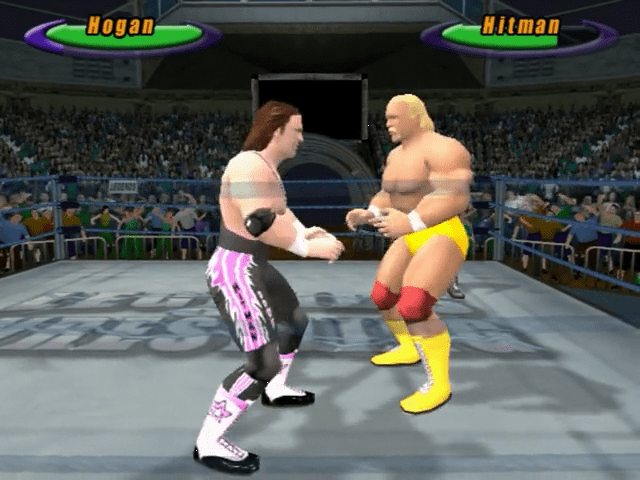
Tie-ups and the grapple are essentially the same thing: you're holding the opponent. You do this by moving close to an opponent and pressing the Grapple control ( button).
You can switch your grapple position from in front to behind by pressing the L1 button. To release an opponent, press the R1 button.
•
FROM IN FRONT Move to an opponent facing you and press Grapple ( button).
•
FROM BEHIND Move to an opponent facing away from you and press Grapple ( button).
Throws
Some of the most important moves are throws from the tie-up. To initiate one of these thrilling gestures, first press the button to tie-up your opponent, then press the button, button or button a direction while an opponent is tied up.
Pins and Submission Moves
To pin a downed wrestler, simply move your wrestler to his side and press the Grapple button ( button). Once you have your opponent pinned, you can release him by pressing the R1 button (this works for submissions, too).
To pull off a submission move, press the button + a direction while standing at the head or foot of your knocked down opponent
.png)


.png)
.png)
.png)
