Getting Started
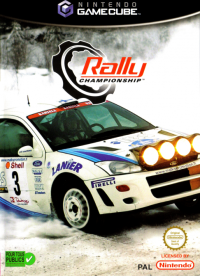
Insert your Rally Championship NINTENDO GAMECUBE Game Disc into your NINTENDO GAMECUBE. Close the disc cover and turn on the power. Car Controls
•
Steering = Control Stick, +Control Pad
•
Brake/Reverse = B Button
•
Gear Up (Only Manual Mode) = R Button
•
Gear Down (Only Manual Mode) = L Button
Main Menu
Push UP or DOWN on the Control Stick to highlight any of the six menu items:
Single Player
Quick Rally
This mode allows you to practice any of the rallies that you have unlocked. Initially, only the first stage of Rally Africa and the first stage of the RSAC Scottish Rally will be available. As you progress through Career mode, more rallies will become available.
Alternatively, you can open up more rallies by finishing in first place when rallying in Quick Race. Every time you do this, an additional stage will become unlocked.
Choosing your car settings
When you select Quick Rally, you will be given the options of Player Set-up, Select Stage, Select Car, and Start Rally. Once you have selected Start Rally, you will proceed to the car set-up screen. When you are happy with your car set-up, you can proceed into the Rally.
By selecting this option, you will be taken to a screen where you will have the opportunity to tune and tweak the set-up of your car to obtain maximum performance from it.
Car Setup
The options you can alter here are:
Alter the size of the cogs to find the best balance between acceleration and top speed.
Alter the stiffness of the springs and dampers. The stiffer the suspension, the more "rigid" the car will feel and hence the more responsive it will be on smooth surfaces. A stiff set-up is not suited to bumpy surfaces though.
Used in conjunction with the suspension set-up. Generally, the more bumpy a stage is, the higher you want the ride height to be to prevent the car "bottoming out" and potentially causing damage.
Alter the balance front-to-rear of the brakes. A car with a front brake bias will tend to brake more efficiently but be harder to fling sideways.
The more grip a surface has, the more force you can apply through the brakes without the wheels locking and skidding. On low adhesion surfaces such as snow, the brake power is usually decreased.
Possibly the most important of all the set-up options. There are four basic tyre types: tarmac, gravel, snow, and ice. Fit the type that best corresponds to the stage(s) you are about to drive on.
Select from Dry, Medium, or Wet.
The harder a tyre, the more durable it is but at the expense of grip. A soft tyre will probably prove to be quicker but you may find it wears out before the next service area.
Arcade
Arcade mode lets you race in a coin-op style setting against a timer that constantly counts down towards zero. As you pass each checkpoint, you are awarded more time; the goal is to race past the finish line before the time runs out.
In Arcade mode, there are three Championships to race through, each becoming increasingly harder: Amateur Mode, Champion Mode, and World Pro.
Career
This mode is the main part of Rally Championship™ and allows you to take the part of an aspiring Rally driver. You will work your way up from driving standard production Privateer cars in local Rallies, where you earn enough money to buy a 1600 Modified Rally car and enter the 1600 Rally Championship.
As you earn more money, you are able to move up to the 2000 class Rally Championship and finally on to the Class Pro Championship with some of the toughest, fastest cars in the world. It's these vehicles that sort the men from the boys (and girls!).
As you progress through each tier of the Rally car classifications, you will find they will become unlocked in Quick Race mode. So, when you enter the 1600 Modified Rally Championship, all of these cars will become unlocked in Quick Race for you to practice in, and it is the same for the 2000 Rally Championship and also the Class Pro.
When you first select career mode, you will be shown a menu screen containing the following options:
In Quick Rally, every time you play, your rallying experience is recorded. If you select this mode, you get the opportunity to rally against a representation of yourself in the ultimate test of driving skill. This mode is the ideal opportunity to tweak all of those detailed car settings to achieve the ultimate car set-up for each of the stages found in Rally Championship™. Tweak the car, race the stage against yourself, and then tweak some more!
It's here that you enter your name. This will be your name for all of career mode (unless you choose to reset the game progress - see OPTIONS). You can also change your Controller, Co-Driver, and Transmission settings in this menu.
This is where all of the cars you buy
.png)








_1.png)
.png)

.png)



.png)


