Setting Up & Loading
1. Make sure the POWER Button is OFF on your Nintendo GameCube™. 2. Insert your BURNOUT™ Nintendo GameCube™ Game Disc as described in the instruction manual. 3. Insert Nintendo GameCube™ Controller into Controller Socket. BURNOUT™ is for one or two players. Each player should insert a Controller into the proper Controller Socket at this time.
4. If you wish to save a game, insert a Nintendo GameCube™ Memory Card into Memory Card Slot A. 5. Press the POWER Button ON (important: make sure not to touch the Control Stick while doing so).
Controller Layout
Playing Burnout with 480p Progressive Scan Output
Burnout is compatible with digital television sets, providing enhanced visuals. To connect to one of these devices, follow this alternate loading procedure:
1. Make sure the POWER Button is OFF on your Nintendo GameCube. 2. Connect your Nintendo GameCube™ system to your digital television using a Nintendo Component Cable (sold separately). 3. Insert your BURNOUT™ Nintendo GameCube™ disc as described in the instruction manual. 4. Insert Nintendo GameCube™ Controller into Controller Socket. BURNOUT™ is for one or two players. Each player should insert a Controller into the proper Controller Socket at this time.
5. If you wish to save a game, insert a Nintendo GameCube™ Memory Card into Memory Card Slot A. 6. HOLD the B Button on the Controller while pressing the POWER Button ON (important: make sure not to touch the Control Stick while doing so).
7. An onscreen prompt will appear, "Do you wish to enter progressive scan mode?" Select YES.
8. Once you see the MAIN MENU, select DISPLAY from the OPTIONS menu. Select the 16:9 setting (not 4:3).
9. The game is now configured to run in progressive 480p mode.
Introduction
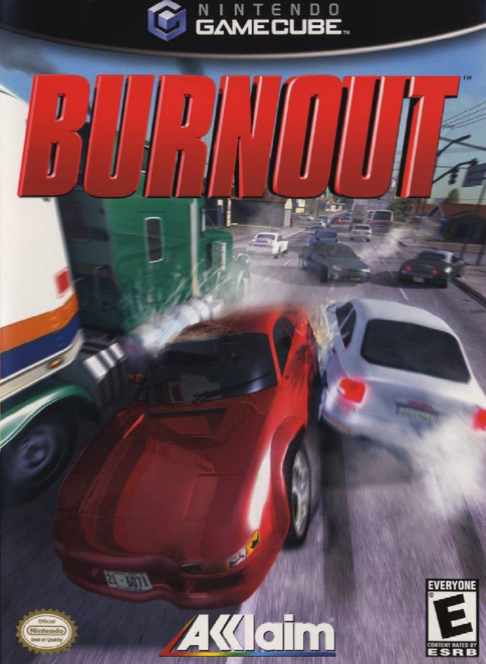
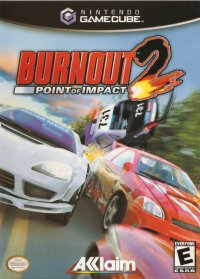
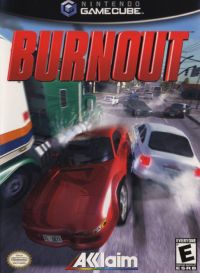
Welcome to a world of exciting driving, dangerous curves and twisted wreckage. Welcome to BURNOUT™ - the fastest racing game on the block.
Your aim is to race to the finish line through a series of checkpoints as quickly as possible. Try a full Championship, unlocking modes and vehicles as you careen about trying to live long enough to be the Grand Prix prize winner, or see how long you last in Survival Mode. Or maybe you'd like to do some damage in Face Off Mode.
If you've got a friend with more courage than sense, you've found the ideal partner for a two-player Head to Head contest. You're about to show the world the real meaning of road rage.
The Game Display
Vehicle Selection
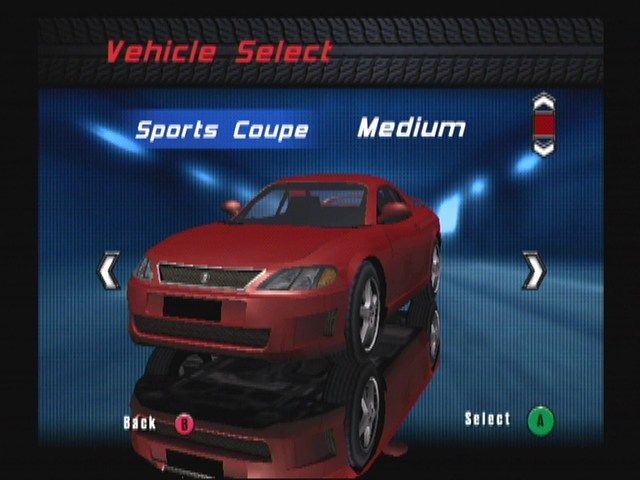
Burnout features exciting driving in everyday road vehicles, from compacts to sports cars to saloon cars and trucks!
The type of vehicle you choose is related to the difficulty of the game. For example, the compact is EASY difficulty, with nimble handling for weaving in and out of traffic.
The sports cars are MEDIUM difficulty, fast and thrilling to drive!
Transmission Selection
Each player can choose between Automatic (AT) and Manual (MT) transmission. Expert players should choose to drive with Manual transmission!
Course Selection
There are 14 courses to drive. New courses are unlocked in Championship Mode.
The courses are located in the USA or EUROPE. The driving sensation is different in these two environments!
•
USA: Race and drive in the USA. The driving is faster and the roads are more open. Race on the interstate or race through a busy US city course!
•
EUROPE: Experience the cramped city style of a busy European city with traffic lights and roundabouts! Or drive a twisty mountain course with a Cote D'Azur feeling!
Game Modes
There are two basic modes, single-player and two-player. Single-player games are contests against up to three other computer opponents, while two-player games are split screen contests between two human players and up to two computer opponents.
BURNOUT™ is all about daring and aggressive driving. You'll be scored in races by how mad your manner is behind the wheel, earning points for these unusual "skills":
•
Drift distance – how far you powerslide your vehicle
•
Oncoming distance – how long you can survive driving on the wrong side of the road
•
Number of Near Misses – how often you barely escape hitting another vehicle
These parameters contribute to the rate of increase on your Burn Meter, and are also used to determine your overall "Best Driver" Score at the end of the race. Once the Boost Meter is full, press the "Boost" Button to get a turbo boost.
Championship Menu
In Championship mode, the player races through a series of Grand Prix and Marathon races, unlocking additional courses and modes as they progress. New courses that are unlocked in Championship Mode then become available in all other game modes.
Championship Progression
You race against three computer opponents. There is a target finishing position that must be met on each course in order to progress.
You begin each Grand Prix with 3 Credits. If you fail to meet your target finishing position on a course, you can use a Credit to try the course again. Once your Credits are gone, the game is over and you must start again.
There are also two Marathon Championships to unlock. These are long endurance type races where one course merges seamlessly into another, pushing your demon driving skills to the limit. Again you must
.png)




.png)

.png)

.png)

_1.jpg)


_1.png)

.png)


.png)
