Setting Up
1. Set up your Sega Genesis, Sega CD, and Genesis 32X systems as described in their respective documents.
2. Plug your control pad into port 1 (the one on the left).
3. Turn on your TV or monitor, then turn on your Genesis. The Sega CD logo screen will appear.
4. Open the disc tray or CD door. Place the Corpse Killer™ compact disc into the tray, label side up. Close the tray or door.
5. If the Sega CD logo is still on the screen, press Start to begin the game. If the Control Panel is on the screen, move the cursor to the CD-ROM button and press button A, B, or C to begin.
Sega Genesis 32X
Control 1 Port
Sega CD System
CD Door Open
For Sega Menacer™ Light Gun
1. Make sure you have the Sega controller plugged into the Control 1 port on your Sega Genesis.
2. Plug the Menacer into the Control 2 port on the front of your Sega Genesis.
3. Configure Corpse Killer for use with the Menacer before starting the game by choosing Options from the Start Screen.
4. Follow directions in the Options Screen to configure the buttons on the Menacer for use with Corpse Killer.
5. Make sure you have fresh batteries in your Menacer light gun. Performance of the Menacer decreases substantially when the batteries wear down.
6. Make sure the brightness level on your television is adjusted according to the directions in your Menacer instruction manual.
7. Use the red trigger button to fire (the screen will flash instantaneously when you fire).
For American Laser Games' Gamegunt™
1. Make sure you have the Sega controller plugged into the Control 1 port on your Sega Genesis.
2. Plug the GAMEGUN into the Control 2 port on the front of your Sega Genesis.
3. Configure Corpse Killer for use with the GAMEGUN before starting the game by choosing Options from the Start Screen.
4. Make sure the brightness level on your television is adjusted according to the instructions in your GAMEGUN instruction manual.
5. Use the trigger to fire (the screen will flash instantaneously when you fire).
6. Use the start button on the side of the gun to pause the game.
Important Light Gun Information
If using a light gun, refer to the instructions that came with your gun for any specific setup information or cautions which pertain to your gun.
Datapod
The navy has issued you a hand-held information and communication system. Use it when you have time in the graveyard.
New datapod icons appear when you have uncovered new information or received a new access card from a liberated soldier-buddy. Fire at an icon to access the information.
Cay
Noir
Use the Satlink map icon to go to another location on the island. Fire at an icon on the map to go to that location.
Save Game
You can Save your Game from the Datapod by firing at the Save Game icon. Enter a file name using the A-button then press the Start-button to save. Cancel by pressing the C-button.
If zombies attack while you're using the datapod, don't waste any time getting back to the main screen. Remember, you can use the datapod anytime in the graveyard but your mission is to kill corpses.
Pause
You can pause the action at any point by pressing the START button. Return to the game by pressing START again.
Menus
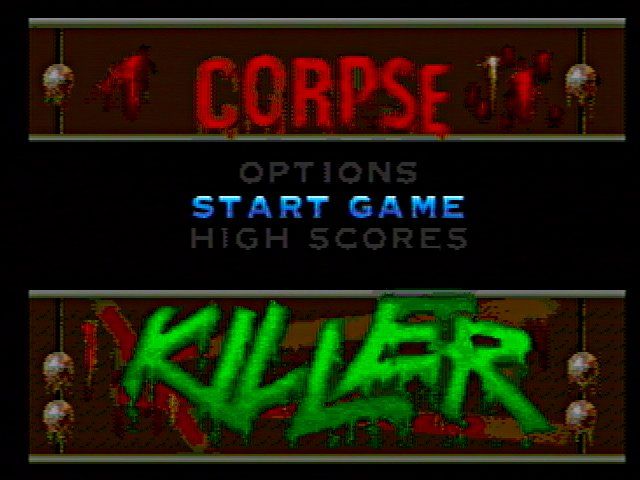
Start Game
To begin a new game, highlight the Start Game item and press the Start Button on your controller. If you are using the GAMEGUN, press the start button on the side of the gun. If you are using the Menacer, press the red button.
Options
To go to the Options Menu, highlight the Options item in the Start screen and press the Start button.
High Scores
To see the High Scores, highlight the High Scores item and press the Start button.
Restore Game
Look for the file name of the game you wish to restore. Highlight the file then press the Start button.
Save Game
You can save a game from the Datapod when you're in the graveyard (see Datapod).
Delete Backup RAM File
Look for the file name of the game you wish to delete from backup ram. Highlight the file then press the Start button. Cancel by pressing the C-button.



.png)


