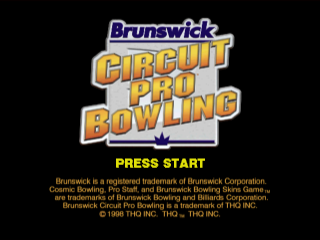
Challenge the Pros!
Imagine facing 13 of the top bowlers on Earth. If you can compete with them, you can take on anyone. Stick around, take your place on the lane, and try some shots. You won't even need to rent bowling shoes.
Be warned: these pros show no mercy. It will take all your talent to come close to their scores. After getting trounced a few times, you'll start to show promise.
Game Modes
•
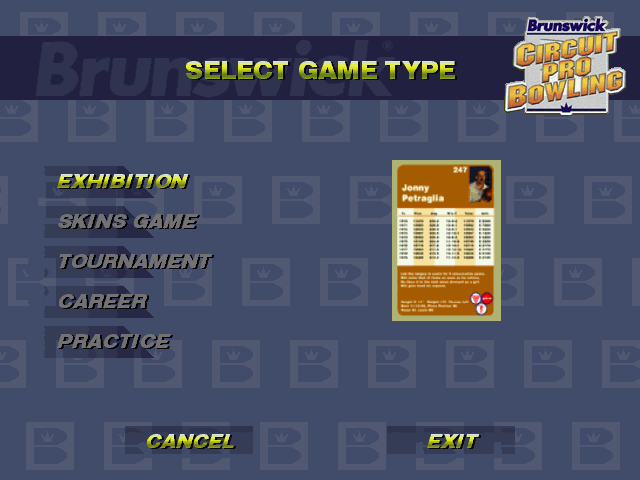
Exhibition Mode: Compete in friendly games against the greats.
•
Practice Mode: Beef up your spare game with practice sessions.
•
Tournament Mode: See how you stack up against the masters in competition.
•
Cosmic Bowl Mode: Play a game with glow-in-the-dark balls, pins, and lanes.
•
Skins Mode: Go for big bucks in a high-stakes game.
•
Career Mode: Get serious and become a season-long pro bowler.
BRUNSWICK CIRCUIT PRO BOWLING can be casual weekend fun or a big money pressure cooker. Any way you play, it adds up to a championship bowling experience!
Main Menu
From the Main Menu, you can start a new game, load a saved game, check out videos, and set options.
New Game
Highlight NEW GAME and press the X button to start a game from the beginning. When the Select Game Type screen opens, highlight the type of game you want to play.
After selecting your game type, press the X button.
Load Game
Highlight LOAD GAME and press the X button to pick up a saved tournament or career where you left off. A Select Memory Card screen appears.
Highlight the Memory Card you want to load to and press the X button. When the Load Game screen opens, highlight the name of the game you want to resume and press the X button.
Pro Bios
In BRUNSWICK CIRCUIT PRO BOWLING, play against any pro or be any pro. Watch videos of each masterful Brunswick Pro Staff™ bowler telling it like it is. These impressive athletes have talent to spare, but their real genius is for strikes.
•
Highlight PRO BIOS on the Main Menu.
•
Use the Directional buttons to cycle through the list of 13 bowlers.
•
Highlight a bowler's name and press the X button to watch his video.
Options
Sound Adjust
Highlight a control; press the Directional buttons left/right to adjust the setting.
Video Adjust
Highlight a control; press the Directional buttons left/right to adjust the setting.
•
SYNCHRONIZED METERS: Toggle ON to synchronize the beginning of the bowler's approach with the start of the meters.
•
CAMERA: Choose STATIONARY, MOVING, or RANDOM (alternates between stationary and moving).
Delete Saved Game
Select this option to display a Select Memory Card screen. Highlight the Memory Card you want to delete a game from and press the X button.
Next, highlight the game you want to delete and press the X button. Then highlight DELETE on the Confirm Game Delete screen and press the X button again.
Delete Saved Bowler
Select this option to display a Select Memory Card screen. Highlight the Memory Card you want to delete a bowler from and press the X button.
Highlight the bowler to be deleted and press the X button. Then highlight DELETE on the Confirm Bowler Delete screen and press the X button again.
View Credits
See a list of people who brought you BRUNSWICK CIRCUIT PRO BOWLING.
Multiplayer
Up to six players can play BRUNSWICK CIRCUIT PRO BOWLING via a single controller, or up to six controllers via two Multi-Tap adapters.
Pause Menu
Press the Start button to pause and open the Pause Menu. Highlight an option and press the X button. Options appearing on the Pause Menu depend on where you are in the game when you pause.
•
CONTINUE: Return to the game.
•
VIEW REPLAY: Watch a replay of the last ball rolled.
•
PRACTICE SETUP: In Practice Mode, change your current pin configuration.
•
RESET OIL: In Practice Mode, reset the oil pattern to its original condition.
•
VIEW SCORE: See the current scores for all bowlers.
•
VIEW CAREER STATS: In Career Mode, see your player's current stats.
•
GAME OPTIONS: Display and use the Options Menu.
•
CONTROLLERS: Allows you to change the selected controller for each bowler.
•
SAVE GAME: Save the game in progress.
•
EXIT GAME: Return to the Main Menu.
Score Display
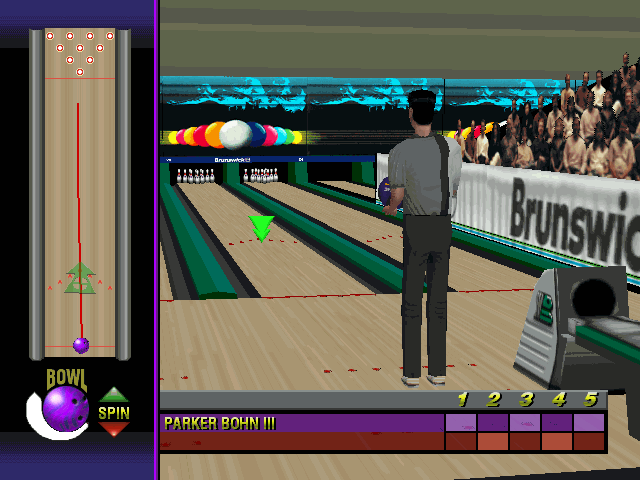
Scoring is automatic in BRUNSWICK CIRCUIT PRO BOWLING. Your score display appears on the play screen, with your score added automatically after each ball rolled.
In addition to scores, the Score Pad displays other key information, depending on the type of match being played:
•
During a Skins game, it shows Skins earned and saved, the value of each frame, and total money earned.
•
During Tournament games, it lists each player's points off the leader.
•
During an Exhibition, Career, or Tournament match, it shows splits highlighted in yellow.
Exhibition Mode
Play a single game against the computer or a friend. To start, highlight EXHIBITION on the Select Game Type screen and press the X button.
Exhibition Setup
1. Press the Directional buttons
.png)