STARTING THE GAME
1. Set up your PlayStation® game console according to the instructions in its Instruction Manual. Make sure the power is OFF before inserting or removing a compact disc. 2. Insert the Warpath™: Jurassic Park disc and close the Disc Cover.
3. Insert game controllers and turn on the PlayStation game console. 4. Follow on-screen instructions to start a game.
OPTIONS SCREEN
Use the D-Button to highlight an option, then press ✖ or START to select. To return to the Main menu, press ▲.
AUDIO
Access the Audio Options screen.
•
MUSIC VOLUME: Set the game music volume level.
•
SFX VOLUME: Set the sound effects volume level.
•
MUSIC: Choose STEREO to hear music during gameplay or OFF to play without.
•
SFX: Choose STEREO, MONO, or OFF.
CONTROLLER
View or adjust the current controller settings. To change a setting, use the D-Button to highlight the current control, then use the D-Button to assign a new control.
MEMORY CARD
Access the Load/Save screen (► p. 13) or toggle the Auto Save ON/OFF.
MATCH SETTINGS
Access the Match Settings screen.
•
WOUND EFFECTS: When ON, wounds appear from dinosaur attacks.
•
GUARD DAMAGE: When ON, dinosaurs take some damage when blocking attacks.
•
DIFFICULTY: Set the skill level of the computer to EASY, MEDIUM, or HARD.
•
VIBRATION: When ON, your Dual Shock™ Controller delivers feedback upon impact during combat.
•
EDIBLES: When ON, random people or animals wander into the combat area and can be eaten to restore energy to a dinosaur.
•
FRENZY MODE: When ON, your dinosaur is capable of performing a Frenzy Attack for extra damage. (► p. 9.)
ROUNDS
Set the number of rounds to play for a match from 1–5. The default number is 2.
TIMER
Set the round timer to 30 SEC, 60 SEC, 90 SEC, or INFINITE.
DISPLAYS
Choose to place the timer and game meters along the TOP or BOTTOM of the screen, or OFF.
MUSEUM
Enter the Museum to learn more about the various inhabitants of Jurassic Park.
•
CHECK OUT HOW BIG EACH DINOSAUR IS.
•
VIEW THE TIME PERIOD IN WHICH EACH BEAST ROAMED THE EARTH.
•
SEE THE EVOLUTIONARY TREE FROM WHICH EACH DINOSAUR DEVELOPED.
•
PRESS ✱ TO CHANGE THE SKIN OF THE DINOSAUR.
•
PRESS ✱ TO HEAR THE DINOSAUR'S CORRECT NAME.
•
PRESS ✱ OR ▲ TO RETURN TO THE MAIN MENU.
•
D-BUTTON ↔ TO SELECT THE DINOSAUR YOU WANT TO LEARN ABOUT.
ARCADE MODE
Arcade mode is a one-player challenge mode, where you match skills against the toughest competitors from the prehistoric era.
•
To begin, select ARCADE from the Main menu.
DINOSAUR SELECT SCREEN
To select a character to fight with, use the D-Button to highlight the dinosaur, then press *. After the CPU chooses its own fighter, your battle begins! To deselect a character, press SELECT.
•
NOTE: A second player can press START on Controller 2 at any time during a match to challenge Player One.
•
TIP: Complete Arcade mode to unlock hidden game modes and additional dinosaurs.
FIGHT LIKE A REPTILE
MOVES AND COMBOS
Every dinosaur has some basic special maneuvers in their arsenal.
•
To perform a Contact Move with any dinosaur, press (+ ■) or (▲ + ●).
•
To perform an Air Toss with any dinosaur, press ■ + ▲. To perform a mid-air attack during an Air Toss, press *.
•
To perform a Pin Move on a fallen opponent, press * + ●.
•
To escape a Pin Move, press any of the four main buttons (*, ■, ●, or ▲) repeatedly.
Additionally, each dino possesses an assortment of special moves and combos. Here's a few to try for each character.
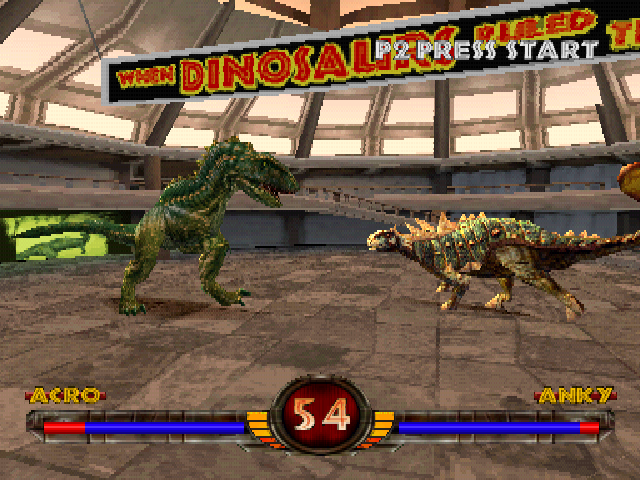
ACRO
•
Seven Button Combo: ▲, *, ■, ▲, *, ●, ●
To perform a frenzy attack, when the Frenzy Meter turns red, press and hold the R2 Button, then press any attack button.
PAUSE MENU
To access the Pause menu, press START during gameplay. Use the D-Button to select an option, then press * to select.
•
CONTINUE: Resume your match.
•
QUIT: Select to access the Quit menu, then choose YES to end your match and return to the Main menu.
NOTE: To perform a soft reset at any time during gameplay, press and hold SELECT, then press START for two seconds.
OTHER GAME MODES
TEAM MODE
Team mode allows two players to select a team of dinosaurs and compete in a head-to-head battle. When one of your dinosaurs is defeated, the next one selected takes its place. A winner is declared when all dinosaurs on the opposing team are defeated.
To compete in a team battle:
1. Select TEAM from the Main menu