Setting Up
Set up your PlayStation® game console according to its Instruction Manual. Make sure the power is off before inserting or removing a compact disc. Insert the MARVEL VS. CAPCOM disc and close the Disc Cover. Insert game controllers and turn on the PlayStation game console. Follow on-screen instructions to start a game. Memory Cards
To save game settings and results, and continue play on previously saved games, insert a Memory Card into Memory Card Slot 1 of the PlayStation game console BEFORE starting play. If you don't have a Memory Card, the game will allow you to play without saving game settings and results. MARVEL VS. CAPCOM is a one-to-two player game. Before turning the PlayStation game console on, connect two controllers to play with two players. The Ultimate Challenge!
After Earth falls under attack by a mysterious force, we learn the dangerous foe behind the chaos is named "Onslaught." The most powerful enemy in history puts humankind's very existence to the test. All human hopes and dreams are at risk!
Now the legendary Super Heroes arrive to save the planet from Onslaught and his apocalyptic scheme. The battle for glory begins!
Starting a Game
1. Press the Start button at the title screen, and then choose a game mode. Highlight choices with the Directional button and confirm with the X button.
2. Choose your main fighter and then choose your support character.
•
Partner Heroes - Perform Variable Counter, Variable Combination, Variable Cross
•
Special Heroes - Perform Special Fighter, Special Counter, Special Hyper Combo
3. Choose a play mode and speed:
•
Easy - Easily perform special moves and Hyper Combos
•
Beginner - Play this first to learn the moves and fighters
•
Turbo - High performance
Option Mode
Use Option Mode to adjust various game settings. Choose an item with the Directional buttons ↑/↓, and adjust with ⬅/➡.
•
Difficulty - Add stars to make your opponent tougher to beat.
•
Time Limit - Set the time limit: When ON, a round lasts for 99 counts. When OFF, a round continues until one fighter K.O.'s the other.
•
Match - Choose the number of rounds in a match: 1, 3 of 5.
•
Turbo Speed - Add stars to increase the game speed.
•
Dynamic Mode - When ON, your fighter will zoom in when you perform an Aerial Rave or throw.
•
Auto Handicap - When ON, handicaps in Versus Mode will be automatically adjusted after each match.
•
Sound Mode - Choose STEREO or MONAURAL depending on your speakers.
•
Sound Test - Sample the game music. Directional button ⬅/➡ changes selection; X button plays; △ button stops.
•
BGM/S.E. Volume - Add stars to increase the volume of background music or sound effects.
•
Vibration - Toggle ON/OFF (DUALSHOCK™ analog controller only).
•
Key Config - Reset the button controls.
•
Press the X button to display the menu.
•
Select the control you want to change and press a button for that move. The old and new button assignments will switch.
•
You can also reach this menu by pausing during a match, pressing the Select button and then selecting KEY CONFIG.
•
Adjust Screen - Use the Directional buttons to center the game screen on your TV.
•
Memory Card - Save or load game data, using a Memory Card in Memory Card Slot 1 of the PlayStation game console. Do not remove the Memory Card while saving or loading; doing so could damage game data. Partner/Special Heroes Battle
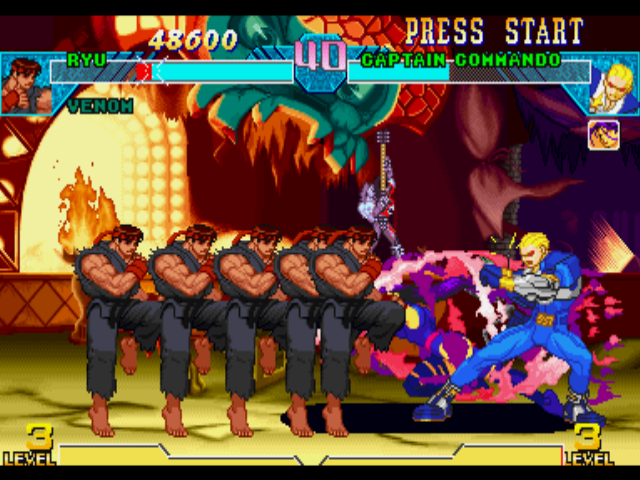
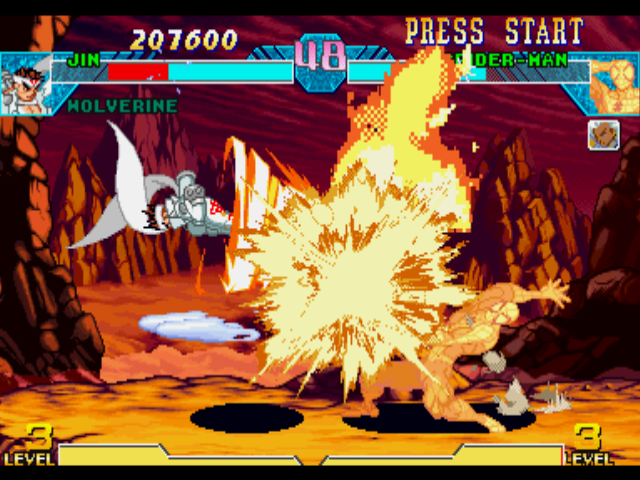
Before starting a game, you'll choose a fighter from 15 available characters. The first character you choose is your main fighter. You can then choose a Partner Hero or Special Hero. During a battle, you can call out your teammate by performing the various moves shown.
Note: The controls are for characters facing right. Reverse the left/right controls for characters facing left.
Partner Heroes Mode
•
While blocking, + P + K (simultaneously)
•
Your support character joins in to perform a counterattack. This move requires a Level 1 Hyper Combo Gauge.
•
+ P + K of the same strength (simultaneously)
•
Your support character joins in to perform a super powerful combination Hyper Combo. This move requires a Level 2 Hyper Combo Gauge.
•
K + P + K of the same strength (simultaneously)
•
A support fighter joins in to assist you. You can control two characters simultaneously for a short while. You can use unlimited Hyper Combos during Variable Cross. This move requires a Level 2 Hyper Combo Gauge. (You cannot perform Variable Cross against Onslaught.)
Special Heroes Mode
•
MP + MK (simultaneously)
•
Your Special Hero joins in to perform an assist attack.
•
Your Special Hero joins in to perform a counterattack. This move requires a Level 1 Hyper Combo Gauge.
•
+ P + K of the same strength (simultaneously)
•
Your Special Hero joins in to perform assist attacks several times.
.png)

.png)
.png)
.png)

_1.png)
_1.png)



.png)

.png)
.png)