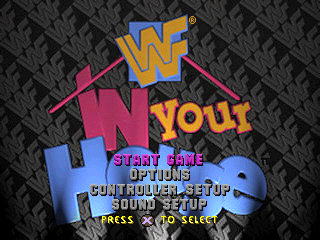
Preparing for WWF Wrestling In Your House
1. Set up your PlayStation™ game console according to its Instruction Manual. Make sure the PlayStation game console power is off before inserting or removing a compact disc. 2. Insert the WWF IN YOUR HOUSE™ game disc and close the disc cover.
3. Insert game controllers and turn on the PlayStation™ game console. 4. Follow on-screen instructions to start a game.
If you wish to play with up to 4 players, insert a Multi-Tap (sold separately) as described in its instructions.
Note
IN YOUR HOUSE™ DOES NOT USE THE MEMORY CARD SAVE FEATURE.
PlayStation Console Components
Game Overview
When action surges IN YOUR HOUSE, you'll find yourself out of breath! These WWF superstars not only compete inside a standard ring, they each have their own unique combat site—like Ahmed Johnson's gym and Shawn Michaels' rock club!
Power-ups energize these grappling legends like never before! You'll have to rack up plenty of ring experience before you're able to uncover the secret finishing moves that make matches meaningful! This is action like you've never seen it before!
Title Screen Options
At the WWF IN YOUR HOUSE™ Title Screen, you'll have two choices: START GAME and OPTIONS.
Start Game
To begin the game, before or after setting options, highlight START GAME and press the START or X BUTTON. You will then come to the Wrestler Select Screen, where you can choose your wrestler before entering the ring.
Options
To set OPTIONS, press the X BUTTON when this choice is highlighted. You will come to the Options Screen. To set options, highlight by pressing UP or DOWN on the Directional button, then toggle settings by pressing LEFT or RIGHT.
Options Screen Settings
BLOCK
Choose to play with blocking ability ON or OFF.
POWER-UPS
Choose to play with Color coded power-ups (White is good, Red is bad).
DIFFICULTY
Choose to wrestle at Easy, Medium or Hard skill levels.
TIMER
Choose to play with the round timer ON or OFF.
SOUND
Press the X BUTTON to see the Sound Options screen, where you can set sound volume from Low to High or sample the in-game sounds. To sample a sound, toggle UP or DOWN to select a sound and press X to listen to it.
CONTROL CONFIGURATION
Press the X BUTTON to access the Control Configuration Screen, where you can select from any of nine pre-set controller configurations.
Choosing Wrestlers
Press the UP and DOWN DIRECTIONAL PAD to move the cursor to your favorite wrestler. Once you've selected a wrestler, press the X button to unleash a barrage of IN YOUR HOUSE™ wrestling action!
Don't hesitate: There's a time limit, and if you don't choose your wrestler quickly, the computer will choose one for you based on the last position of the cursor.
Opponent Selection
If you are playing a one-player game, the computer will automatically choose your opponents. Otherwise, up to four players select their wrestlers--even the same wrestler!
Match Types
There are different methods of WWF IN YOUR HOUSE™ mayhem--each one presenting its own unique brutal challenges. The modes depend on how many players are involved.
1 Player (Against the Computer)
•
SEASON - Play each wrestler once (10 matches)
•
INTERCONTINENTAL - Easy ladder
•
1 computer opponent 5 times
•
2 computer opponents 4 times
•
3 computer opponents at once
•
WORLD WRESTLING FEDERATION CHAMPIONSHIP - Hard ladder
•
2 computer opponents 5 times
•
3 computer opponents 4 times
•
10 computer opponents once (3 at a time until all 10 have been wrestled)
2 Players
•
VS - Play against each other
•
COOPERATIVE - Team up against all 10 opponents, two at a time
•
BUDDY - Human and Computer against Human and Computer
•
SEASON - Team against 2 computer opponents, 4 times
3 Players
•
3 PLAYER WAR - Every man for himself
•
TAG TEAM - 2 human players against 1 human and 1 computer (Computer wrestler is whichever multitap port is inactive)
4 Players
•
4 PLAYER WAR - Every man for himself
•
TAG TEAM - Players 1 & 2 VS Players 3 & 4
Offense & Defense: The Basics
Note: These are default controls. You may alter your controller configuration in the OPTIONS Screen.
To return to the Title Screen at any time during gameplay, hold the SELECT button and press START for 2 seconds.
Defense
REVERSAL MOVES (WHEN BEING HEAD HELD)
Each wrestler has a different move, so experiment to learn what works for your favorite wrestler. Can you discover who uses ↓↓? →→?
ROLL OUT OF THE WAY
When you've been dropped to the mat, push "UP" or "DOWN" on the DIRECTIONAL BUTTON.
Stepping Up the Attack!
Once you've mastered the basics of offense, you can move on to some more sophisticated takedowns. You're gonna need 'em! But can you figure them out?
Take It to the Air!
Every wrestler has spectacular specialty maneuvers (see wrestler biographies on pages 14-
 (Rev 1).png)



.png)
 (Rev 1).png)