Startup Procedures
Turn on the MAIN POWER switch located on the back of the PlayStation®2 computer entertainment system. Insert the game disc and press the RESET button.
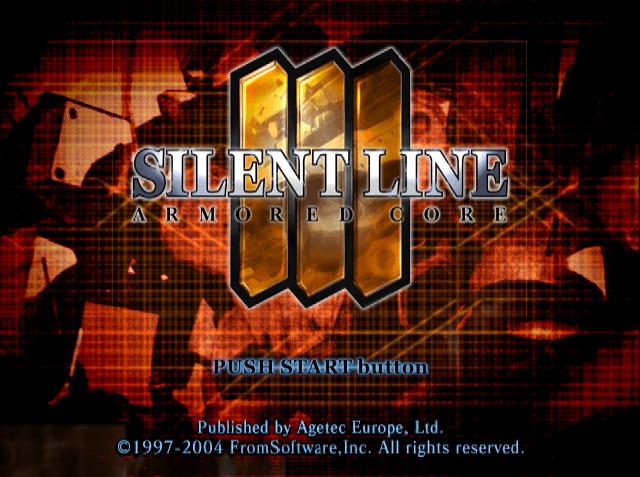
Press the START button during the opening movie to access the TITLE screen. Press the START button at the TITLE screen to access the MODE menu.
Game Modes
NEW GAME
This is the main game mode where mission assignments are carried out. Select this mode to start Silent Line: Armored Core from the beginning. Use credits earned from successful mission completions to purchase new parts and weapons. LOAD GAME
Resume a saved Silent Line: Armored Core game, or begin a new game using converted Armored Core 3 game data. VERSUS
Pit your AC creations against those designed by other players, CPU-controlled opponents, or a mix of both. A maximum of four players can compete in VS battles.
AI ARENA
Create and challenge Arena ladders composed of player-trained AI AC units.
Game Overview
Silent Line: Armored Core has numerous gameplay options offering a variety of both single and multi-player challenges. MISSIONS
Advance through the game's story mode by accepting and completing missions.
ARENA
Go head-to-head against other AC pilots.
GARAGE
Construct and customize AC units.
AI/AI ARENA
Create and train AI ACs for use in versus mode and player-created Arena ladders.
VERSUS
Engage up to four CPU or player-controlled ACs in multi-play Arena mayhem.
EXTRA ARENA
Partner yourself with another AC pilot and compete in 2-on-2 team battles.
Mission Requesters
Progression through the game's story is achieved by successfully completing mission assignments received from different organizations.
GLOBAL CORTEX
Provides corporate clients with access to Raven mercenaries for use in dispute resolution.
MIRAGE
The largest of all corporations, Mirage is a major manufacturer of AC parts and an advocate for accelerated surface redevelopment plans.
CREST
A major AC part manufacturer and Mirage's main rival. Disputes between these two corporate giants are a common occurrence.
KISARAGI
The smallest of all the corporations, Kisaragi focuses its efforts on product development and tries to avoid conflicts with Mirage and Crest.
Starting a New Game
Access the MODE menu from the TITLE screen and select NEW GAME. Adjust game settings as desired and then select NEXT. Enter a pilot name and select END. The MAIN MENU will be displayed after the game's opening text.
Mission Selection
Choose MISSION from the MAIN MENU to access the AREA SELECT screen.
AREA SELECT
Select an area from the world map.
MISSION SELECT
Select a mission from the available list.
BRIEFING
View details relating to a selected mission. Once a mission has been accepted, it must be attempted before another can be started.
CONSORT
On some missions it is possible to hire a consort as backup.
CONSORT SELECT
View a list of consorts available for hire and confirm selections as desired.
Consorts
Consorts are allied units that fight alongside your AC during mission assignments. Depending on the mission selected, consorts can be assigned by the client, hired at your discretion, or may not be available at all. When provided with a budget to hire a consort, any unused credits are automatically counted towards your reward.
Clearing Missions
Successful mission completion depends on meeting the requirements outlined in the mission briefings. Pay attention to these, as the reward you receive at the end of each mission is directly tied to your performance.
Mission Failure
Missions are logged as failures when any of the following occur:
AC DESTRUCTION
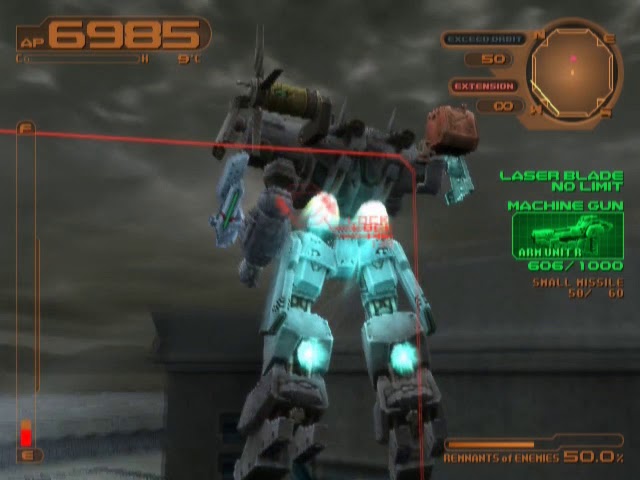
Occurs when the unit's Armor Point (AP) value reaches zero.
Break Weapon
If a weapon sustains too much damage over the course of an engagement, it will be rendered useless. Weapons destroyed during a mission are repaired (at a cost) when the assignment is complete.
Drop Weapon
There are certain times during combat operations when it may be in your best interest to discard weapons equipped on your AC. This can be done to decrease the AC's load weight, or remove weapons that are either out of ammunition or damaged.
Weapons dropped during a mission cannot be picked up once discarded, but will be returned to your possession after the mission is over. Weapons dropped during VS combat can be retrieved depending on the selected VS mode settings.
LEAVING AREA OF OPERATIONS
Most missions have a specified area of operations. This area is indicated by a set of lines on the radar (one yellow, one red). A warning sounds if the yellow line is crossed and the mission is aborted if the red line is crossed. Though not displayed on the radar, some missions also have area boundaries that extend along the vertical plane.
QUIT MISSION
Purposely canceling a mission (press the START button and select OK) also results in a mission failure.
Mission Income & Expense Report
An income and expense report is displayed after each mission attempt. This report provides information relating to credits earned for accomplishing objectives, credits deducted to cover ammunition/repair costs and any special credit additions/deductions. The only costs incurred when you fail a mission are those needed to cover ammunition expenditure.
ARENA
Enter the Arena to engage in head-to-head combat against other Global Cortex registered Ravens. All players start on the bottom rung of the Arena ladder when competing for the first time, and must fight their way through the ranks in order to





_1.png)














.png)