Starting the Game
PlayStation 2 Setup
Set up your PlayStation®2 computer entertainment system according to the instructions in its Instruction Manual. Make sure the MAIN POWER switch (located at the back of the console) is turned ON.
Press the RESET button. When the power indicator lights up, press the OPEN button and the disc tray will open. Place the BATMAN BEGINS™ disc on the disc tray with the label side facing up. Press the OPEN button again and the disc tray will close.
Attach game controllers and other peripherals, as appropriate. Follow on-screen instructions and refer to this manual for information on using the software.
Combat Moves
Counter
While blocking (hold the R2 button), press the O button to perform a counter. Counters must be timed with an enemy's attack to be effective.
Jump and Dodge
When locked on to an enemy, press the X button and press the left analog stick in the direction you want to dodge/jump away from an enemy.
Playing the Game
Plunge into Gotham's criminal underworld as the legendary Dark Knight in the BATMAN BEGINS videogame. Use fear, intellect and an array of high-tech gadgets to intimidate and defeat the sinister forces threatening the city. From a remote, ancient Himalayan monastery to stately Wayne Manor to the chaotic halls of Arkham Asylum, embrace the darkness as you fight for justice.
Press the START button from the Title screen and select NEW GAME.
Game Screen
•
Enemy's name, description, weapon and EKG (heart rate)
•
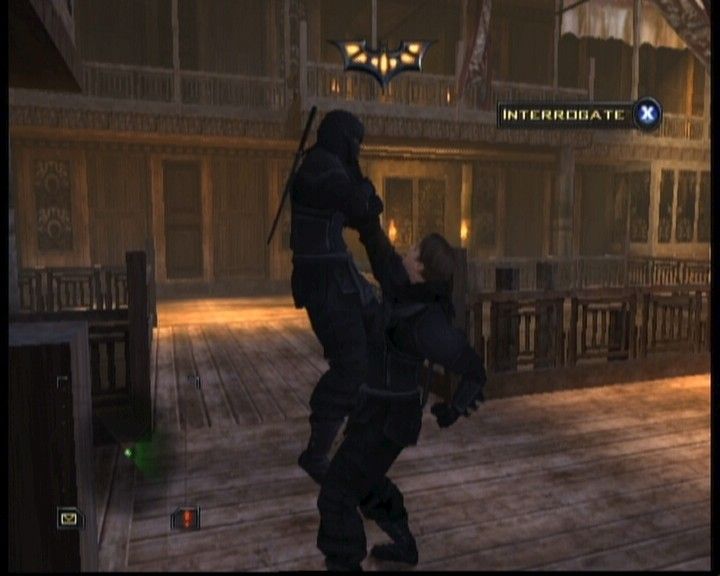
Context-sensitive button options
Reputation
As you progress, you gain a reputation, depending on how well you perform against Gotham's criminals. Defeating enemies increases your reputation. The more scared your enemy is when he is defeated, the more reputation you gain.
The higher your reputation, the more effective your fear attacks are and the more fear you create in your enemies.
Gadgets and Utility Belt
You have a wide range of gadgets—some are stocked in your Utility Belt and some are automatically equipped when appropriate, depending on the context. Familiarize yourself with these items so you can quickly access one or more when the situation calls for it.
•
Press the D-button to access the Utility Belt. Highlight the gadget you want to equip. It is assigned to the L1 button. The Batarang is assigned to the R1 button.
•
You can replenish certain gadgets if you find them. Keep your eyes open for military crates that may contain stockpiles.
•
The Flash-Bang, Smoke Grenade and HF Transponder gadgets may only be used on enemy targets.
•
When engaged in combat, gadgets automatically target the current locked-on enemy.
Gadgets can only be used on a scared enemy (an enemy with a heart rate over 60 BPM).
Radar
The red circle under you indicates the amount of noise you're making. The bigger the circle the more noise you're generating. Go into stealth mode to make less noise. The targeted enemy. Yellow dots depict objective markers. Enemies show up as dots. An X indicates the enemy is out of range and not an immediate threat. A dot indicates he is within range. Red enemies have guns, while green enemies do not.
•
Indicates you have information available at the Mission Notes section of the Objectives screen.
•
This symbol informs you if an enemy has spotted you or is aware of your presence.
Gadget Descriptions
•
Radio Earpiece: Alfred keeps in touch with you by using this device to relay information and advice.
•
Flash-Bang Grenade: Distract and momentarily incapacitate several enemies by tossing this concussion grenade into their midst. This also increases their fear levels.
•
Smoke Grenade: Send an enemy into a coughing fit, making him vulnerable to your attacks and increasing his fear level.
•
HF Transponder: This device emits high-frequency sound waves that summon a swarm of bats to immobilize an enemy with fear.
•
Grapple: Get to hard-to-reach places quickly and access high vantage points.
•
Batarang: Use the Batarang to trigger events to scare the enemy, or use it to trigger a switch.
•
Optic Cable: See what awaits you on the other side of a door.
•
Camera Hack Tool: Hack certain security cameras and receive their live video feed to observe patrol patterns and enemy behavior.
•
Electronic Hack Tool: Hack computer terminals and electronic control panels to operate secure machinery.
Vulnerability
When you use a Flash-Bang or Smoke Grenade, a vulnerability meter appears in the lower right corner of the screen indicating how long enemies will remain incapacitated.
Mission Information and Level Notes
Press the SELECT button to access the Objectives screen and view important information about your missions and your current level. An envelope icon near the radar notifies you that new information has been added to the Objectives screen.
Notes are helpful for recalling security codes gathered in a level.
Replenishing Health
Collect Medical Kits to replenish your health, but don't waste them by picking them up when you're at full health.
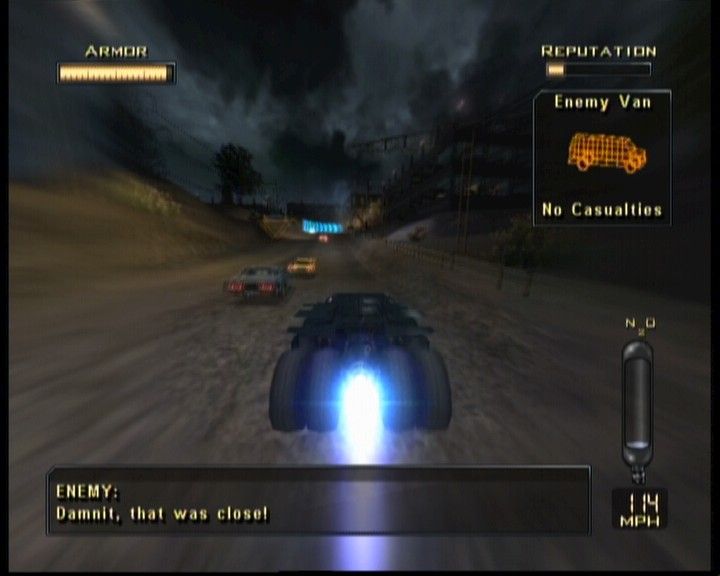
The Batmobile
Tear up the streets of Gotham in the ultimate driving machine for merciless, high- .png)


.png)
