Connectors
Getting Started
Set up your PlayStation®2 computer entertainment system according to its Instruction Manual. Make sure the MAIN POWER switch (located on the back of the console) is turned on.
Press the RESET button. When the power indicator lights up, press the (OPEN) button and the disc tray will open. Place the HARD HITTER TENNIS™ disc on the disc tray with the label side facing up. Press the (OPEN) button again and the disc tray will close.
Attach game controllers and other peripherals, as appropriate. Follow on-screen instructions and refer to this manual for information on using the software.
Controllers
This game is compatible with the DUALSHOCK® analog controller or DUALSHOCK®2 analog controller. Each player will need a controller.
Please connect all controllers to be used before turning the power on. Up to 4 players can play simultaneously.
The Multitap (for PlayStation®2) (purchased separately) is necessary for 3 or more players. If you want to use the multitap, first connect it to controller port 1. Then, connect the controllers you want to use in the following order: controller port 1-A, 1-B, 1-C, and 1-D. For more detailed instructions, please refer to the instruction manual for the multitap.
•
The functions of button, button, button, and X button can also be performed with the right analog stick.
•
The default setting for this game is analog mode. The mode indicator will be lit up in red.
•
The game can be played with a DUALSHOCK® analog controller or DUALSHOCK®2 analog controller.
•
This game does not use the vibration function.
Starting the Game
To save or load game data, a memory card (8MB) (for PlayStation®2) must be inserted into MEMORY CARD slot 1 or MEMORY CARD slot 1-A when using the Multitap.
In order to save game data for this game, at least 125KB must be available in the memory card. If you wish to save a character that you have created, an additional 8KB per character is needed in the memory card. Multiple system data files cannot be saved to a single memory card.
System Data
•
Content: OPTION menu settings
•
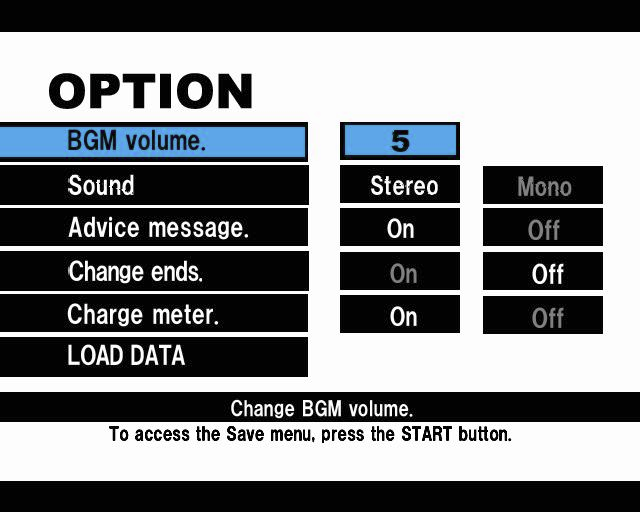
Saving: A data file can be created and saved after boot up. Previous data can be overwritten if the OPTION menu settings are changed.
•
Loading: Select LOAD in the OPTION menu to load previously saved data.
Character Data
•
Content: Characters created in WORLD TOUR mode (max. 10)
•
Saving: Data can be saved after completing a tournament in WORLD TOUR mode (after either a win or loss).
•
Loading: You can load data by selecting CONTINUE from the choices displayed in WORLD TOUR mode.
MODE SELECT
The MODE SELECT screen will appear after pressing the START button at the title screen. If a memory card is inserted in MEMORY CARD slot 1 (MEMORY CARD slot 1-A when using the Multitap) during boot up, the previously saved OPTION settings will automatically be loaded. Select a mode to play or change the game settings.
WORLD TOUR
This mode allows you to participate in tournaments for 1 year with the goal of becoming the best in the world. You can even create your own player.
EXHIBITION
This mode allows you to participate freely in a game of tennis, alone or with friends. Up to 4 people can play simultaneously.
TRAINING
This mode allows you to practice basic skills with the aid of a coach.
MINI GAME
There are 3 different mini games to choose from.
WORLD TOUR Tournament
There are more than 60 tournaments per year around the world. Just select a weekly tournament to enter, and go for the win!
The type of court and prize money available will vary from tournament to tournament, so choose your tournaments wisely. A tournament with more prize money means tougher opponents, which in turn will make it harder for you to go up in rank.
SELECT TOURNAMENT
The details of the tournament(s) that you can compete in will be displayed on the left side of the screen. A tournament will start after you have confirmed your selection with the X button.
•
COURT: Type of court to be played on.
•
PRIZE POOL OF $: Total prize money.
•
WINNER'S PRIZE $: Prize for winning.
WORLD TOUR RANKING
After each tournament, a list of the 10 top ranked contenders will be displayed with their total acquired prize money. If you are not ranked within the top 10, your character's name will be listed below the 10th ranked player.
After the tournament year is over, the player with the most money will be crowned the champion.
STAT GROWTH
In the WORLD TOUR mode, your character will grow in experience. Your character's stat growth will depend on how well he/she plays.
The list below includes all of the attributes that can be improved. After each match, the STAT GROWTH screen will show how many points were obtained for each attribute.
The following





.png)


.png)
.png)


.png)



.png)

.png)

.png)
.png)
.png)
.png)