Setting Up
Note: Illustration may not match all PlayStation®2 console types. For owners of SCPH-70000 series PlayStation®2 systems, refer to the setup instructions supplied with your system.
Set up your PlayStation®2 computer entertainment system according to the instructions in its Instruction Manual. Make sure the MAIN POWER switch (located on the back of the console) is turned on.
Press the RESET button. When the power indicator lights up, press the OPEN button and the disc tray will open. Place the CURIOUS GEORGE™ disc on the disc tray with the label side facing up. Press the OPEN button again and the disc tray will close.
Attach game controllers and other peripherals, as appropriate. Follow on-screen instructions and refer to this manual for information on using the software.
Memory Card
This game uses 107 KB of space on a memory card (8MB) (for PlayStation®2).
The first time you play, you can create a file for CURIOUS GEORGE™ on the memory card (8MB) (for PlayStation®2). Each memory card (8MB) (for PlayStation®2) can save up to three CURIOUS GEORGE™ saves.
Getting Started
Title Screen
The Title screen will appear when you start the game. Press the START button to continue to the Profiles Menu.
Profiles Menu
From the Profiles Menu you will have the following options:
•
Select Profile: Select a new or previously saved Profile
•
Delete Profile: Delete a previously saved Profile
After creating or loading a Profile, you will be taken to the Main Menu.
Main Menu
•
PROFILES: Create, Load or Delete Profiles
•
OPTIONS: Access the Game Options
•
GIFT SHOP: Enter the Museum Gift Shop to purchase unlocked features
•
MAP REPLAY: Replay any previously unlocked levels (displayed once a level is unlocked)
•
CREDITS: View the Game Credits
Game Options
You can make changes to the following items within the OPTIONS MENU:
•
Music Volume: Raise or Lower the Music Volume
•
Effects Volume: Raise or Lower the Sound Effects Volume
•
Subtitles: Turn Subtitles ON or OFF
•
Game Controls: View the Game Controls
•
Restore Defaults: Restore all OPTIONS to their default settings
How to Play
You control Curious George throughout his adventures.
Curious Objects
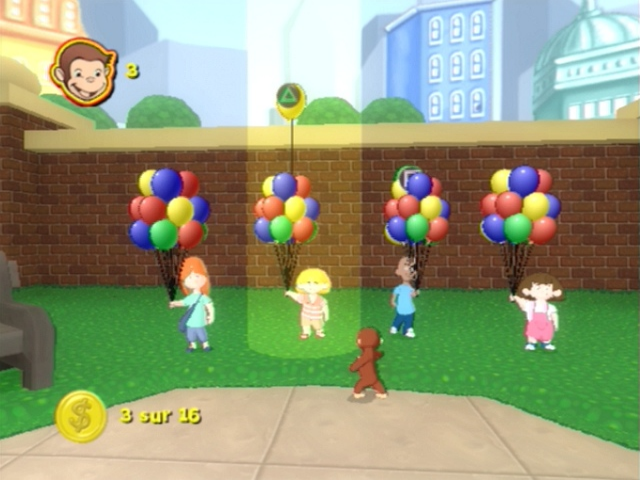
Throughout the game, George will become curious when he gets near a Curious Object. You'll know you're near one when a question mark appears over George's head.
When you see the question mark, use the Action button to interact with the object and gain Curious Points. Curious Points
By interacting with Curious Objects you earn Curious Points, which you can then use to purchase any unlocked items in the Gift Shop.
Bananas
Collect all the bananas on each level to unlock items in the Gift Shop. You can then purchase these items with your Curious Points! This includes items such as outfits for Curious George and clips from the feature film.
Gift Shop
The Gift Shop is where you can go to use your Curious Points to purchase bonus items that have been unlocked by collecting Bananas.
You cannot purchase an item until it has been Unlocked. Once an item is Unlocked, you can purchase it provided you have enough Curious Points.
.png)

.png)