System Setup
Set up your PlayStation®2 computer entertainment system according to its instructions. Ensure the system is on (green on/standby indicator).
•
Press the OPEN button to open the disc cover.
•
Place the DELTA FORCE® - BLACK HAWK DOWN: TEAM SABRE™ disc with the label side facing up in the disc holder.
•
Attach game controllers and other peripherals.
•
Follow on-screen instructions and refer to this manual for software information.
Memory Cards (8MB) (for PlayStation®2)
Do not insert or remove accessories or memory cards while the power is on. Ensure sufficient free space on your memory card before playing.
To save game settings and progress, insert a memory card (8MB) into MEMORY CARD slot 1. You can load saved games from the same or any other memory card containing previously saved games.
Online Play
A memory card (8MB) is required for online play. Before playing online, a valid network configuration must be saved to the memory card using the Network Adaptor Startup Disc or the Edit Your Network Configuration file option.
Setting Up Your USB Headset (Optional)
The headset allows you to issue commands to teammates and talk with other players in Online modes. This is an optional feature.
The USB headset connects to either USB connector on the front of your PlayStation®2 console. Insert the cable with the USB symbol facing up.
Creating & Editing Your Profile
Once the game loads, you will be asked to create a Profile. Press ✔ to use the virtual keyboard to name your Profile (maximum 8 characters).
Select END to confirm your Profile name. Your Profile will be saved to your memory card (8MB).
Choosing Your Own Options
You can return to the Profile screen at any time by pressing on the Main Menu screen. The Profile screen will also appear each time you restart DELTA FORCE® - BLACK HAWK DOWN®: TEAM SABRE™. Your last used Profile will be automatically selected.
To change Profiles, highlight SELECT PROFILE and press. Use directional buttons to cycle through previously created Profiles. Pressing again selects the highlighted Profile.
You can create a total of four Profiles. You can also overwrite profiles by selecting OVERWRITE PROFILE, which brings up an overlay to select and overwrite any profile except the currently selected one.
The Main Menu
Single Player
Access your saved single-player Campaign and Instant Action Mode for the loaded Profile. If campaigns are saved under different profiles, choose the appropriate profile before continuing.
Play through the DELTA FORCE® - BLACK HAWK DOWN®: TEAM SABRE™ campaign. This option offers the next available mission unless the game is completed.
Learn how to operate in the field through a series of objectives. This appears in the Single Player menu until a campaign mission is completed, then moves to the Instant Action menu.
Play through previously completed campaign missions. This appears once at least one full campaign mission has been played.
Select the difficulty level for Campaign and Instant Action games. Progress is tracked separately for each difficulty level.
Multiplayer
Access multiplayer modes: Online, Split Screen, or Co-Op.
Play various game types on multiple diverse maps with up to 32 players.
Up to 4 players can share a screen to play various game types on multiple diverse maps together on one PlayStation®2 console.
Play through Campaign or Instant Action missions in split-screen mode.
Options
This menu area allows access to the following options:
Set Music, SFX, and Sound Mode (Stereo, Mono, Surround).
Set Screen position and turn Widescreen mode on/off.
Set vibration, zoom type, auto reload, analog stick sensitivity, Y-axis orientation, and choose between three control schemes.
Save your current profile, load a saved profile, and set your Auto-Save status.
View the game's credits.
Weapon Accuracy
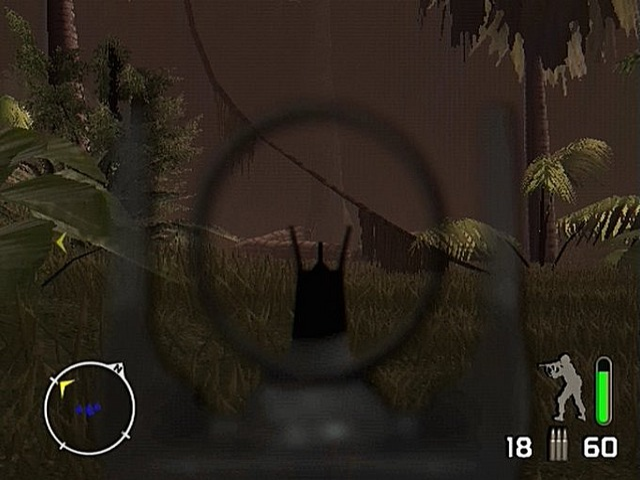
Delta Operators use "Rapid Aim Fire" by raising their weapons and aiming through mounted sights. This method is fast, allows target identification, and is very accurate.
You can fire from either ready or scoped views, but accuracy is affected.
•
Holding L1 by default raises your weapon from ready to scoped view.
•
The scope can be switched to toggle mode in the Controls menu.
•
Scoped view provides smaller bullet spread and better accuracy but slower movement.
•
Accuracy is increased by crouching.
•
Going prone further increases accuracy.
•
Accuracy is decreased when running.
•
For a highly accurate shot, go prone, stay still, sight in, and fire.
Team Status
During missions, you often command a squad of soldiers who follow your lead, support your actions, and engage hostiles.
Passing your reticule over a squad member shows their name and current health. Monitor squad members' health and heal them if needed.
Team Commands
Issue team commands via the command wheel or with your USB headset using voice commands.
•
Pressing brings up the command wheel.
•
Select menus and commands on the wheel by pressing the appropriate button.
•
Return to the main command menu by pressing the button associated with the BACK command.
Firing Menu
•
The FIRING menu is reached by pressing after pressing.
.png)

.png)
.png)
.png)


_1.png)


.png)



.png)





.png)