Starting the Game
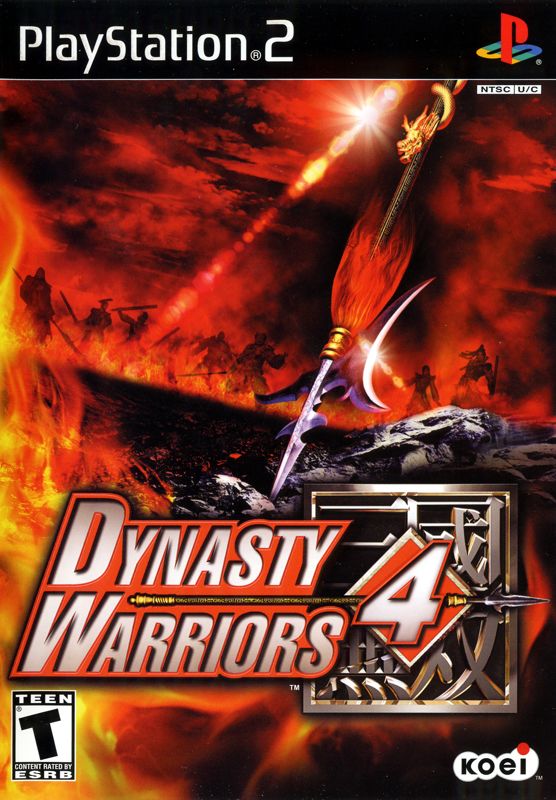
Put the Dynasty Warriors 4 disc in the disc tray. Insert a Memory Card (8MB) (for Playstation®2) into MEMORY CARD slot 1. The intro movie will start when the power is turned on. Pressing the START button will end the intro movie and bring up the title screen.
*You will need at least 150 KB free in order to save. Refer to your Playstation 2 user's manual for details. Select Game Mode
At the title screen, press the START button. When the Main Menu appears, select a game mode.
Saving
Save a game in progress. When you save, you can continue where you last played.
Saving at the End of a Stage
[Musou Mode/Free Mode]
When you clear a stage, you will be asked whether you wish to save the game.
In Musou Mode, select the save file where you wish to save your game. The maximum number of save files is 8.
*Same applies for 2 Player Mode.
*If you select a save file with previously saved data on it, the old data will be overwritten.
Saving in the Middle of a Stage
[Musou Mode/Free Mode]
Press the START button during play. When the Information screen appears, select QUIT.
Only 1 game may be saved this way.
*Saving will automatically overwrite previously saved gameplay data. Saving a game at the end of a stage will delete previously saved gameplay data.
Saving a Game from the Option Screen
You can save a game's option settings and records by going to the OPTION screen and selecting SAVE.
Loading
Continue a previously saved game.
Loading a Game Saved at the End of a Stage
[Musou Mode]
Select Musou Mode from the Main Menu. If you have previously saved data, NEW GAME and LOAD GAME will appear in the menu. Select LOAD GAME and choose from the list which game you wish to resume.
Loading a Game Saved in the Middle of a Stage
[Musou Mode/Free Mode]
If you have saved gameplay data from the middle of a game, CONTINUE will appear in the menu. Select CONTINUE to resume the game.
Game Modes
Choose a game mode from the Main Menu.
Musou Mode
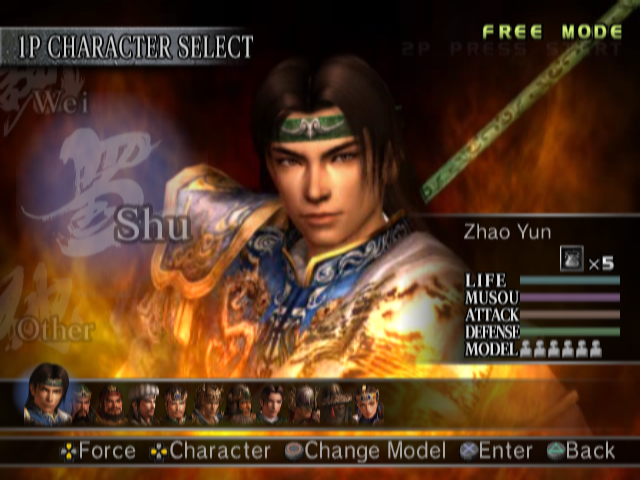
Choose the force for which you will fight. The stages and characters available will change according to the force chosen.
You can choose from the following when you have completed a stage and saved a game:
•
NEW GAME: Start a new game.
•
LOAD GAME: Load a saved game.
Free Mode
Select one scenario/stage to play. The number of scenarios/stages available will increase when certain conditions are met in Musou Mode.
Musou Mode/Free Mode (2 Player)
In Musou Mode and Free Mode, 2 players can play in cooperation with each other. When 2P PUSH START appears in the upper right hand corner of the screen, Player 2 can join in by pressing the START button.
Continue
You can continue a game saved in the middle of a stage. CONTINUE will appear on the Main Menu if there is previously saved gameplay data.
*In Musou Mode, if the game was saved at the end of a stage, Player 2 can join the continued game.
Versus Mode
2 players fight against each other. There are 4 stages to choose from.
*In Versus Mode, characters use starting abilities only. Equippable items may not be used; weapons are set to a max. of 6 hits. Characters created in the Character Edit mode may not be used.
•
SHOWDOWN: Defeat the enemy player in one-on-one combat!
•
ENCOUNTER: Search for and destroy the enemy player in a dark indoor stage!
•
INFLUENCE: Use the Imperial Seal to gain allies and defeat the enemy army!
•
ESCORT: Destroy the enemy carriage while protecting your own!
Challenge Mode
Clear any or all of the four different challenges and attempt to set a new record.
*Characters use starting abilities only. Equippable items may not be used; weapons are set to a maximum of 6 hits. Characters created in the Character Edit mode may not be used.
•
ENDURANCE: Defeat as many enemies as you can.
•
TIME ATTACK: Defeat 100 enemies as fast as you can.
•
BRIDGE MELEE: Knock as many enemies off the bridge as you can.
•
DEMOLITION: Destroy as many objects as you can.
Compete in the Rankings with your Password!
Records in Challenge Mode can be posted on an Internet Ranking for each challenge type by using "Show Password." For details, visit: www.koeigames.com/
*Website content may be changed or discontinued without notice.
Officer Edit
By choosing a name, appearance, and motion sequence, you can create your own character. Up to 4 characters may be created and saved.
*Original characters may be used in Musou Mode and Free Mode.
Editing Process
1 Selecting a file
Choose an empty character file from 1 to 4. If you choose a file which already contains previously saved character data, the new data will overwrite the old data.
2 Enter name
Character names are limited to eight (8) spaces. Press the START button to confirm.
•
Entering letters: Select the letters to be entered by using the directional buttons to point to the desired letter on the list.
3 Choose a gender
Select a male
.png)


.png)





.png)

.png)



.png)