Starting the Game
•
Set up your PlayStation 2 console according to its Instruction Manual. •
Make sure the MAIN POWER switch (located at the back of the console) is turned ON.
•
Press the RESET button. When the power indicator lights up, press the OPEN button and the disc tray will open.
•
Place the FIFA 2001 Major League Soccer disc on the disc tray with the label side facing up. Press the OPEN button again and the disc tray will close. •
Insert game controllers and other peripherals, as appropriate.
•
Follow on-screen instructions and refer to this software manual for information on using FIFA 2001 Major League Soccer. PlayStation 2 Computer Entertainment System
Set Pieces
Set Pieces are pre-arranged tactical plays that a team uses in dead ball situations such as Free Kicks, Corner Kicks and Throw-ins. In FIFA 2001 Major League Soccer, three players are highlighted with Icon Attack icons and perform special runs when the specific Set Piece begins. Changing Set Pieces During a Match
•
Press SELECT to activate the Set Piece countdown. When the Set Piece indicator stops flashing and goes solid, the Set Piece begins.
•
Now choose a player using the Icon Attack buttons.
•
Press SELECT more than once to cycle through the three available set pieces.
Defending Against a Set Piece
When the Set Piece begins, choose an opposing player to double team using the Icon Defense buttons. But be careful—picking the wrong player can leave your defense dangerously exposed!
Intermediate Controls
Aiming the Shot
To target different areas of the net, press the left analog stick based on the direction your player is facing. Pointing towards the opponent's net shoots high. To drive a low, hard shot, pull away from the opponent's net.
The Shooting Power Meter
When you press, a power meter appears. As you hold down, the meter fills and the power of the shot increases.
You should release the shot before the meter fills completely. If the meter turns red, you've overpowered the shot (making it less accurate).
Analog Shot Control
The shooting mechanism in FIFA 2001 Major League Soccer takes advantage of the DUALSHOCK 2 analog controller's pressure sensitive capabilities. The harder you press, the quicker the power meter fills up. In-Game Tactics (IGT)
Activate a defensive tactic with the simple press of a button. You can only activate IGTs when the opposing team has the ball.
•
Press R2 and your defense pushes up the field in an attempt to place the attacking players offside.
Attacking Press
•
Press L2 to apply extra pressure to an opposing player in possession.
Tactic Indicator Control Highlight
Any player affected by an IGT has a control highlight beneath him for the duration the tactic is active.
Setting Up the Game
Select a mode of play, set options, edit teams or load a saved game.
Main Menu
•
Access the Game Modes screen. (p. 16)
•
Access the Options screen to adjust a variety of settings. (➤ Options below)
•
View the game's credits and watch a preview of other upcoming titles from EA SPORTS.
Two or More Players
For two or more players, connect controllers and in the Side Select screen, press the D-button to choose your team. Controllers that remain in the middle will be inactive during the game. You can assign a controller after the game has started from the Pause menu. (p.14) FIFA 2001 Major League Soccer supports the Multitap (for Playstation 2). Options
Default options are listed in bold in this manual. Change your Match, Stadium, Gameplay, Visual, and Audio settings.
•
Press the D-Button to move between options and to make adjustments to the selected option.
•
Press to return to the Main menu, temporarily saving any changes you've made. Changes are stored until the PlayStation 2 console is reset. Saving Options
To save Options to a MEMORY CARD (8MB) (for PlayStation 2): •
Press to access the Icon menu bar and select SAVE SETTINGS. The settings are saved.
Loading Options
If saved Options are detected on the MEMORY CARD (8MB) (for PlayStation 2) in MEMORY CARD slot 1, you are prompted to load them when you first start up FIFA 2001 Major League Soccer. Select YES to load your saved settings. To load previously saved settings after you've started the game, press ▲ from the Main menu to access the Icon Bar and select LOAD SETTINGS. Customized player and squad settings are automatically loaded with Options.
Playing the Game
It's a fast-paced, often brutal life out on the pitch. Gear up and get ready to take on some of the world's finest athletes.
Control Highlights
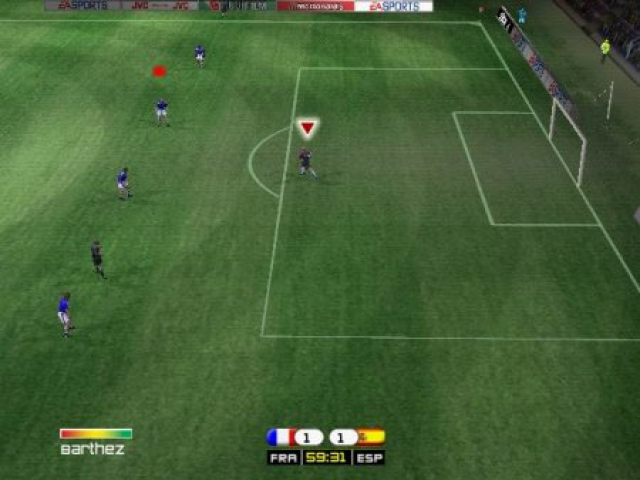
The following is a guide to the player highlights used to indicate the status of different players on the field.
Controlled Player with Ball
•
Green = Good pass. Pass receiver is not marked.
•
Yellow = Caution. Pass receiver momentarily marked. You might give the ball away.
•
Red = Bad pass. Pass receiver is marked.
Pass Receiver
•
Currently selected Pass Receiver
.png)

.png)
_1.png)

.png)


.png)
.png)


