GETTING STARTED
Insert a memory card (8MB) (for PlayStation®2) in MEMORY CARD slot 1 before turning the power on. Game saves require 110KB of free space. Additional saves require additional free space.
Set up your PlayStation®2 computer entertainment system according to the instructions in its Instruction Manual. Make sure the MAIN POWER switch (located on the back of the console) is turned on.
Press the standby/RESET button. When the power indicator lights up, press the open button and the disc tray will open.
Place the MTV's Celebrity Deathmatch disc on the disc tray with the label side facing up. Press the open button again and the disc tray will close. Attach game controllers and other peripherals, as appropriate. Follow on-screen instructions and refer to this manual for information on using the software.
CELEBRITY DEATHMATCH MENUS
Use the directional pad to navigate the menu and the button to make a selection. Use the button to back out of any selection.
EPISODE
Play a full episode of the game.
DEATHMATCH
Play a single match-up. You may select between the following play modes:
•
1P vs 2P Play against a friend or enemy.
•
1P vs CPU Play against Artificial Intelligence.
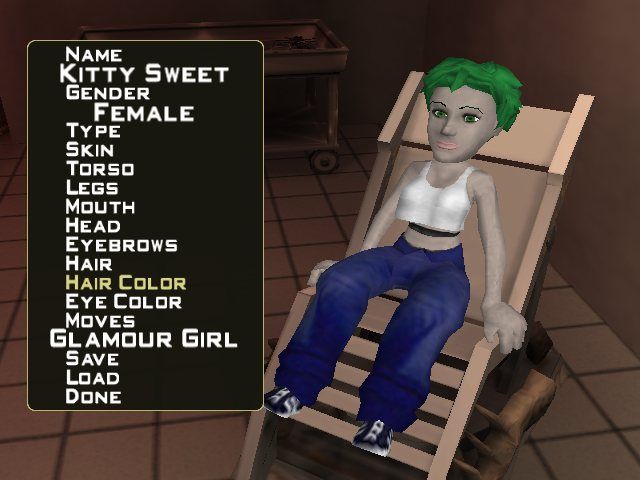
CREATE-A-CELEBRITY
Build your own celebrity to play in the game.
OPTIONS
Configure game settings.
CREDITS
See those responsible for this video game carnage.
SETTING OPTIONS
Use the directional pad to highlight and modify game options.
•
Controllers: View game controls
•
Difficulty: Set difficulty of gameplay
•
Time Limit: Set time limit for fight
•
Ambient Volume: Set volume of ambient music
•
Voice Volume: Set volume of dialogue
•
Sound Volume: Set volume of sound effects
•
Reset to Defaults: Reset all options to default
EPISODE SELECTION
Use the directional pad to highlight an available episode. You may highlight each fight within the episode and use the O button to select which character is user controlled (1P) and which character is computer controlled (CPU). Use the X button to start the episode.
CHARACTER SELECTION
Use the directional pad to select the character to play. In 1P vs CPU mode you select both your own character and the CPU character. In 1P vs 2P, each player selects their own character and then uses the directional pad to set their handicap. Some characters are locked until certain episodes are completed.
ARENA SELECTION
Use the directional pad to select from the available arenas. Some arenas are locked until certain episodes are completed.
SAVING THE GAME
Upon completion of an episode you are given the opportunity to save progress. Upon exiting the options menu you are given the opportunity to save the options, if they have changed.
ON-SCREEN DISPLAY
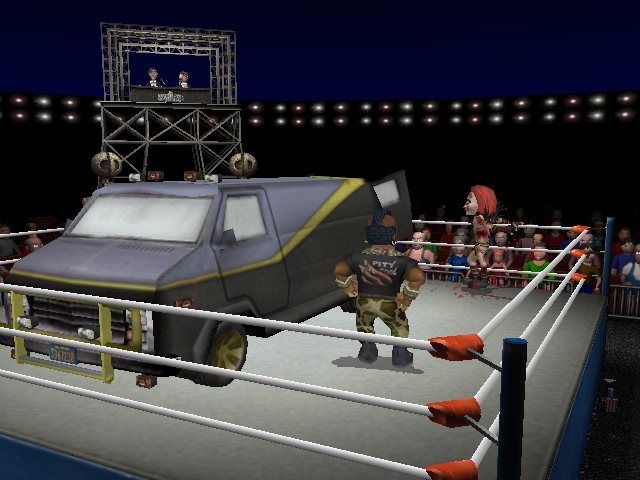
The Health Bar indicates the amount of character health remaining. When a character's health runs out, that character is susceptible to a fatality.
When a character's health runs out, a red KILL! flashes above their name, and they are susceptible to a fatality. To perform a fatality, move your character near the celebrity and press .
The Power Meter indicates the amount of charge-up a character has. When the power is full, the character may use their super move. Power is received for both inflicting and receiving damage.
.png)

.png)
