GETTING STARTED
Set up your PlayStation®2 computer entertainment system according to the instructions in the Instruction Manual. Make sure the MAIN POWER switch (located on the back of the console) is turned on.
Press the RESET button. When the power indicator lights up, press the open button and the disc tray will open. Place the MAD MAESTRO!™ disc on the disc tray with the label side facing up. Press the open button again and the disc tray will close.
Attach game controllers and other peripherals, as appropriate. Follow on-screen instructions and refer to this manual for information on using the software.
STARTING UP
MAD MAESTRO!™ can only be played with the DUALSHOCK®2 analog controller.
•
The controller should be connected to controller port 1.
•
The DUALSHOCK 2 analog controller ANALOG mode button and mode indicator are always set to ON, indicating that the controller is in analog mode.
•
This game does not support the controller vibration function.
•
To reset the game and return to the MAIN MENU, press the SELECT button to pause the performance and then select RETURN TO MENU.
DUALSHOCK®2 ANALOG CONTROLLER CONFIGURATIONS
•
left analog stick (L3 button when pushed down)
•
right analog stick (R3 button when pushed down)
CONTROLLERS/ACCESSORIES
Do not insert or remove controllers or accessories once the power is turned on.
ROOM MENU
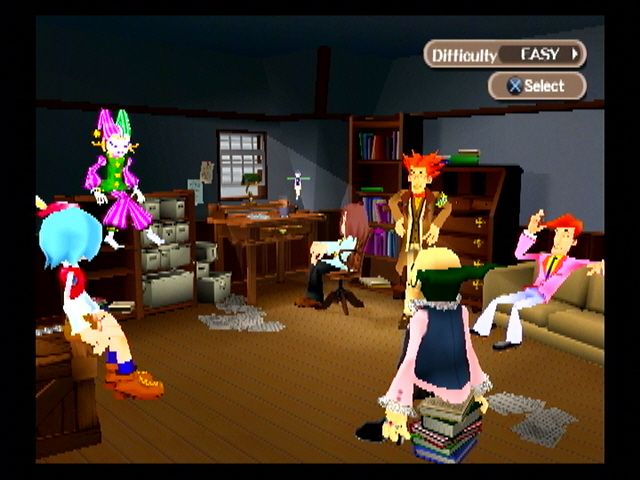
To enter the ROOM MENU, select your game difficulty by pressing the directional button ➡ and then press the Ⓧ button. (Press the △ button from the ROOM MENU to return to the difficulty selection.)
You can make the following selections from the ROOM MENU:
•
STORY - Play the game stages.
•
EXTRA FUN - Choose from these options:
•
FREE PLAY - Play pieces you have already cleared, using your own settings.
•
MUSIC ROOM - Listen to the pieces you have already cleared. •
BONUS GAME - Play Bonus Games you have already cleared.
•
REPLAY - Watch replays that have been saved in a memory card inserted in MEMORY CARD slot 1. You can only save replays after playing FREE PLAY or after clearing all the stages the first time around.
•
GAME SETTINGS - Choose from these options:
•
PERFORMANCE EVALUATION VOLUME - Adjust the volume of performance evaluation in the stages.
•
ADJUST BATON BUTTONS - Adjust the Strength settings of the Baton buttons. When finished, select CHECK to return to the game to check your new control settings.
•
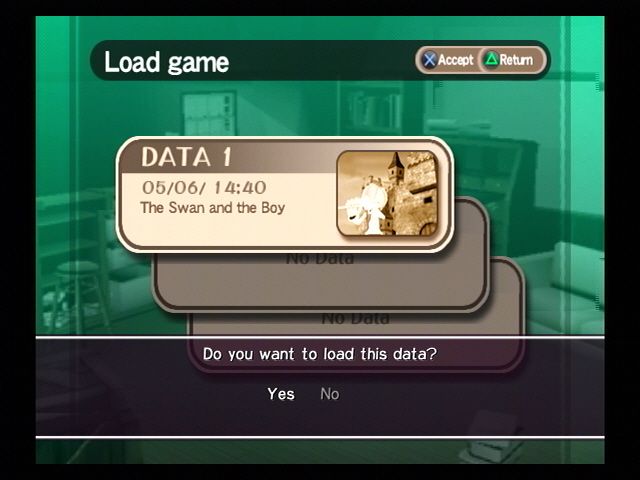
SAVE - Save your present position to a memory card inserted in MEMORY CARD slot 1. You need at least 92KB of free space to save a game.
•
EXIT - Return to the TITLE SCREEN.
TEMPO NAVIGATOR
The Tempo Navigator is made up of the four Cue Points on screen. It expands and contracts depending on the Tempo of the music. At the start of each stage, the Cue Points are displayed in gray and you are given a two-bar intro (the Cue Ball goes around twice) to get used to the Tempo. As soon as the piece starts, the Cue Points are displayed in color corresponding to the pressure on the Baton button. Press a Baton button when the Cue Ball hits a Cue Point to conduct the orchestra. Use light pressure for blue Cue Points, medium pressure for green Cue Points and heavy pressure for red Cue Points.
CUE POINT COLORS
ARROW IN CUE POINT
When an ARROW is displayed in a Cue Point, press the Part button (the directional button) in the direction indicated while pressing a Baton button with the correct pressure. Doing this brings in an instrument.
STAR IN CUE POINT
You can sustain a beat whenever a STAR is displayed in a Cue Point. Hold a Baton button for a short while and the music will be held briefly when it reaches the next note. Press the button again to continue the performance. Don't hold the note too long, as the Tension Meter will drop. TENSION METER AND CLEARING A STAGE
The Tension Meter rises and falls, depending on your performance, every time the Cue Ball goes around once (every bar of music). You enter Angel Mode when the Tension Meter is full. Continue playing in Angel Mode until the end of the stage and you will clear the stage. In contrast, if the Tension Meter drops too low, your performance suddenly ends. If you conduct a BAAAD bar in Angel Mode, you enter Devil Mode, when it is easy for the Tension Meter to fall. You can escape from Devil Mode by playing a BRAVO bar.
•
BRAVO – When you conduct one bar with all perfect double circle marks.
•
GOOD – When you conduct one bar with all single circle marks or a mixture of single circle and perfect double circle marks.
•
BAD – When you conduct one bar with even one X mark.
•
BAAAD – When you conduct a bar with less than one single or double circle mark.
MEDLEY MODE
If you continue
.png)

.png)




.png)

.png)



.png)
