Setting Up Your PlayStation®2 System
Set up your PlayStation®2 computer entertainment system according to the instructions in the manual. Make sure the MAIN POWER switch (located in the back of the console) is turned ON.
•
When the power indicator turns green, press the OPEN button and the disc tray will open.
•
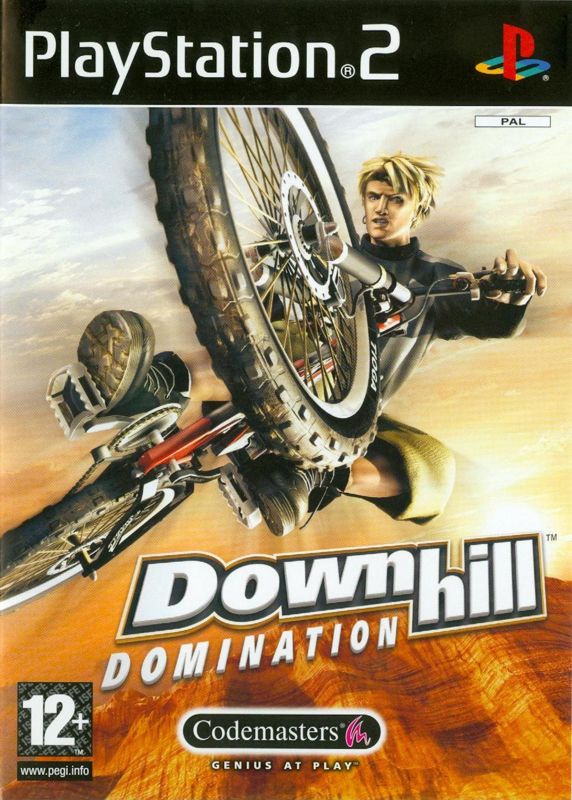
Place the Downhill Domination™ disc on the disc tray with the label side facing up.
•
Press the OPEN button again and the disc tray will close.
•
Attach a game controller and other peripherals, as appropriate.
•
Follow on-screen instructions and refer to this manual for information on using the software.
Memory Card
To save game settings and progress, insert a memory card (8MB) (for PlayStation®2) into MEMORY CARD slot 1 of your PlayStation®2 system. You can load saved game data from the same card or any memory card (8MB) (for PlayStation®2) containing previously saved games.
Multitap (for 3 or 4 Player Games)
For a 3 or 4 Player game, use a Multitap (for PlayStation®2) (sold separately). Each player will need a controller.
•
Connect the Multitap to Controller Port 1 of the PlayStation®2 system.
•
Then connect the controllers to the controller ports on the side of the Multitap.
•
You cannot use the Multitap in Controller Port 2.
•
When the Multitap is connected to Controller Port 1, you cannot connect a controller to Controller Port 2.
•
When using the Multitap, insert the memory card into MEMORY CARD slot 1-A of the Multitap.
PlayStation®2 System Diagram Labels
DUALSHOCK®2 ANALOG CONTROLLER CONFIGURATION
•
Left Analog Stick (L3 button when pushed down)
•
Right Analog Stick (R3 button when pushed down)
Starting the Game
1. Press the button or the button to bypass the intro video and go directly to the Title Screen.
2. Press the button to display the Main Menu.
3. Press the directional button or left analog stick or to highlight a menu option and press the button to select it. Press the directional button or left analog stick or to change a setting.
Selecting a Rider
When you first start there are six riders available. Press the directional button or left analog stick or to highlight a rider and press the button to select the highlighted rider.
When you save a game, all data is saved with the current rider. You cannot change riders midway through a career.
Unlocking the Bonus and Pro Riders
Bonus and Pro Riders are locked in stone as statues. To unlock one, you must accomplish specific game requirements. To see what is required to unlock a rider, highlight a statue and press the button.
Main Menu
Single Player
Compete in Single Event, Career, Arcade, or take the Training Course. You can play in the Moshbowl or Super Jump events once you unlock or purchase them.
Multi-Player
Tackle these mountains with your friends and see who gets bragging rights! Set up 2, 3 or 4 Player games including: Single Event Freeride and Racing matches, Moshbowl, Super Jump, Arcade, Custom Tournament or Dual Slalom.
Options
Press the left analog stick or directional button ↑ or to select an Option and or to change a setting.
Controls
Set the controls for up to four controllers to one of three pre-configured layouts and turn the Vibration function ON/OFF. "Control Freak" is the default configuration.
Difficulty
Set to EASY, MEDIUM or HARDCORE. You can also change the difficulty level of a partially completed career.
Audio/Other
These Options are also available on the Pause Menu.
•
Vibration — Turn the Vibration function ON/OFF.
•
Music, Speech and F/X Volumes — Set each level independently.
Stretchy Mode and Sparky Tricks show up on this options list once they are purchased.
Hot Tips
The better you land a jump, the less speed you lose. You can judge the quality of your landing by the rider impact.
Video Clips
Come here to see every video you've unlocked or purchased. Check out the following bone crushing videos: Technical DH, Mountain Cross, Freeride, crashes, tricks, rider bios, interviews, game credits and more. Career wins unlock more videos that become available on the Bonus Purchase Menu at the Bike Shop. After you pay for a video you can play it from here.
Posters
View Posters you've created with Poster Maker.
Pickup Editor
Custom place the pickups for a course. This feature must first be purchased from the Bonus Menu at the Bike Shop.
Load Game Data
Load all game data from the last game save.
Save Options
Save the most current changes to the game.
Load Replay
Load and view a saved replay.
.png)

.png)
.png)
.png)

.png)

_1.png)
.png)

.png)
