PlayStation 2 Setup
Set up your PlayStation®2 computer entertainment system according to its instruction manual. Attach game controllers and other accessories as appropriate.
It is advised that you do not insert or remove accessories once the power is on.
Make sure the MAIN POWER switch (located at the back of the console) is turned ON.
•
Press the ű/RESET button.
•
When the ű indicator is green, press the ű button. The disc tray opens.
•
Press the ű button again and the disc tray closes.
•
Follow on-screen instructions and refer to this manual for information on using the software.
Make sure there is enough free space on your memory card (8MB) (for PlayStation®2) before commencing play.
Quick Start
Setup
Choose the settings for the match. Except for the entrance scene, these settings can also be changed at any time during the game.
•
Formation Settings: Edit formations and team rosters and change strategies.
•
Button configuration: Change the controller button assignments to be used during the match.
•
Entrance Scene: Choose whether or not to display the opening sequence.
•
Sound Settings: Adjust the sound environment.
•
Camera Type: Select the camera type.
Match Start
Start the match.
Language Select Screen
Before the main title screen appears you will be asked to select which language you would like to play the game in.
50Hz/60Hz Mode
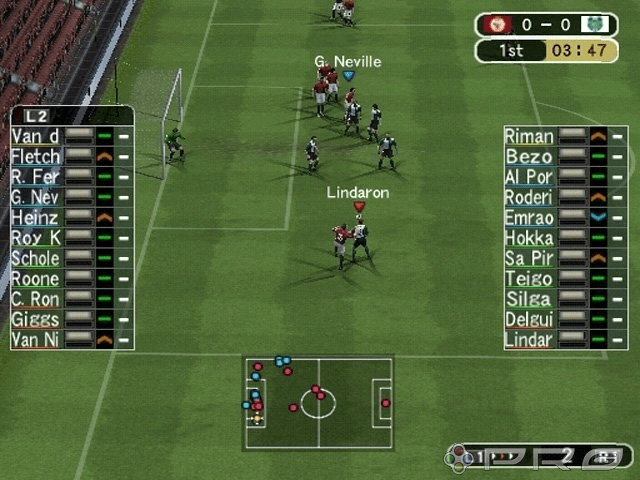
When you boot up Pro Evolution Soccer 3, you have to choose between 50Hz or 60Hz mode. Use the Test screen to check your TV configuration. Quick Start Options
•
Quick Start: Select this option to skip the settings and go straight to the game.
•
P1 Quick Start: Start a player-versus-computer match.
•
P2 Quick Start: Start a player-versus-player match.
Starting a Match
The steps are the same for 1-Player Quick Start and 2-Player Quick Start.
•
1 Team Select: Select the teams to use in the match.
•
2 Strip Select: Select the strip.
Quick Setting
Select this option to quickly and easily choose a formation. Open "Formation Settings" from the Setup screen or the Pause menu and choose "Quick Settings". Selecting an option from this screen will automatically set the formation to one of the following types.
•
Balanced: The team's normal setting. A well-balanced formation overall.
•
Defensive: The team will focus primarily on defense. Effective when the important thing is to not concede goals.
•
Attack: The team will sacrifice defense in favour of attack. Useful when the team is behind and needs to score at all costs.
•
Counterattack: The team will focus on scoring off defense using counterattacks. Effective when the team is up against a tough opponent.
•
Side Attack: The team will attempt to attack from the sides. Effective when there are strong players on the wings.
•
Centre Drive: The team will attempt to attack by driving through the centre. Effective when the opponent's centre is vulnerable.
•
Forward Pressure: The team will apply pressure aggressively at the front and try to steal the ball from the opposing defenders. This tactic can be used to score on a counterattack after stealing the ball.
The Rules of Play
Basic Rules
Game rules are the same as normal football rules.
Field Terminology
•
1 Field (pitch and the surrounding area)
Match Time
The playing time for each match can be set to 5, 10, 15, 20, 25 or 30 minutes. Match times can be changed using the Environment Settings in each game mode.
Extra Time
Golden goal/silver goal extra time and penalty shootouts are available depending on the Game Mode. It is possible to enable/disable extra time, golden goal/silver goal extra time, and penalty shootouts for Exhibition Matches.
Yellow Cards/Red Cards
Players issued two yellow cards during the same match will be sent off. Players issued a red card will be sent off immediately.
Players who accumulate a total of two or more yellow cards or one red card cannot play in the next match.
Forfeited Game
If the number of eligible players on a team drops below seven before or during a match, that match will be forfeited.
Offside
An offside is called when an attacking player is closer to the opponent's goal line than the defense line of the opposing team at the moment the ball is passed. A free kick is awarded to the opposing team.
Maximum number of substitutions
For Exhibition and Superstar XI matches, you can select from three to seven substitute players for a match. For Cup matches and League matches, the maximum number of players that you can change will be three. In the Master League, you may have three substitutes for regular matches, but for pre-season matches, the maximum is seven.
Out of Play
"Out of play" refers to times when the game is stopped after the ball has gone into touch or after a foul. Player substitutions made while the match is in progress will take place when the ball is next


_1.png)