PlayStation 2 Setup
Set up your PlayStation 2 computer entertainment system according to its Instruction Manual. Ensure the MAIN POWER switch (on the back of the console) is turned on. Press the RESET button. When the power indicator lights up, press the open button to open the disc tray. Place the Fatal Frame disc on the disc tray with the label side facing up. Press the open button again to close the disc tray. Attach game controllers and other peripherals as appropriate. Follow on-screen instructions and refer to this manual for information on using the software.
How to Start the Game
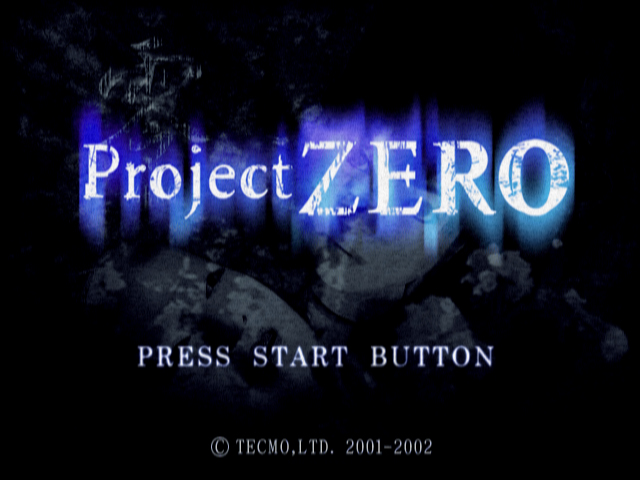
Title Screen
Pressing START at the title screen will display the menu. Select an option using the left analog stick (or directional buttons) and press the X Button to confirm.
•
NEW GAME: Select to start the game from the beginning. Choose this when playing the game for the first time.
•
LOAD GAME: Select to continue the game from the point you last saved.
•
ALBUM: Select to view saved photographs and edit the album.
A PlayStation 2 memory card (8MB) is required to save game data. 1800 KB or more free space is required to save the game data. To save photograph (album) data, 1410 KB or more free space is required, separate from the game data. Starting a New Game
The Start menu will be displayed when [NEW GAME] is selected from the title screen. Pre-game settings can be made here before starting the game.
•
GAME START: Select to start the game. When selected, the opening sequence will begin.
•
OPTIONS: Select to change settings for the controller, screen, music, etc., prior to starting the game. (You can also make changes anytime during the game).
How to Start the Game
Select "Game Start" in the Start menu and the opening sequence will begin.
Object of the Game
In order to find her missing brother, Miku must find clues to help solve the mystery of her brother's disappearance.
About Battles
There are many evil spirits and ghosts awaiting you within the mansion. Your goal is to find Miku's missing brother Mafuyu. It will be necessary to battle with spirits and ghosts from time to time.
Spirits can be attacked and damaged by taking photographs of them, using the camera and its special powers. Game Over
The game ends when Miku's physical strength reaches 0 due to spirit attacks and other injuries she receives while exploring the mansion.
If the game is saved during exploration of the mansion, you can resume from the last saved location by returning to the title screen and selecting Load Game. Photographs taken during the game will be lost if the game is not saved.
How to Play: Basic Gameplay
Battle Against Spirits
Encounters with Spirits
The controller will vibrate and you will hear a distinct sound when a spirit is nearby. The filament will also turn orange and grow larger, depending if Miku is facing the spirit directly. Use these hints to determine the location of spirits.
Charging Your Spirit Power
When a spirit is within the Capture circle, your spirit power will be charged. When there is no spirit within the Capture circle, the spirit power will gradually be depleted.
Taking Photographs of Spirits
A photograph of a spirit can be taken when focusing on a spirit and the Capture circle turns blue. When the shutter button is pressed, the spirit will receive damage corresponding to the amount of spirit power charged.
Bonus Functions
There are Bonus functions locked away in the camera which can help you when fighting spirits. When the seal is broken, Spirit Stones can be used to take advantage of these features. Bonus functions can be used by pressing the L1 button in Finder mode. Whenever a bonus function is used, one Spirit Stone will be depleted. (Special Bonus Functions can only be used under certain conditions). Camera Upgrades
You can upgrade your camera by unlocking the seal of the camera. This is done by using Spirit Points, which accumulate every time you photograph a spirit. Upgrade Basic Performance
•
CAPTURE CIRCLE RANGE: This increases the size of the Capture circle.
•
INCREASE MAX VALUE: This will increase the maximum value of Spirit Power that can be charged.
•
INCREASE SPIRIT CHARGE SPEED: This increases the speed at which Spirit Power is charged.
Unlocking of Bonus Functions
This allows you to use the functions sealed within the camera. Examples
•
Bonus Function "Pressure": This pushes the spirit back.
•
Bonus Function "Slow": This slows down the movement of a spirit.
There are many other sealed functions.
Menu Screen
Main Menu
The main menu can be displayed by pressing the button during the game. Use the left analog stick (or directional buttons) to choose different options, and press the button to select one. Press the button to return to the Game screen.
Basic Operation of Menu Screen
•
left analog stick (or directional buttons): Choose options
•
button: Cancel/Return to previous screen
Map Screen
A map depicting the rooms you have explored can be viewed by choosing "Map" in the main Menu. (Unexplored rooms will not be displayed.)
Map Screen Operations
•
left analog stick (or directional buttons): Move map (scroll)
•
button: Zoom in/zoom out
•
button: Return to main menu
•
L1/R1 Buttons: Change floors to be displayed
Photograph Screen
You can view photographs taken during the



_1.png)
_2.png)
_3.png)

_1.png)




_1.png)


_1.png)









 (NDSi Enhanced) [b].jpg)





 (En,Ja,Fr,De,Es,It,Zh,Ko,Pl).png)