GETTING STARTED
Set up your PlayStation®2 computer entertainment system according to its Instruction Manual. Ensure the MAIN POWER switch on the back of the console is on.
Press the RESET button. When the power indicator lights up, press the open button to open the disc tray. Place the (Red Card 20-03™) disc label side up. Press the open button again to close the disc tray.
Attach game controllers and other peripherals as appropriate. Follow on-screen instructions and refer to this manual for software information.
MOVES - OFFENSE
Red Card 20-03™ features a wide variety of moves. The following pages explain button presses and their effects.
Left analog stick
•
Move player and choose your intended receiver.
R2 button + left analog stick
•
Move player faster until the Turbo meter expires. The fielder will become tired, so keep an eye on the meter.
•
You can change your player's direction by 22 degrees at a time. This simulates less control due to faster running.
•
NOTE: Bumping into an opponent will likely cause you to trip and stumble, potentially losing the ball.
DOUBLE-TAP (press twice quickly) R2 button
•
Much faster than a turbo run, the fielder cannot change direction until the burst is complete. You cannot hurdle, juke, pass, or shoot during a boost run. If the fielder makes contact with an opponent, they flail.
•
During the boost run, you are less likely to lose the ball from a tackle.
Right analog stick
•
Alternate shoot: Quickly flick the right analog stick in the desired direction (relative to the net) to kick the ball. For example, flick upper-left to shoot to the upper-left of the net.
•
All shots have a 35-yard limit. Farther than that, they won't reach the goal with any speed and will not be a threat to the goalkeeper.
•
NOTE: Shot accuracy decreases with distance, even within the 35-yard limit. A shot from 20 yards away aimed upper-left might hit net-poles or miss the net completely.
button
•
Thru-passes: This pass type causes the receiver to continue running toward the goal upon pressing the thru-pass button. If not already heading toward the goal, they will automatically begin to.
•
Thru-passes are the fastest of the three passes but have the highest probability of interception due to the longer distance the ball travels.
•
If you are not the ball handler, the pass buttons become an Aggressive Tackle (explained in the Defensive section).
•
During a ground-pass, a one-touch thru-pass is performed.
•
NOTE: The left analog stick must be pressed in the direction of the desired receiver at the same time you press the pass button.
MOVES - DEFENSE
L2 button
•
BOOST: Pressing the L2 button in conjunction with others makes the fielder perform "over the top" versions of regular moves.
•
Each BOOST move uses some amount of the team's 1-2-3-4 Meter. Boost levels regain over time, but very slowly.
R1 button
•
STEAL: Pressing the R1 button while a ball is in flight from a pass makes the fielder attempt to steal the ball. For a lob pass, the fielder will try to intercept via a header.
•
NOTE: Accurate timing is critical. During a center-pass, pressing the R1 button causes the fielder to jump for the ball and clear it away from the goal.
R2 button
•
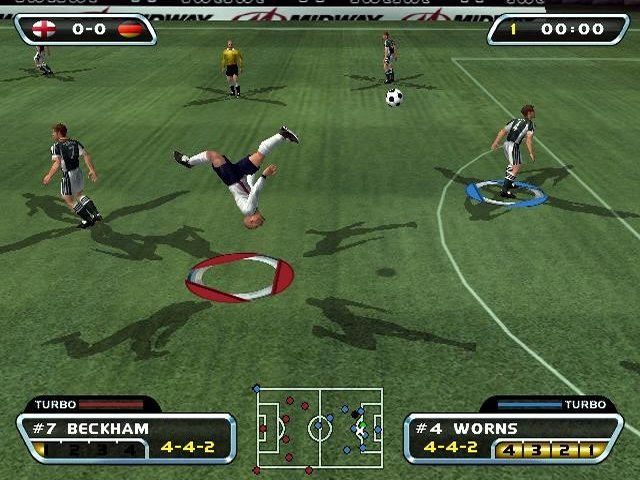
TURBO: This button by itself increases the fielder's speed without making them tired.
•
The on-screen turbo bar shows the level of turbo.
•
Once depleted, the fielder will become tired and unable to run fast for some time.
•
NOTE: Each fielder has their own amount of turbo. If you pass to another fielder, they will have more or less turbo depending on previous actions. Drones (CPU-controlled players) do not use up turbo.
MAIN MENU
From the game's Title Screen, press the START button to access the Main Menu. Here you can select game modes, change options, customize a team, and access saved data.
To access a sub-menu, highlight it and press the button.
FRIENDLY PLAY
This is an "arcade mode" style of gameplay. Select to play at Home or Away, then choose your team. You are then ready to play.
ADVANCED PLAY
This sub-menu contains three modes of play. See Page 17 for more information.
CUSTOMIZE TEAM
This sub-menu allows you to customize a nation to create a new team or edit an existing one. More details are available on Pages 21-22.
OPTIONS
The Options sub-menu allows you to change a wide variety of game settings. See Pages 14-17 for a description of each adjustable option.
LOAD/SAVE
This sub-menu is where you access saved data via your Memory Card (8MB) (for PlayStation®2), provided one is inserted in MEMORY CARD slot 1. In the Memory Card Menu, you can create new profiles and view their contents, showing saved game data.