GETTING STARTED
Set up your PlayStation®2 computer entertainment system according to the instructions in the instruction manual. Make sure the MAIN POWER switch (located in the back of the console) is turned on.
Press the standby/RESET button. When the power indicator lights up, press the open button and the disc tray will open. Place the Rocky™ disc on the disc tray with the label side facing up. Press the open button again and the disc tray will close.
Attach game controllers and other peripherals, as appropriate. Follow on-screen instructions and refer to this manual for information on using the software.
A Memory Card (8MB) (for PlayStation®2) with at least 55KB of free space is required to save game data. Game data will be automatically loaded when the memory card is inserted into MEMORY CARD slot 1 as the game starts.
Please make sure you have the memory card inserted into MEMORY CARD slot 1 before turning on the PlayStation 2, as inserting a memory card after the game starts may cause game data to be overwritten. STARTING UP
Please familiarize yourself with this diagram. These buttons will be referred to throughout this manual.
•
left analog stick (L3 button when pushed down)
•
right analog stick (R3 button when pushed down)
EXHIBITION MODE
If you want to get straight in on the action, select Exhibition Mode from the Main Menu and press the button.
CHARACTER SELECT
Choosing your boxer
Use the directional buttons to choose a boxer, then press the button to select, or press the button to see the boxer bio screen, which gives you the background information on each fighter.
If two players choose the same boxer, the player who selects last will fight in an alternate costume. A player can also opt to fight in the alternate costume by pressing the button to select.
Repeat the procedure to choose a CPU opponent. A second human player can join in at any time on the Character Select screen by pressing the START button on a controller inserted into another port.
Only unlocked characters can be selected. If you'd like to randomly select a boxer from those available, highlight the box with the "?" icon and press the button.
Pre-Fight Options
After choosing the boxers, the pre-fight option screen will appear. From here you can make some last-minute fight alterations. Use the up and down directional buttons to choose the option you wish to change, and left and right to change the value of the selected option.
•
Venue: Where the fight will take place.
•
Round Length: Length of each round in seconds or infinite length.
•
Number of Rounds: Number of rounds the fight will last.
•
COM Skill: Skill level for the opponent in single-player modes.
If you wish, the default values for round length, number of rounds, and skill level can be changed in the options menu.
Pre-Fight Introductions
Before the start of each fight, the announcer will introduce each boxer. You can skip the introductions by pressing the START or button. These introduction sequences can be disabled for Exhibition Mode from the options menu.
Health and Punch Power Meters
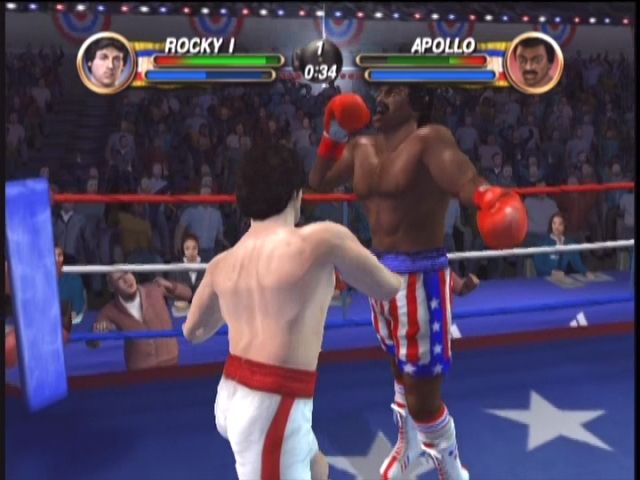
Each boxer has their own Health and Punch Power meters located at the top of the screen. These meters will rise and fall during the fight.
Each boxer's health bar shows his potential and actual health at the same time. Potential health is shown as a darker bar and depicts the maximum health you could regain if not hit during the round. Actual health is shown as a lighter bar and depicts your current health status during the round. If this bar is reduced to zero from a series of blows, your boxer will be knocked down.
Keeping an eye on the current level of the Punch Power meter is essential for throwing powerful punches. Each time you throw a punch, a small amount of Punch Power will be lost, but it will recover when you are not throwing punches. Try to keep your Punch Power meter as full as possible when throwing combos to inflict maximum damage.
Stunning an Opponent
You can stun your opponent by throwing fast combos - inflicting a large amount of damage in a short space of time. When your opponent is stunned, stars will fly around his head as he staggers to regain his composure. Use this opportunity to throw a barrage of punches or try a devastating super punch to knock him straight to the canvas.
Super Punches
Each boxer has one or two super punches at their disposal. These punches are truly devastating and can floor your opponent in one shot. Because these punches are so powerful, they tend to take a little longer to throw, leave you open to a counter, and cost a great deal of energy to attempt. Use your super punches wisely and they will give you the edge at any point in a fight.
Blocking
You can block punches by holding down the L1 button. As each punch lands against your block it will begin to weaken and start to let punches through. You can tell how strong your potential block is by looking at how much your boxer sways after each hit. If he is only moving a small amount, then your
.png)

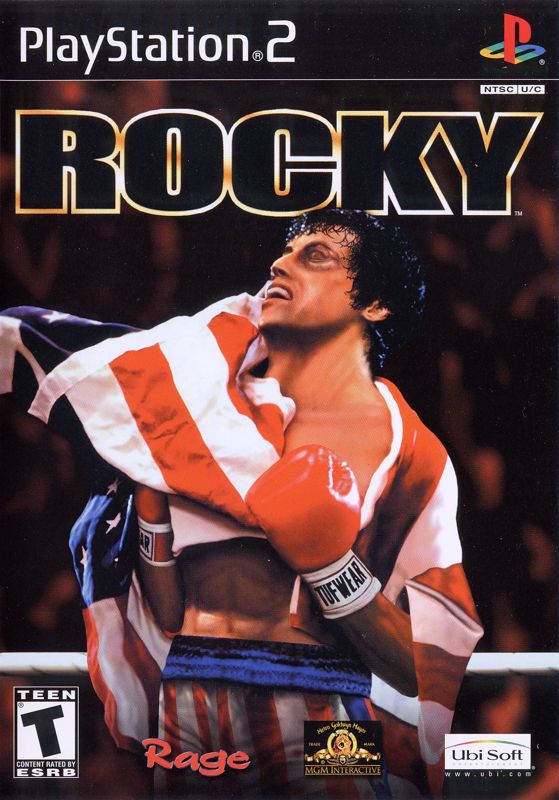
.png)


.png)
.png)


_1.png)

.png)







 (En,Fr,De,Es,It,Nl,Sv).png)






.png)