In-Game Menu
•
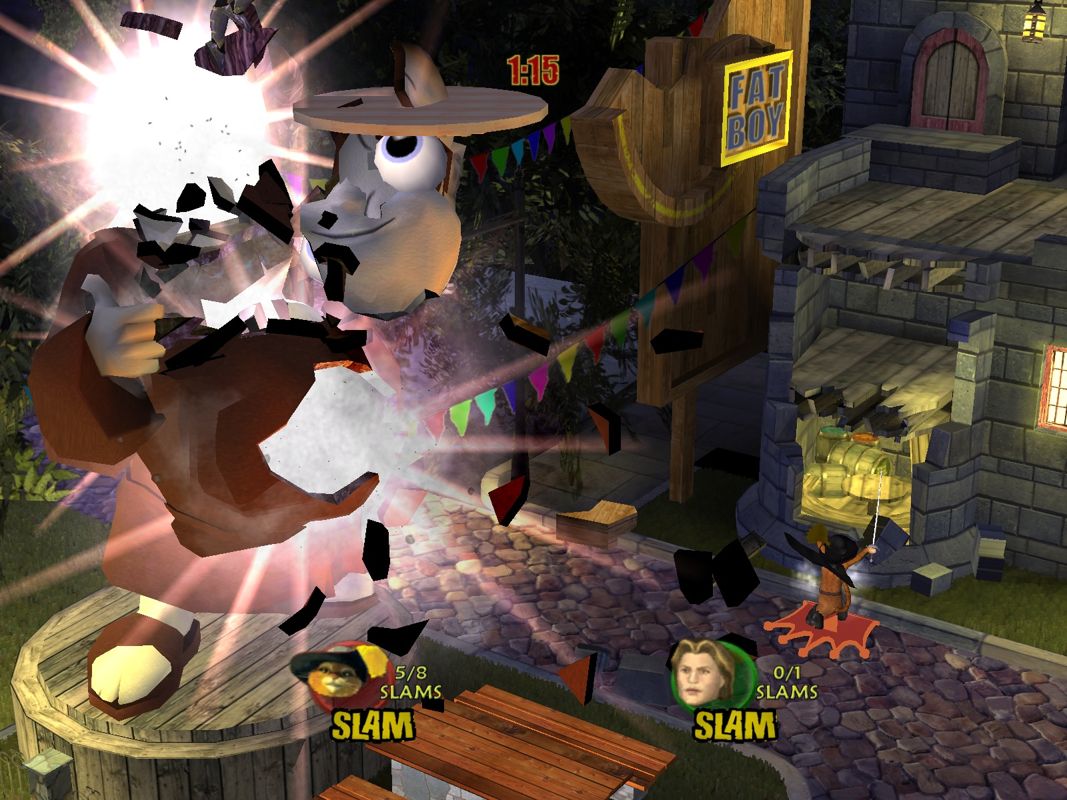
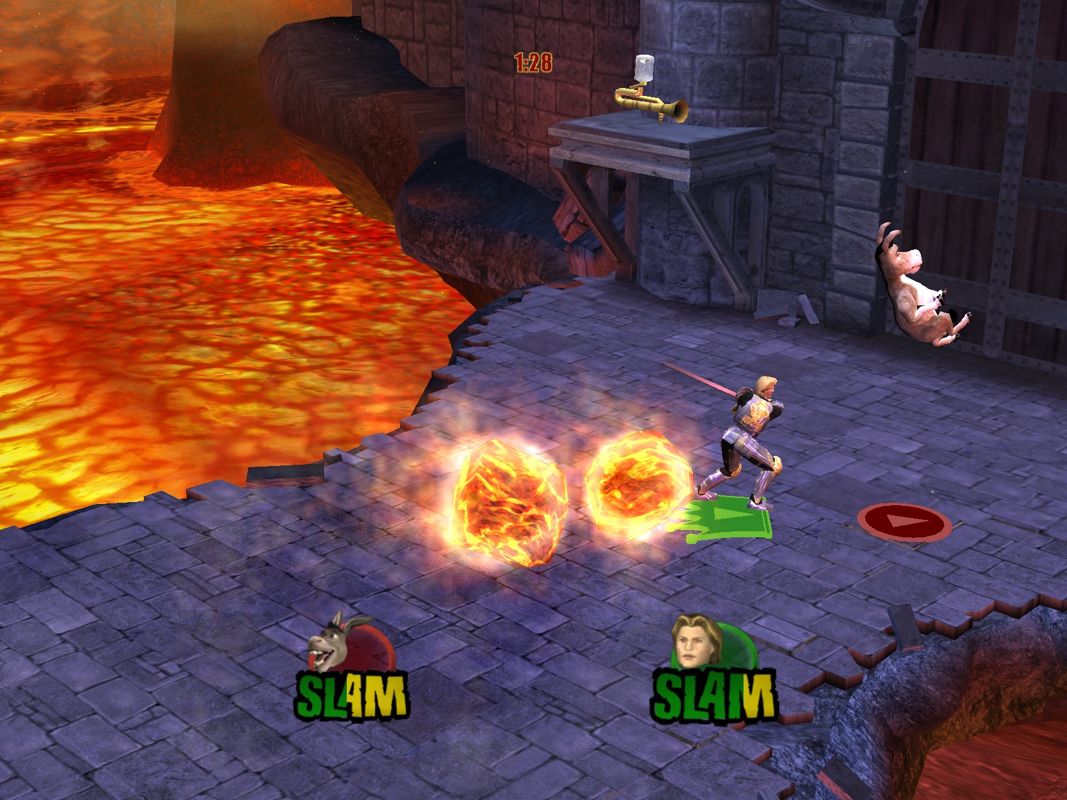
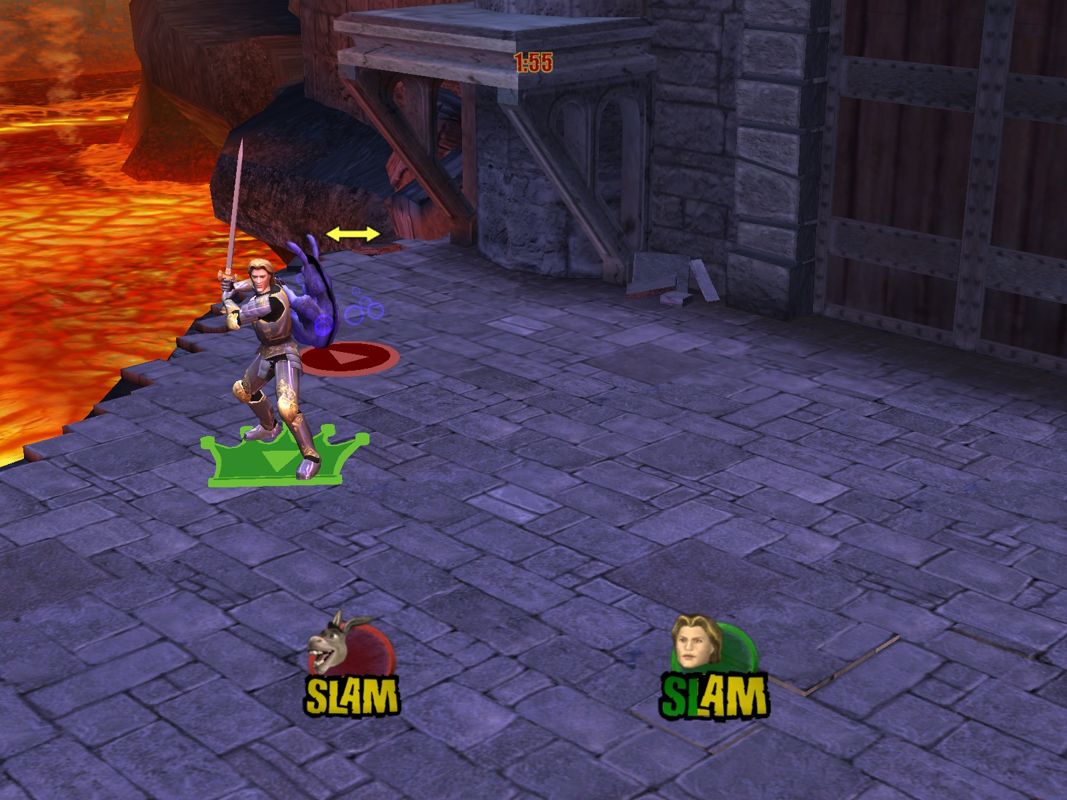
Character Icons: Character portraits are at the bottom of the screen.
•
Slam Meter: Below the portraits, measures collected Slamergy.
•
Leader Icon: Indicates the slam leader's position.
•
Time Remaining: Timer indicates time left in a round (defaults to two minutes).
•
Slam Prompt: Appears above your head when your Slam Meter is full. Use this button to execute your Slam Attack.
•
Wiggle Icon: Appears above your character when knocked down or grabbed. Wiggle the left analog stick rapidly to speed up recovery.
The Slam Meter
The Slam Meter is under the character portraits. Fill it with Slamergy to Slam your opponents. Your characters will have a glowing aura when Slam-ready.
You get multiple attempts to Slam someone. Once you use a Slam, you must collect more Slamergy to refill your meter.
Get Slamergy by battling with friends. More advanced combos fill the Slam Meter faster.
Beat opponents by getting the most Slams in the round. Try to Slam as many opponents at one time as possible to maximize your score.
When hit by an opponent's Slam, you lose a Slam point. Each time you Slam an opponent, you gain a Slam and they lose one. This is important to remember when losing.
Advanced Moves - All Characters
Evade Dash
•
Right analog stick or move while blocking (left analog stick + R1 button).
•
Tap your right analog stick in the direction you want to go.
•
Hint: Try using a fast attack (the button) or a strong attack (the button) while performing an evade dash. You'll end your evade dash with a surprise attack.
Air Attack
•
Fast or strong attack while in mid-air (the or button in air).
Up Attack
•
Simultaneously press jump and fast attack (the + buttons).
•
Press jump and fast attack together to counterattack your opponent's air attacks with an up attack (the + buttons).
Charge Attack
•
Hold your strong attack (hold the button).
•
Try using your charge attack just as your opponent is recovering from a missed attack.
Deflect
•
If you time your block to the very last moment, you can deflect thrown objects back at the thrower! Be careful they don't do the same back at you.
Block Cancel
•
Use your block to cancel your charge attack (the R1 button).
•
Fake-out your opponents. Cancel your charge attack by pressing the block button before your charge attack is unleashed.
Fast Drop
•
Use your block in mid-air to drop faster.
•
Hint: Each character has a block breaker. Find and use them to take down those block-happy opponents.
Single Player Menu
Story
The storybook is ablaze. With no other way to get the Dronkeys to sleep, Shrek and his friends make up their own magical stories.
Starting at Chapter 1, play through each increasingly fantastical tale as one of the classic or brand new characters in the land of Far Far Away.
Mega Challenges
Mega Challenges are single-player mini-games. There are 45 Mega Challenges and seven bonus challenges in all, which will unlock untold rewards. Play this mode to unlock additional characters and arenas.
Melee
Face off against one, two, or three computer opponents in a two-minute timed battle. Whoever has the most Slams at the end of the round wins. You'll have access to any character or arena you've already unlocked and saved to your memory card (8MB) (for PlayStation 2). Melee Options
Enter the Melee Options by pressing the button on the Level Select screen. You can adjust settings for Slam Limits, game speed, and more before battle.
Options consist of:
•
Mode: Normal, Last Player Standing, and First to Slam.
•
Game Speed: Move character faster.
•
Time Limit: 30 second intervals up to 10 minutes (No Slam Limit in Place).
•
Slam Meter: Slow Gain, Medium Gain, Fast Gain (how fast the meter increases); Slow Drain, Medium Drain, Fast Drain (how fast the meter is depleted), OFF.
•
Sudden Death Slam Meter: Slow Gain, Medium Gain, Fast Gain (how fast the meter increases); Slow Drain, Medium Drain, Fast Drain (how fast the meter is depleted); OFF.
•
Full Slam Meter: Use Slam Attack, any hit Slams.
•
Slammed Penalty: Does not give negative Slam points for being slammed.
Skill Level
You can change all characters' difficulty settings, which range from 1 (Idle) to 10 (Rage of Ogres). These affect how smart the computer-controlled characters are.
Training
Learn the basic moves for your characters. Attacks, combos, and the like are all covered here. Some of the more advanced techniques are also covered in Mega Challenges mode, so make sure to check there as well.
•
Lesson 1: Basic Techniques
•
Lesson 2: Pro Techniques
•
Lesson 3: Master Techniques
Trophy Room
Check out all the trophies you've collected.
Multiplayer Menu
Melee
Melee lets you play with up to three friends (with the use of a Multi-Tap).
King of the Hill
In this mode, you gain points by being on top of the hill and defending it from all comers. Whoever
.png)

.png)
.png)
.png)



.png)

.png)



.png)

.png)






_1.png)

.png)