Getting Started
Set up your PlayStation®2 computer entertainment system according to its Instruction Manual. Ensure the MAIN POWER switch (on the back of the console) is ON.
Press the RESET button. When the power indicator lights up, press the OPEN button to open the disc tray.
Place the Sitting Ducks™ disc on the disc tray with the label side facing up. Press the OPEN button again to close the disc tray.
Attach game controllers and other peripherals as appropriate. Follow on-screen instructions and refer to this manual for information on using the software.
How to Play
To complete a mission, you must go from M (red) to O (green).
Parallel Missions
Some missions may have a secondary or parallel mission. These are symbolized by S (blue) on the radar.
Completing a parallel mission unlocks playable characters and vehicles for Multiplayer mode. You can choose to accomplish them at any time.
Feathers
When Bill runs into objects in single-player missions, he incurs damage, sending his feathers flying. You can collect lost feathers, but hurry as they disappear after a few seconds. Collect as many feathers as possible to buy new maps, vehicles, and equipment.
Instrument Panel
•
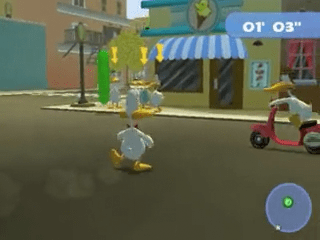
When you are following someone, you have to stay in the green part.
•
Radar: shows you the way. The point you have at the top of the radar is what is in front of you.
Pause Menu
Display this menu at any time during a game by pressing the START button. It allows you to stop the game.
Press L1 and R1 to reach previous and next menu screens: Status and Inventory.
To Save the Game
You can save your progress to a memory card inserted into MEMORY CARD slot 1. It is recommended to have at least 145KB of free space before playing.
At the end of each mission, you will be prompted to save the game. Select "save" to save, or "continue" to not save.
With a few special exceptions, you can save progress at any time using the "save" option accessed from the Pause Menu.
Options Menu
•
Game: activate or deactivate subtitles and vibration (Yes/No)
•
Video: format and position of image
Status Screen
Access the Status screen by pressing the R1 button from the Pause Menu.
•
Number of feathers you have
•
Total flyers you have collected
•
Medals: Gold, Bronze, Silver
•
Game completion percentage
Inventory Screen
To use equipment, vehicles, objects, keys, or maps:
•
Press the START button during the game.
•
Press the R1 button twice.
•
Highlight the item you need using the directional buttons.
•
Select it by pressing the X button.
Vehicles
Vehicles are unlocked during the game and can be used when you want. Highlight the one you need and press the X button to select it.
Buying Objects
You can buy objects at:
•
DMV (scooters store): all scooters you need
•
The Grocers: 3 maps of Ducktown park, balsa and blue plane, denture, alligator mask, ice skates, skate board.
•
Gator Market (in Swampwood): one map of Swampwood, the Bowling ball factory map, Quack the ripper costume, yellow plane and batteries for planes.
Equipment
•
2. Use to scare ducks and merge with alligators
•
3. Use to scare alligators
Objects
Highlight the one you need, press the X button to select it.
How to Buy Objects
Move just in front of each object you need. A screen will appear.
•
To buy an object: highlight "buy" and validate with the X button.
•
To cancel: highlight "cancel" and validate with the X button.
Specific Objects
•
Battery: Operates the plane by remote control and allows flying to another quarter. (Must be bought in Swampwood).
•
Phial: Received during a mission. Allows you to make a double jump.
•
Driving licence: Won during a mission. Allows you to drive scooters.
•
Engine: Increases scooter speed by two. Can be bought at the Gator Market in Swampwood.
•
Gliding (jump): Won during a mission. Allows you to soar and access new areas.
Keys & Maps
Choose your preferred scooter from among 5. Highlight the one you need and press the X button to select it.
Scroll to the Map Screen by pressing the L1 or L2 buttons. Highlight the map you would like to see and press the X button to select it.
If you are looking for the best and quickest route, use the map. A map of each district is available to help you find your way.
.png)

.png)


_1.png)







.png)

 (En,Fr,De,Es,It,Nl).png)
