Setting Up Your System
Set up your PlayStation®2 computer entertainment system according to its Instruction Manual. Ensure the MAIN POWER switch (on the back of the console) is turned on.
Press the standby/RESET button. When the power indicator lights up, press the OPEN button to open the disc tray. Place the Space Race disc on the tray with the label side facing up. Press the OPEN button again to close the disc tray. Attach game controllers and other peripherals as appropriate. Follow on-screen instructions and refer to this manual for software information.
Connecting Controllers
Connect your controller in controller port 1.
•
To play a 2-player game, connect a game controller in controller port 2.
•
To play with up to four players, insert the multitap (for PlayStation®2) in controller port 1.
•
Insert the controller for player one in controller port 1-A, then insert controllers sequentially in controller port 1-B, etc.
Memory Card
Insert your memory card (8MB) (for PlayStation®2) in MEMORY CARD slot 1 if you wish to load or save a game.
Multitap Note
If you are using a multitap in controller port 1, you must put the memory card in MEMORY CARD slot 1-A of the multitap. It is advised that you do not insert or remove accessories once the power is on. Make sure there is enough free space on your memory card (100 KB) before commencing play. Supported Controllers
The Space Race game supports both the DUALSHOCK® and DUALSHOCK® 2 analog controllers. Digital controllers are not supported. Using Menu Screens
Maneuver through menu screens and highlight options using either the left analog stick or the directional buttons.
•
To confirm each choice, press the button.
•
Press the button to cancel a selection and return to the previous screen.
Using Controls
The Space Race game is not just about speed; it's also important to use ACME-designed weaponry (gags) to pummel opponents. You'll need to handle a lot at the same time to stay on course and win. Learn the basics before you hit the road. There are four controller configurations available. SETUP A (described on page 5) is the default.
Starting the Game
After the Warner Brothers Interactive™ logo has been displayed, select your language.
Once you've done that, it's time for a transmission from the ACME News Network, with your hosts, Foghorn Leghorn and Lola Bunny! You can skip this introduction by pressing the START button.
After the introduction, you'll be taken to the Space Race title screen. Press the START button to go to the Load Game screen. You're on your way to the race! Main Menu
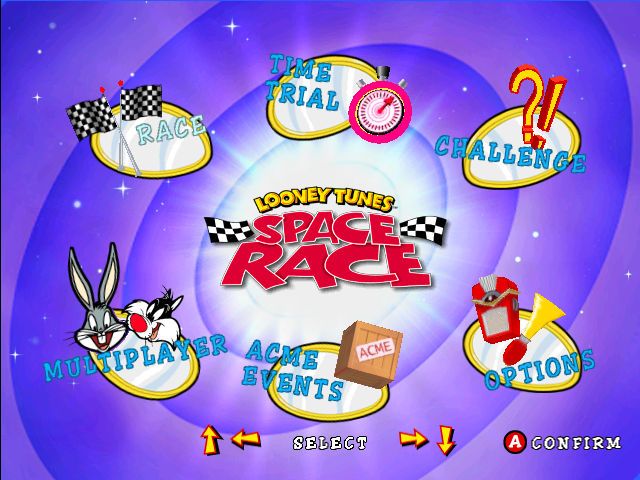
On the Main Menu, you'll find the five race modes:
TOURNAMENT
This is the main mode of the game. Here you'll choose your racer, choose the next available Tournament, pick your Cup, and get on with it! The Tournament consists of 13 Cups in eight different worlds with 14 unique tracks! There are normal Races, Special Events, and ACME Events. Victory in Tournament mode opens up new tracks and ACME Events in the rest of the game. You will also receive ACME Tokens to buy goodies in the Galleria. Most Tournaments have multiple cups. Each cup is a series of races or events. You can complete these cups in any order, but you have to win all the cups in a Tournament for victory.
RACE
This is where you can take on the other racers in a single race on any of the tracks you have earned in Tournament mode. Winning a Race will give you a token reward of five ACME Tokens!
TIME-TRIAL
This is a practice mode for you to race by yourself to learn each track. Any tracks opened in Tournament mode are available for Time-Trial. As an added bonus, if you beat the best lap time for each track, your time will become the new target to beat, and you will win some ACME Tokens!
MULTIPLAYER
In this mode, you can battle it out with your friends! Up to four people can play at the same time. Any tracks opened in Tournament Mode are available for multiplayer madness. If two players are going at it, you can select whether the screen will be divided horizontally or vertically by selecting Options from the Main Menu.
ACME EVENTS
ACME Events are crazy races where all the rules are changed! In a Tournament, these events will take place on specific worlds. If you select an ACME Event from the Main Menu, you can choose where you want the event to be.
RECORDS
The top lap times for each track are recorded here!
•
Press the up and down directional buttons to change the display between Tournament, Race, and Time-Trial records.
•
Press the left and right directional buttons to swap between the available tracks.
READY, SET, GO!
Once you've selected your Race Mode, you're on the way to the starting grid. But first, you need to decide who you are and where you're going to race!
CHOOSING YOUR RACER
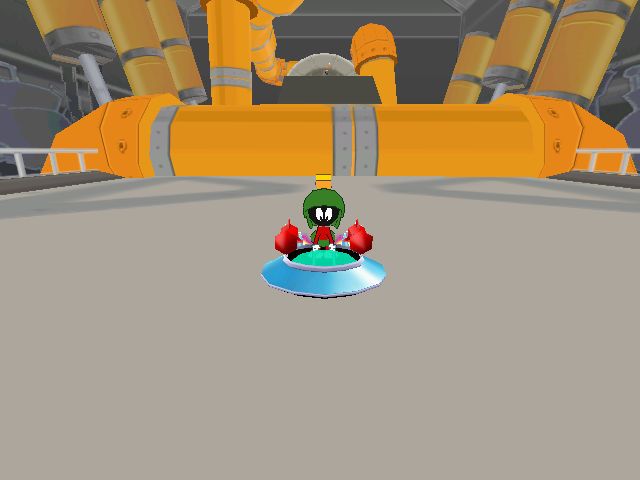
Press the left and right directional buttons on the Select Racer screen to see the Looney Tunes racing characters. Once you have the varmint for you, press the button to confirm. If you change your mind, you can always press the button to go back and choose again. For Multiplayer games, other players can join in by pressing the
.png)

_1.png)
.png)