GETTING STARTED
Set up your PlayStation®2 computer entertainment system according to the instructions supplied with your system. Check that the system is turned on (the on/standby indicator is green).
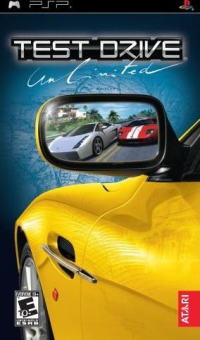
Press the OPEN button to open the disc cover. Place the Test Drive® Unlimited disc with the label side facing up in the disc holder, and then close the disc cover. Attach game controllers and other peripherals as appropriate. Follow the on-screen instructions and refer to this manual for information on using the software.
Memory Card (8MB) (for PlayStation®2)
To save game settings and progress, insert a memory card (8MB)(for PlayStation®2) into MEMORY CARD slot 1 of your PlayStation®2 system. You can load saved game data from the same memory card or any memory card (8MB)(for PlayStation®2) containing previously saved games.
SAVING AND LOADING
Test Drive Unlimited has an automatic save feature, which saves your progress on a memory card (8MB)(for PlayStation®2) in MEMORY CARD slot 1 each time you succeed in a challenge, buy/modify a vehicle, buy a house, change options, or enter your house(s).
If you are unlocking roads and locations by driving around the island, make sure you Pause the game and select Save so you don't lose your progress. Multiple saves are not supported. START YOUR ENGINE!
From the Main Menu, you can start a new game or continue a game in progress. When you start a new game, you must follow your character as he travels to the island of Oahu.
Tutorial
When you leave Honolulu Airport, you will be dropped off at a V-Rent where you will start a short tutorial that will set you up with your first vehicle and a brand new pad. From there it's all up to you how you want to explore the island...
Auto-GPS
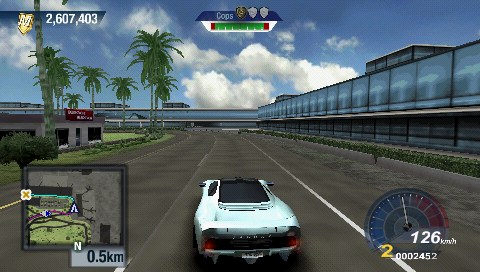
When you complete the tutorial, your Auto-GPS system will be targeted for the nearest challenge that you qualify for. The Auto-GPS will always direct you to the closest challenge that you have not yet visited or won.
It's a great way to keep cruising through the game without worrying about where to go next. You can turn off this feature in the Pause Menu, or set your own target in the map screen, if you prefer.
Quickrace
Quickrace can be accessed through the Main Menu. A random race and car is chosen each time you start a Quickrace: any Master Points or Credits that you accumulate will be saved a great way to get straight into the racing! Master Points
Master Points are your driving fame on the roads of Oahu - the more you accumulate, the faster you will progress through the game. Driving around the island clocks up points for you, but ranking in hard challenges is where you can really accelerate your reputation. You can also get bonus points by performing cool moves like drifting, slip streaming and getting airtime. Credits
The currency in Test Drive Unlimited is "Credits" – to earn credits you will have to rank at least third place in Challenges. The higher the difficulty setting of the Challenge, the greater the reward. The more Credits you earn, the more hot wheels you can buy to fill up those garages!
Where to Stay...
HOME
Purchasing a house is an important step, because it provides you with access to a number of options. While in your home, you can use the menus to access the following:
•
News - You can view the Message of the Day and any other important messages delivered to you throughout your stay on the island.
•
Statistics - You can view all Rankings for all the Challenges, look over your trophies and check out your progress in the game.
•
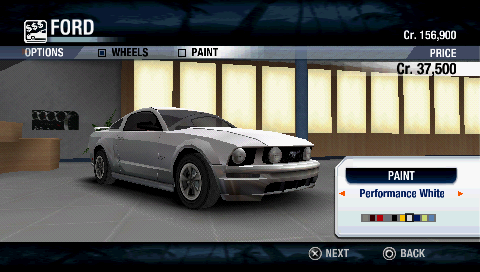
Garage - Here, you can inspect your vehicles and access highly detailed information about each of them.
The size of your garage will determine the number of cars you can own. When your garage is full, you'll need to buy another house if you want to park more cars. You can own several homes. You'll then be able to transfer cars from one garage to the next by using the List option.
OAHU POINTS OF INTEREST
•
SELECT FILTERS TARGET MOVE
To open the map, press the SELECT button. Depending on whether you choose Challenge, Key Locations or Player(s), you'll be able to use the various Filters to increase or decrease the amount of information that appears on the map.
You can only go directly to a Challenge or a Key Location shown on the map if you have been there before.
Targeting
You can place a Target Beacon on any road with the button. When you exit the map, the GPS will direct you to that location.
Filters
The filter lets you display or hide the available locations that interest you, as well as those that have subsequently been unlocked. The filter is set by default to show all the available locations.
Map Legend
•
Race (See Activities & Entertainment on page 11.)
•
Speed (See Activities & Entertainment on page 11.)
•
Time (See Activities & Entertainment on page 11.)
•
Eliminator (See Activities & Entertainment on page 11).
.png)

.png)








.png)

_1.png)
.png)

.png)


.png)





.png)