GETTING STARTED
Set up your PlayStation®2 computer entertainment system according to the instructions in its Instruction Manual. Make sure the MAIN POWER switch (located on the back of the console) is turned ON.
Press the RESET button. When the power indicator lights up, press the OPEN button and the disc tray will open. Place the Tom Clancy's Splinter Cell Double Agent™ disc on the disc tray with the label side facing up. Press the OPEN button again and the disc tray will close.
Attach game controllers and other peripherals, as appropriate. Follow on-screen instructions and refer to this manual for information on using the software.
Memory Card (8MB)(for PlayStation®2)
To save game settings and progress, insert a memory card (8MB) (for PlayStation®2) into MEMORY CARD slot 1 of your PlayStation®2 system.
You can load saved game data from the same memory card or any memory card (8MB) (for PlayStation®2) containing previously saved games.
SETTING UP FOR ONLINE PLAY (OPTIONAL)
Tom Clancy's Splinter Cell Double Agent functions only through a broadband (DSL or cable modem) connection.
Your Network Configuration File
A memory card (8MB) (for PlayStation®2) is required to play Tom Clancy's Splinter Cell Double Agent online. Before playing online, Your Network Configuration file must be saved to the memory card (8MB) (for PlayStation®2) using the network adaptor start-up disc.
Network Adaptor (Ethernet/modem) (for PlayStation®2)
Install the Network Adaptor (Ethernet/modem) (for PlayStation®2) on your PlayStation®2 game console according to the instructions in its Instruction Manual.
Caution: Unplug the AC power cord on your PlayStation 2 console before adding any networking equipment to the system. Ports 3658 and 10070 to 10080 are used (in UDP protocol) by the game. Ports 40000 to 42999 and 6668 are used (in TCP protocol) for the connection to ubi.com™. Ports 41006, 4400, and numbers 45000 to 45001 are used (in UDP protocol) for the connection to ubi.com.
If you have a firewall, you must open these ports. If you use a router with a unique IP address and you want to create rooms and games (so you can host a server), you must route these ports to your PlayStation®2 console.
Troubleshooting
If a connection to the network cannot be established:
•
The AC power cord for the PlayStation®2 console is not fully inserted into the AC IN connector. Check that the AC power cord connector is fully inserted into the AC IN connector.
•
The Network Adapter (Ethernet/modem) (for PlayStation®2) might not be properly installed on the PlayStation 2 console. Check that the Network Adapter (Ethernet/modem) (for PlayStation®2) is properly installed. •
The network is busy. Wait a few minutes and try to access the network again.
•
Check that the network cable is properly connected.
USB Headset (Optional)
The USB headset allows you to chat with your teammates during gameplay and talk to all the players in the game session in the session lobby. This is an optional feature and is not required to enjoy the game, but you will be more efficient if you can play as a part of a team.
The USB headset connects to either of the USB (Universal Serial Bus) connectors located on the front of your PlayStation 2 computer entertainment system. With the USB symbol facing up, insert the cable into one of the USB connectors. Set up your PlayStation®2 system to connect over the Internet. MAIN MENU
From the initial startup screen, you can select one of two modes:
Then, you can select one of these options:
Solo/Co-op
Multiplayer Online
SOLO GAME
Profile Screen
After selecting the mode, you will be brought to the Profile menu. Here you can either create a new profile or select the profile you wish to play with.
Solo Menu
Select this menu if you want to play in Solo mode. While in this menu, you will be able to choose from the following options:
•
New Game: Allows a player who has created a profile to start a new game. When starting a new game, you can set your difficulty level to Normal, Hard, or Expert.
•
Load Game: Allows the player to select and load a previously saved game. The only games displayed on the Load Game screen will be those for the selected profile.
•
Training Videos: Learn about the controls, moves, and features of the game.
•
Cinematics: Watch any unlocked movies from the game.
•
Options: Adjust the sound, display, controller settings, and shadow calibration.
Sam's Actions and Movements
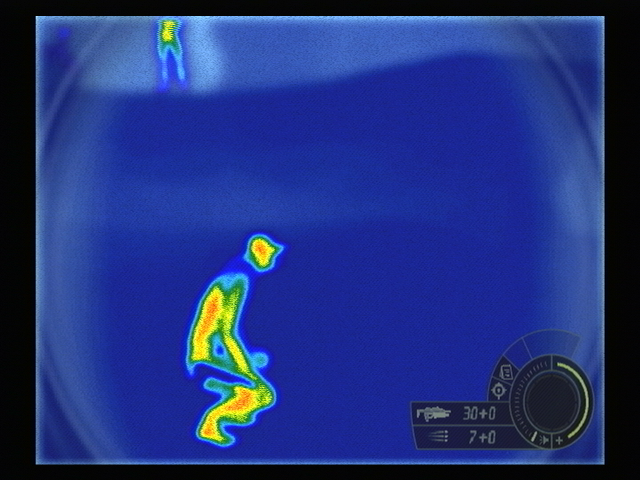
Some of the moves in Sam's arsenal are described below. Depending on your play style, you'll find some very useful for different situations. Don'
.png)


_1.png)
.png)
.png)
.png)




.png)
.png)

.png)