GETTING STARTED
Set up your PlayStation®2 computer entertainment system according to the instructions in its Instruction Manual. Make sure the MAIN POWER switch (located on the back of the console) is turned on.
Press the RESET button. When the power indicator lights up, press the open button and the disc tray will open. Place the STUNT GP disc on the disc tray with the label side facing up. Press the open button again and the disc tray will close.
Attach game controllers and other peripherals, as appropriate. Follow on-screen instructions and refer to this manual for information on using the software.
Introduction
Welcome to the adrenaline-fuelled world of Stunt GP! Take control of dynamic remote-controlled vehicles as they battle for supremacy and 'Aero Miles' on a diverse collection of wild and crazy tracks.
For 1 player, Stunt GP offers a wide range of play possibilities, from hands-on Arcade Mode to the racing line focused Time Trial to the customization of the Exhibition Mode. The pro racer can enjoy the delights of a full Stunt GP Championship where cunning and guile are as essential as sheer driving skill. Or, if catching air is your thing, why not take to the Stunt Arena and perform high kicks for style-points in the Freestyle Stunt Challenge! If you fancy the ultimate exhilaration, then go head to head with your friends in 2-player mode and leave them quaking in your slipstream as you nudge in front, turbo-blasting for the finish line!
Stunt GP features a wide range of vehicles, tracks, components and surprises, many of which are just waiting to be unlocked - can you find them all in this no-holds barred race of the millenium?
Overview
It's important to realize that this is a game in which your driving skills are king. That means racing lines, slipstream and energy recharging strategy are all very important if you're going to shave those essential seconds off your lap and race times. Due to the complex physical and dynamics simulation at the heart of Stunt GP, adding components to your vehicle in Championship mode will have a real and very profound effect on both its handling and performance.
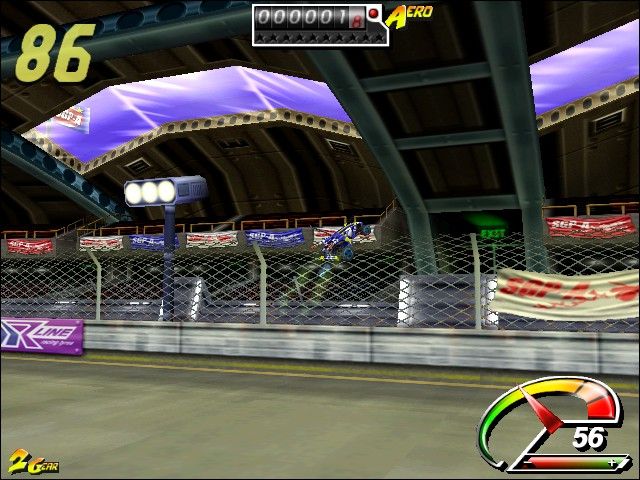
You'll have to learn how to control different vehicles and improve your skills as you go - this is no racing game on rails, no half-hearted attempt at suggesting how a vehicle drives. This is the real thing and we believe you'll learn to love the way that Stunt GP allows you to fully express yourself on the many tracks in whatever vehicle feels right for you. Stunts are there for much more than show too, they give you speed and lift boosts and also increase the energy in your vehicle, not to mention give you points for much needed upgrades in Championship Mode.
The easiest way to play is Arcade Mode and we recommend you start there. It's a great place to discover tracks and unlock some cool surprises. Time Trial teaches you to hug the racing line to get the best lap times, squeezing seconds out of the track which you didn't believe existed and Stunt Challenge allows you to let your hair down and become familiar with the vehicle when it's airborne! DUALSHOCK™2 analog controller Connectivity
At least one controller should be connected to controller port 1 at all times. You may also connect another controller to controller port 2 to make use of the 2 players game modes.
Note: you must have two controllers connected to access the 2 players menu.
Memory card (8MB) (for PlayStation®2) Operation
The game will utilize a memory card (8MB) (for PlayStation®2) inserted into any of the MEMORY CARD slots. If you opt to play the game without using a memory card (8MB) (for PlayStation®2) score records, feature unlocks and any 'Race Images' will be lost when you finish playing.
When opting to save the game details, you will be presented with a connected memory card (8MB) (for PlayStation®2) list. Select which memory card (8MB) (for PlayStation®2) you wish to use and confirm.
While performing save operations to the memory card (8MB) (for PlayStation®2) please ensure that the memory card (8MB) (for PlayStation®2) is not removed.
Stunt GP game configuration and record data will be loaded automatically if it is located on a memory card (8MB) (for PlayStation®2) when the game is first started.
Menu Navigation
Navigating the Stunt GP menus is a simple and intuitive process.
Use up and down on the left analog stick or directional button to take you through the option selections and left and right to toggle those selections. The button confirms and the button escapes from the current menu.
Categories
Tracks and Vehicles come in three basic categories in Stunt GP;
Aeroblasters
This category suits a nice even mix between speed, power and stunts. Aeroblaster tracks are generally more stunt-orientated and the Aeroblaster vehicles are built to take full advantage of that. Aeroblasters generally have the power to pull off more stunts and are more versatile and quicker in the air.
Speed Demons
As the name suggests, this category concentrates on speed and power. Speed Demon tracks are often very fast and demanding, with few on-track obstacles. Speed Demons represent the quickest way around the track, but that speed comes at a



.png)

_1.png)
.png)
.png)
