GETTING STARTED
1. Set up your PlayStation®2 computer entertainment system according to the instructions supplied with your system.
2. Check that the system is turned on (the on/standby indicator is green).
3. Press the OPEN button to open the disc cover.
4. Place the Superman Returns™: The Videogame disc with the label side facing up in the disc holder, and then close the disc cover.
5. Attach game controllers and other peripherals as appropriate.
6. Follow the on-screen instructions and refer to this manual for information on using the software.
STARTING UP
DUALSHOCK®2 analog controller configurations
•
directional buttons (D-buttons)
•
left analog stick (L3 button when pushed down)
•
right analog stick (R3 button when pushed down)
MOVES (CONT.)
INTRODUCTION
Superman Returns™: The Videogame takes Superman on a journey from the streets of Metropolis to the foreign planet Warworld. Playing as Superman, you have to utilize Superspeed, Superstrength, Heat Vision, Freeze Breath, and Superbreath to save Metropolis and its citizens from threats of nature, aliens, escaped science experiments, and DC Comics' classic super-villains including Mongul, Bizarro, Metallo, and Lex Luthor.
PLAYING THE GAME
As the Man of Steel, can you master your superpowers to save Metropolis and its citizens from the endless assault from classic villains and natural disasters?
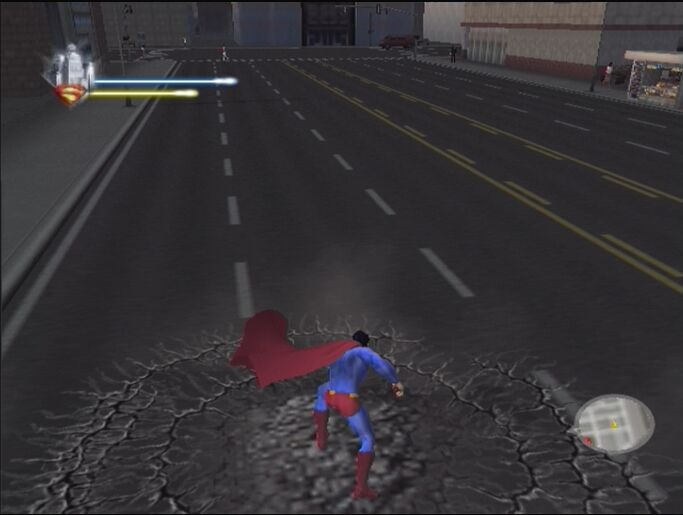
GAME SCREEN
•
Targeting indicator-this changes shape and color to indicate which superpower is active. The indicator spins when you are locked on and close enough to a target for the superpowers to be effective.
PAUSE MENU
Press the START button at any time to access the Pause menu. From here you can fine tune your settings, save your game, and more.
Check out all the stats here.
Review the button combinations necessary to unleash any moves you've unlocked.
Watch the video clips you've unlocked, choose the costume Superman wears, and review any unlocked concept art and trophies.
After completing objectives, you earn XP points that unlock various rewards throughout the game and increase your superpowers, combos, and stamina. Other rewards unlock concept art from the game, theatrical posters, and concept art from the Superman Returns film, and more. The Power-Up Chamber is where you keep track of your current XP points and how many you need to improve to the next level.
Select from the four configurations. Press the button to review the ground/air controls for each configuration. There are three other options available in this menu:
•
Smart Camera: Automatically centers the camera behind Superman (horizontally and vertically) when you're on the ground.
•
Vibration: Turn controller vibration ON/OFF.
Adjust the music and sound effects volume.
Load an in-progress game from your memory card (8MB)(for PlayStation 2) in MEMORY CARD slot 1. Save a game in progress to your memory card.
Quit the game you're playing (don't forget to save first!).
Start the current objective from the beginning.
Y INVERSION
This option sets the way you control your pitch when flying. When set to ON, moving the right analog stick makes you fly toward the ground. When set to OFF, moving makes you fly toward the sky.
.png)

.png)