GETTING STARTED
Note
Illustration may not match all PlayStation 2 console types. For owners of SCPH-70000 series PlayStation 2 systems, refer to the setup instructions supplied with your system. System Setup
Set up your PlayStation®2 computer entertainment system according to the instructions in its Instruction Manual. Make sure the MAIN POWER switch (located on the back of the console) is turned ON.
Press the RESET button. When the power indicator lights up, the disc tray will open. Place the TAITO LEGENDS disc on the disc tray with the label side facing up. Press the OPEN button and the disc tray will close.
Attach game controllers and other peripherals, as appropriate. Follow on-screen instructions and refer to this manual for information on using the software.
Memory Card
To save game settings and progress, insert a memory card (8MB) (for PlayStation®2) into MEMORY CARD slot 1 of your PlayStation®2 system. You can load saved game data from the same memory card or any memory card (8MB) (for PlayStation®2) containing previously saved games.
A MEMORY CARD (8MB) (FOR PLAYSTATION®2) WITH AT LEAST 64KB OF FREE SPACE IS REQUIRED TO SAVE GAME DATA.
It is advised that you do not insert or remove accessories once the power is on. Make sure there is enough free space on your memory card (8MB) (for PlayStation®2) before commencing play.
TAITO LEGENDS uses an autosave feature. Please ensure that a memory card (8MB) (for PlayStation®2) is present in MEMORY CARD slot 1 at boot up as insertion after this point may cause data to be overwritten.
PLAYING A GAME
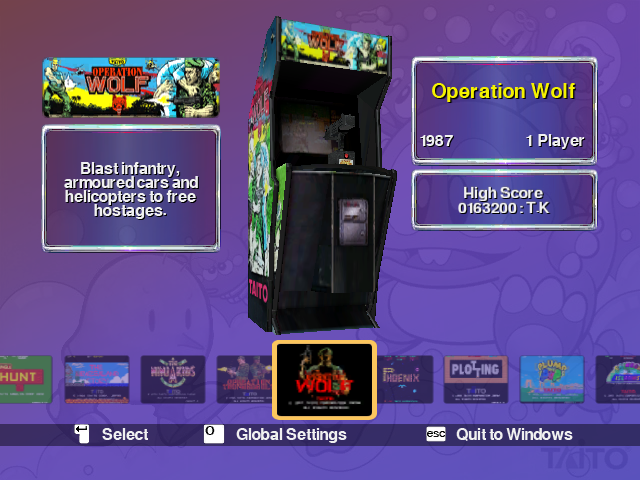
Once the title screen appears press the START button to enter the Game Selection screen. Select a game using left or right directional buttons. Press the button to enter the Game Menu. Press the button again to initiate the game.
Study the controls screen and then press the START button. Press the SELECT button to insert a coin and then press the L1 button to start playing the game.
GAME MENU
Select any game using the button on the Game Selection screen and it will take you to the Game Menu for that particular game.
Initiate the game ready for inserting coins.
Describes the game and how to play it.
Shows the controls for the selected game.
Options screen for adjusting game options and difficulty settings.
View game high scores for each difficulty setting.
Hints and tips on how to play the game.
Depending on the game selected there are also additional menu options for viewing an interview with the original game designer or viewing the original arcade sales flyer.
PAUSE MENU
Pressing the START button during a game will bring up the Pause Menu. You have the choice of up to four options:
Resume playing game.
Position and resize the screen for the current game.
Adjust the parameters for the left analog stick.*
Exit game and return to the main menu.
•
Analog Settings will only be present for Operation Wolf, Operation Thunderbolt, Plump Pop and Space Gun.
GLOBAL SETTINGS
Select Taito Legends on the Game Select screen and the following menu will be displayed: Adjust screen position, screen size and aspect ratio.
Adjust volume and choose the menu music.
Save/Load, option settings, high scores and reset high scores.
View the History and Milestones of Taito Corporation. The list of people involved in making Taito Legends. .png)


.png)
