Getting Started
*Note: Illustration may not match all PlayStation 2 console types. For owners of SCPH-70000 series PlayStation 2 systems, refer to the setup instructions supplied with your system.* Set up your PlayStation®2 computer entertainment system according to the directions in its instruction manual. Make sure the MAIN POWER switch (located in the back of the console) is turned on.
Press the RESET button. When the power indicator light comes on, press the open button and the disc tray will open. Place The Polar Express disc on the disc tray with the label side facing up. Press the open button again and the disc tray will close.
Attach game controllers and other peripherals, as appropriate. Follow on-screen instructions and refer to this manual for information on using the software.
Memory Card (8MB)(for PlayStation®2)
To save game settings and progress, insert a memory card (8MB)(for PlayStation®2) into MEMORY CARD slot 1 of your PlayStation®2 system. You can load saved game data from the same memory card or any memory card (8MB)(for PlayStation®2) containing previously saved games.
Beginning a New Game
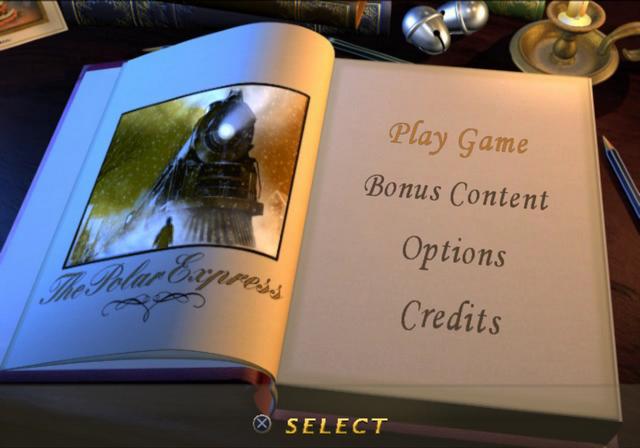
Press the START button to go to the Main Menu screen. The Main Menu has four choices: Play Game, Bonus Content, Options and Credits.
Play Game
From here, you can start a new game or choose a save game file. When you select a new game, a letter selection menu will appear to allow you to name the new file.
Bonus Content
Play bonus games and watch movies.
•
Driving the Polar Express!
The EyeToy USB camera must be plugged in and properly installed for this function to work. (EyeToy is sold separately).
Options
This allows you to adjust the sound, vibration, and load a saved game (see page 11).
Credits
This allows you to view the game credits.
In-Game Indicators
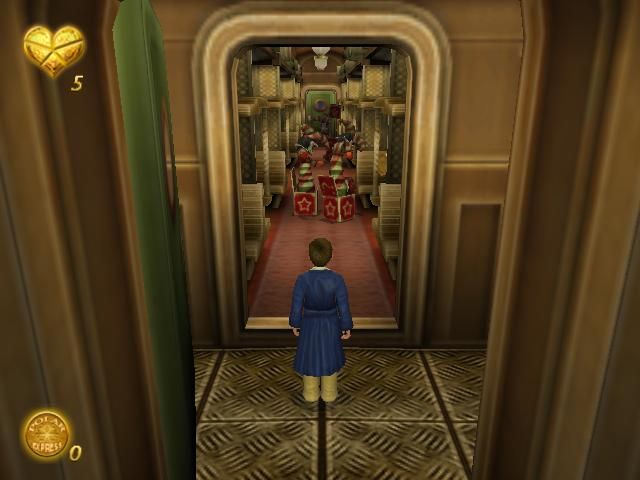
1. This health indicator shows that Hero Boy has the heart to keep going.
2. Twenty of these Gold Coins give Hero Boy another chance to continue his journey. Secret Toys
Secret toys are hidden in the train. To see the toys that you have collected and how many pieces you've found, enter the Pause screen by pressing the START button. 1. This indicates the total number of toy parts available and those collected in the current chapter.
2. This shows you the full and partially assembled toys you've collected over the course of the game. EyeToy Games
With the magic of EyeToy, you enter the game using your body instead of a controller to direct the action. Before you begin playing, make sure that the EyeToy is properly installed by following the instructions provided with that accessory. Decorating the Tree
Place decorations on the Christmas Tree! Wave your hand over the lighted doors. A few seconds later, a decoration will appear on the tree.
Mischievous marionettes will drop in from the top of the screen to take decorations off the tree. You can only stop them by swatting them with your hands as they come towards the tree. Decorate the entire tree and you've won the game!
Driving the Polar Express!
You have been given the awesome responsibility of driving the Polar Express. Get the train to the North Pole in the shortest time possible.
As you head down the track, wipe snow from the windshield so that you can keep an eye on the track. Every so often, train switches appear, telling you which intersection the train must take. Once you approach the intersection, press the correct button at the top of the screen to take the right track.
Taking the wrong one will move the train through barricades that slow the train down and throw up a lot of snow on the windshield. Watch out for snowmen who wander onto the track. Pull the whistle to alert them to get off the track, or else a whole pile of snow will end up on the windshield! The game is won once you pull into the North Pole station.