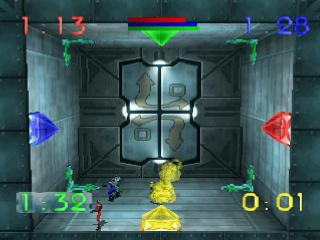
Getting Started
1. Press the Open button to open the CD door. Place the Blast Chamber CD in the CD drive and close the door.
2. Press the Power Switch on your Sega Saturn system to turn the power ON. 3. Your system will automatically load Blast Chamber. After the introductory sequence, the Blast Chamber title screen will appear. You can skip the introductory sequence by pressing the Start button on your Control Pad.
The Story
In a twisted, amoral future, you are genetically engineered to be the ultimate athlete. Raised in training complexes called stables, you exist for only one purpose: to win a competition known to you as The Game. You are finally awarded the honor to represent your stable in The Game, but you discover the horrifying truth upon arrival. What you called The Game is known to the rest of the world as Blast Chamber. The rules are the same, but the consequences of defeat are lethal. Your life is worthless to the owner of the stable and the masses; you are property and entertainment. Nothing is more entertaining than a game of life or explosive death in the Blast Chamber.
The Title Screen
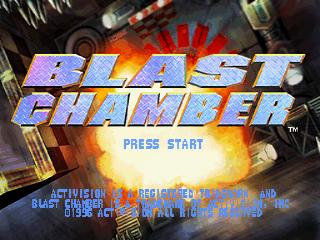
When you turn on the Saturn game console, you will see an introductory sequence, which can be interrupted by pressing Start. Whether you interrupt it or not, you will eventually arrive at the Title Screen. Press Start here to go to the Main Menu screen. The Main Menu Screen
The Main Menu screen has six icons. At the top are Chambers (Chamber Select), Games (Game Select), and Load and Options. The two icons at the bottom are the Training modes. If you want to jump right into the fire, press Start to begin a Free-For-All game against one to three computerized or human opponents.
If you have never played Blast Chamber before, you would be well advised to begin with Training. You'd better know what you're doing before you start playing with fire.
Training Modes
There are two training modes: one for the multi-player games, and one for Solo Survivor. To enter one of the training modes, highlight a Training icon and press A. You'll find yourself in a training chamber. Throughout the session, the computer voice will instruct you on the basics of Blast Chamber.
Learn and obey, and you'll live through the training session; it's that simple. When you've either failed spectacularly or completed the chamber successfully, the training mode ends, returning you to the Main Menu.
To Select A Game
You could jump right in and start playing the Free-For-All mode by pressing Start when you're on the Main Menu, or you can select from the five game modes. Just highlight the Games icon, which displays images of players, and hit A. You'll then come to the Game Select screen which will have the following list of player options:
Free-For-All and Eliminator are the multi-player games. These games enable you to play against one to three other human or computer opponents. Solo Survivor is for one player only, with no opponents.
Free-For-All
When you die in this game, you instantly come back to life for more explosive action. The objective in this game is to die the least number of times before the game clock winds down to zero. In the regular mode, you only play in the chamber(s) you select. But in Tournament mode, you play in all 20 chambers, each of which is deadlier than the one before it. Eliminator
In this game, death is a little more permanent: you can die only once. No resurrections as in Free-For-All. The sole survivor is the winner of the game. Eliminator also has a Tournament mode. Like Free-For-All's Tournament, you play in all 20 chambers, each one being more difficult than the preceding chamber.
Solo Survivor
Solo Survivor is a one-player game. There are no opponents in this game; it's just you against the clock. You must survive 40 progressively difficult chambers.
To Select A Chamber
If Free-For-All or Eliminator is selected on the Games menu, you can select a chamber to play in. (If Solo Survivor is selected, you can't select a chamber, unless you have saved a previous game or have a password.) On the Main Menu, highlight the Chambers icon and press A.
This takes you to the Chamber Select screen, which offers 20 different chambers to choose from. Each is special in its own way and will make your multi-player experience as lethal as possible. You can choose one, or as many as all 20 chambers, to play in. Once you've selected your chamber(s), press Start. This will return you to the Main Menu screen.
Loading a Saved Game
In Solo Survivor, you play through 40 progressively challenging chambers. Every 5th chamber you are given the opportunity to save your progress in the system memory or on your cartridge memory (you are also given a password which you can use instead). To load a saved game, simply go to the Load icon on the Main Menu screen.
You can save the following information:
•
Up to ten Solo Survivor games. Not only is the last chamber saved, but also your score and your number of lives at that point in the game.
•
The top ten high scores for Solo Survivor, the Free-For-All tournament, and the Eliminator tournament. Select Update High Scores on the Load screen before turning off your Saturn. •
Preferences such as your favorite controller configurations, volume settings and difficulty level. Select