Set Up and Initialization
Follow the Sega Saturn Instruction Manual to set up your system. Plug in Control Pad 1 and note that Dark Savior is for one player only. •
Insert the Dark Savior CD (label side up)
•
Insert the optional RAM Cartridge (if using)
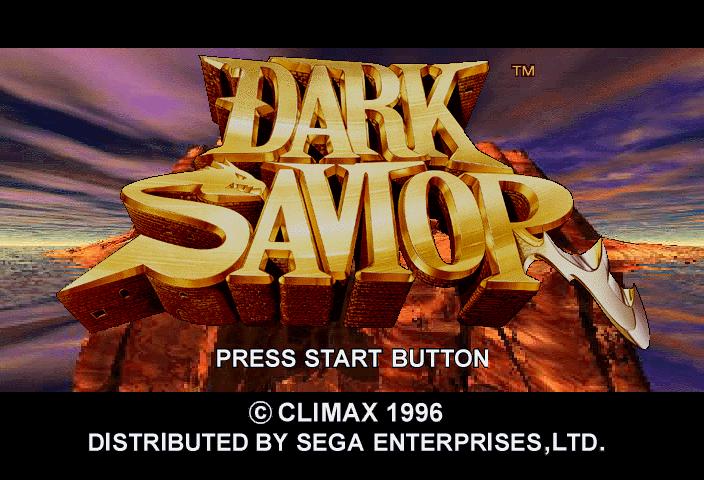
Insert the RAM cartridge into the slot before turning on the console if you wish to use it. The Sega and Climax logos will appear, followed by the Title screen. If nothing appears, check your setup and restart.
Title Screen and Sound Test
After the logos, the Title screen appears, followed by game demos. Press Start at any time to return to the Title screen, or press Start again to see Title Options.
•
Use the D-Pad up or down to highlight options (they will flash when selected).
•
Press Start to select an option.
The Sound Test allows you to adjust audio settings.
•
Press Start to play background music (BGM) or sound effects (SE).
•
Use the D-Pad to select BGM, SE, or Stereo/Mono settings.
•
Press D-Pad left or right to change stereo/mono sound.
•
Press Button B to exit the sound test.
Hardware and Save Options
Select a hardware option to access adventure data or exit to the BIOS screen.
•
Press Button B to switch hardware options.
•
Use the D-Pad left or right to select between internal RAM or an optional RAM cartridge.
If using a memory RAM, you can save or erase data.
•
Highlight Begin to save progress.
•
Highlight Erase to delete progress.
•
Use the D-Pad to select a memory slot.
•
Press Button A or C to confirm.
To erase an adventure, select Yes at the confirmation prompt.
Note: To exit to the Hardware Options screen during gameplay, press Buttons A, B, C, and Start simultaneously.
Jailer's Island Overview
Jailer's Island is a massive prison owned by the once-influential Kurtliegcn family. The islands castles contain secret passageways and traps.
There are two adventure modes:
•
Regular Mode: Travel, talk to people, find items, evade traps, and solve puzzles.
•
Battle Mode: Real-time combat where Garian fights an opponent.
Point of View Controls
Navigate the castles, caverns, and towns using the point of view controls to handle traps and mazes.
•
Use the standard view for basic navigation.
•
Adjust the field of view to see more of the environment.
•
Combine field of view changes with zoom out for better visibility.
Key NPCs
Kaiser Snakebird
Kaiser is a records keeper who can save your progress.
•
Talk to Kaiser and select Yes to save.
•
Highlight the message on screen and press Button A or C.
•
Select a save space using the D-Pad and confirm with Button A or C.
Regina
Regina trades for Bounty Hunter Life Points using goods.
•
Talk to Regina to initiate a trade.
•
Look for Chocolates, Magazines, and Bottles of Jalapeno juice in the environment.
•
Highlight Yes to accept a trade offer.
Bounty Hunter Handbook
Garian carries a Handbook to access various options. Press Button X to open it.
•
Use the D-Pad to highlight book tabs and press Button A or C to open.
•
Press Button B to close the handbook and return to the game.
Tab 1: Jack Options
Jack assists Garian in various ways.
•
HP: Sacrifice 20 Bounty Hunter Life Points to regain Hit Points.
•
Hint: Receive advice on where to go or what to consider.
•
Level Up: Increase Garian's HP and Battle Hit Points (BHP) after gaining sufficient points.
•
Option: Cycle through adventure settings using the D-Pad.
•
Message: Adjust text speed.
•
Sound: Switch between MONO and STEREO.
•
Window: Change message background brightness to LIGHT or DARK.
Tab 2: Item Options
View and use items Garian is carrying.
•
Highlight an item with the D-Pad.
•
Press Button A, C, or L to use it.
Tab 3: Equipment Options
View and equip weapons and armor.
•
Highlight an item and press Button A, C, or L to equip it.
•
An "E" appears next to equipped items.
•
Check the right-hand page for changes to Attack, Defense, and Speed.
Tab 4: Status Options
View current stats for Garian or captured creatures.
•
Highlight a prisoner with the D-Pad to see their stats.
•
Hit Points, Battle Hit Points, and Bounty Hunter Life Points are displayed at the bottom of all handbook pages.
Battle Mode
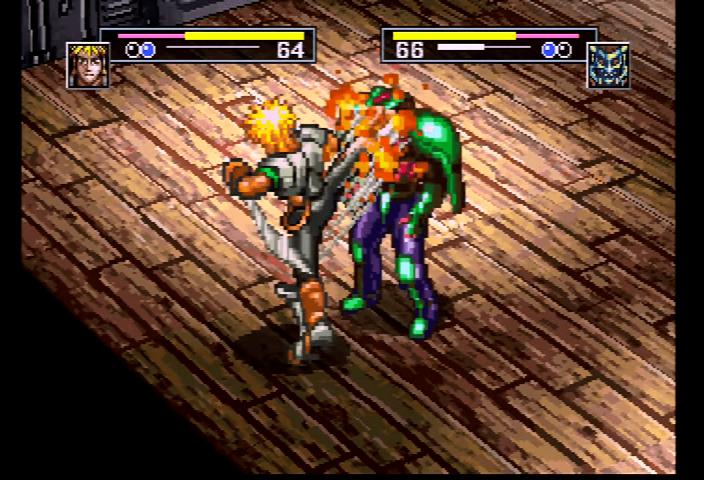
In Fight Mode, Garian battles opponents in real-time. You can win by knocking out the opponent twice or by capturing them.
•
Capturing an opponent grants bonus points.
•
Captured opponents can be used in future battles.
Battle Interface
•
Strength Bar: Shows remaining fighter strength, with a numeric indicator.
•
Icon: Displays the character whose stats are shown.
•
Fights Won Indicator: A star appears next to the winner of the first round.
•
S.A. (Special Attack) Bar: Fill by