Starting Up: How to Use Your Sega Saturn System
This CD-ROM is designed exclusively for the Sega Saturn System. Do not attempt to play this disc on any other CD player, as doing so may damage headphones and speakers. 1. Set up your Sega Saturn system by following the instructions in your system's Instruction Manual. Plug in Control Pad 1. For 2-player games, plug in Control Pad 2 as well. 2. Place the Sega Saturn CD-ROM, label side up, in the well of the CD tray and close the lid. 3. Press the Power Button to load the game. The game starts after the Sega Saturn logo screen appears. If nothing appears, turn the system OFF and ensure it is set up correctly. 4. To stop a game in progress or restart after the game ends, press the Reset Button on the console to return to the Title Screen. To return to the Control Panel from any point, press Buttons A, B, C, and Start simultaneously.
5. If you turn on the power without inserting a CD, the Audio CD Control Panel appears. To play a game, insert the Sega Saturn CD, press the D-Button to move the cursor to the top-left button on the Control Panel, and press Start. Important: Your Sega Saturn CD-ROM contains a security code. Keep the disc clean and handle it carefully. If the system has trouble reading the disc, wipe it starting from the center and wiping straight out towards the edge. Note: *Guardian Heroes* supports one to six players.
Sword or Sorcery?
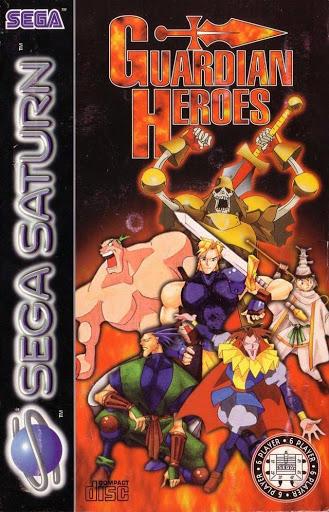
The Guardian Heroes are a group of adventurers seeking the legendary sword that saved the world in ancient times. Han discovers this sword stuck in rocks and brings it back to headquarters.
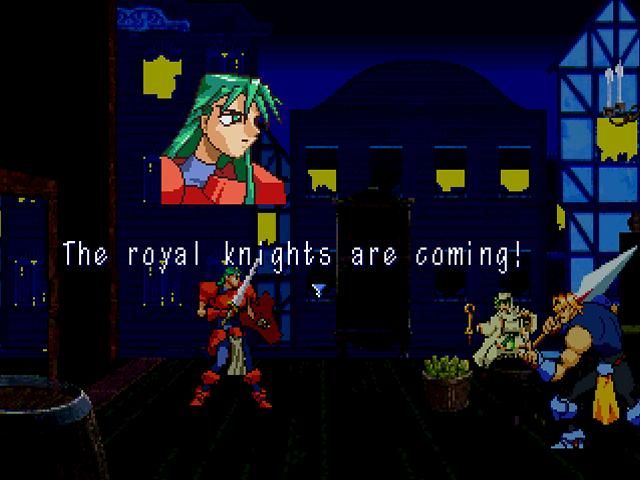
A stranger warns the group to flee just as the Royal Knights arrive, ordered by the King's advisor, Kanon, to find the ancient sword. Kanon secretly plans to destroy the sword to take control of the kingdom.
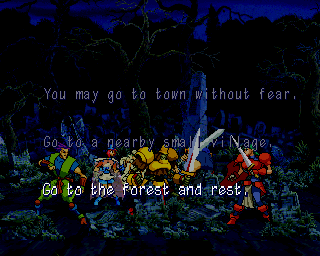
The Heroes embark on a quest to uncover Kanon's motives and prevent his evil scheme. You can choose a character to lead the team or enter VERSUS MODE to battle up to six players.
Controller Setup
•
One or Two Players: Control Pad 1 manages game decisions. Control Pad 2 controls character movements for Player 2.
•
Three to Six Players: Use the 6-Player Adaptor (sold separately) plugged into Control Port 2. Attach Control Pads to the adaptor in order, starting with 1P.
Starting the Adventure
If using a backup RAM Cartridge, choose where to store adventure data: internal hard RAM or cartridge memory. Use the D-Button to move the highlighter and press Button A or C to select.
Press Start to advance to the Title Screen. If no selection is made, a demo will start after a few moments. Press Start at any time to return to the Title Screen.
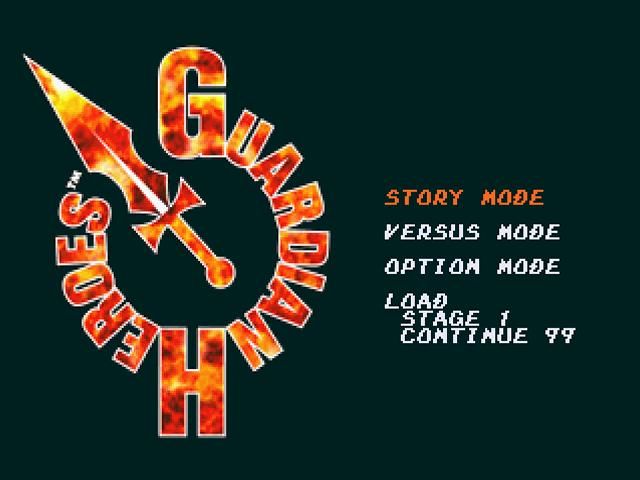
On the Title Screen, choose from:
•
STORY MODE: Lead a character (or two in 2-player games) through the adventure.
•
VERSUS MODE: Battle up to six players against each other.
•
OPTION MODE: View adventure data and change game parameters.
•
LOAD: Continue a saved game.
Option Mode
In Option Mode, view game data, listen to BGM and sound effects, and set button functions.
DIP Switch
Set screen messages, difficulty levels, and other game options. Highlight an option and press the D-Button left or right to change settings. Press Start or highlight EXIT and press Button A or C to exit.
•
Level: Change difficulty (EASY, NORMAL, or HARD). EASY offers 99 Continues, NORMAL offers 9, and HARD offers 3. Normal and Hard levels feature tougher opponents and hidden content.
•
Reset Key: Change the buttons used to reset the game (exit to intro). Four choices available.
•
User Friendly: ON makes gameplay easier; OFF keeps players on their toes.
•
Play Demo Time Limit: OFF allows unlimited demo watching; ON limits demo time.
•
Pause Display: ON shows Stats Window during pause; OFF leaves the screen clear.
•
Hit Combo Display: ON shows special attack hit counters; OFF hides them.
•
Audio: Select MONO or STEREO sound.
•
Enemy Level Display: ON shows opponent strength; OFF hides it for surprise.
•
Next Exp Display: ON shows XP remaining for next level; OFF hides it.
Stats Window
This window displays character data:
1. Name
2. Level
3. Hit Points
4. Magic Points
5. Strength
6. Intelligence
7. Agility
8. Experience
9. Next Level
10. Vitality
11. Mental Protection
12. Luck
Key Config
Set custom button functions. Highlight a button and press the D-Button left or right to change its function. Press Start or highlight EXIT and press Button A or C to exit.
•
Defend: Guard against attacks.
•
Normal Attack: Standard strike.
•
Powerful Attack: Stronger strike.
•
Command: Move the Undead Warrior.
•
Change Level: Move between battlefield levels.
•
Move Back/Forward: Navigate battlefield layers.
Player Settings
Create a database to save VERSUS MODE victory data. Highlight PLAYER SETTINGS and press Button A or C.
.png)

.png)
.png)
