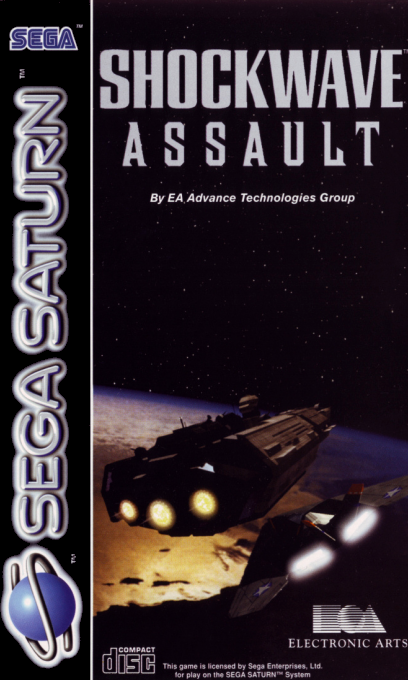
Game Overview
It was presumed to be a meteor shower. Now we know better. A legion of hostile aliens has descended upon our planet, and thousands are currently swarming throughout our atmosphere. If we don't destroy them, they will certainly destroy us. Earth's entire military force is assembling in every violated region.
Join your fellow pilots and annihilate these alien invaders.
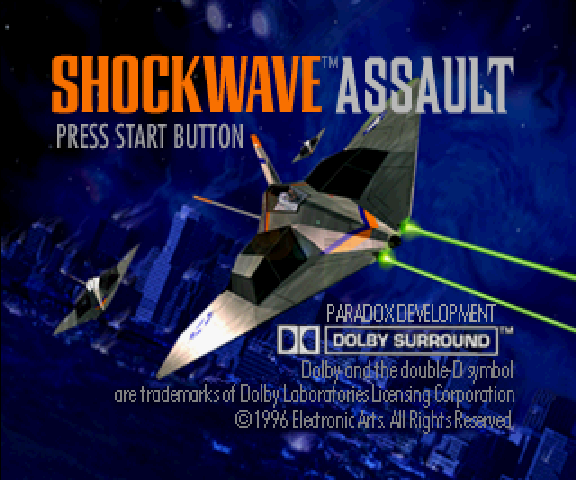
Starting the Game
1. Open the disc tray and place the Shockwave Assault disc inside.
2. Make sure a control pad is plugged into the port labeled Control 1 on the Sega Saturn system. 3. Turn ON the power switch on your Sega Saturn system. 4. Press START to advance to the Game Setup screen.
Introduction
Shockwave Assault is composed of two episodes. In the first episode, *Invasion Earth*, you combat the alien assault across the continents of Earth. The second episode, *Operation JumpGate*, continues the battle throughout the solar system.
Advancing Through Missions
Listen closely. It is your goal to save the human race, and to do so you must successfully complete fifteen designated missions. In order to succeed, you must accomplish every objective outlined by Major Stewart at the start of each mission.
You are assisted by the onboard Intelligent Combat Engine (ICE). Before takeoff, ICE provides valuable information, and throughout each flight she outlines your mission objectives.
Note: Need extra hints or tips? For a detailed walk-through of Shockwave's missions, see Electronic Arts Hints and Information Hotline number on page 15.
Note: If you have a Sega Saturn RAM cartridge, you have the option of saving your pilots either on the RAM cartridge or in internal System Memory. Prior to the Main menu you are prompted to select an area where you'd like to save your pilots. Future games are automatically saved to the selected area. D-Pad up/down to toggle options; press C to select. If you need to change the save location, use the Sega Saturn Memory Manager. See your Sega Saturn documentation for more information. Main Menu
1. To highlight a button, D-Pad any direction.
2. To select the highlighted button, press A or C.
•
Play Game: Launch the current mission.
•
Note: Each mission consists of several objectives. If you do not successfully complete an objective, you receive another chance and automatically restart at the beginning of that objective.
•
Player Status: Go to the Pilot Status screen.
•
Options: Go to the Options screen.
Pilot Status Screen
Create a new pilot and load saved pilot status.
1. To highlight a button, D-Pad any direction.
2. To select the highlighted button, press A or C.
•
Load Pilot: Load any pilot from the roster.
•
New Pilot: Go to the New Pilot screen.
•
Note: Once you create a New Pilot, your progress is saved as you advance through each mission.
•
Delete Pilot: Delete any pilot from the roster.
•
Exit: Return to the Main menu.
New Pilot Screen
The three levels of difficulty are Cadet, Wingman, and Ace.
1. To highlight a button, D-Pad any direction.
2. To select the highlighted button, press A or C.
•
Cadet: Beginners select the Cadet level of difficulty. Fly as a Cadet and you receive increased shields, laser power, and fuel.
•
Wingman: Intermediate pilots select the Wingman level of difficulty. Select Wingman and you enter combat with the standard shields, laser power, and fuel.
•
Ace: Advanced pilots select the Ace level of difficulty. If you choose Ace, these same aircraft supplies are reduced.
•
Exit: Return to the previous screen.
Your Aircraft/Cockpit
The F177 is armed with lasers and missiles. The Mothership, Omaha, supplies the fighter before each mission according to the current objectives.
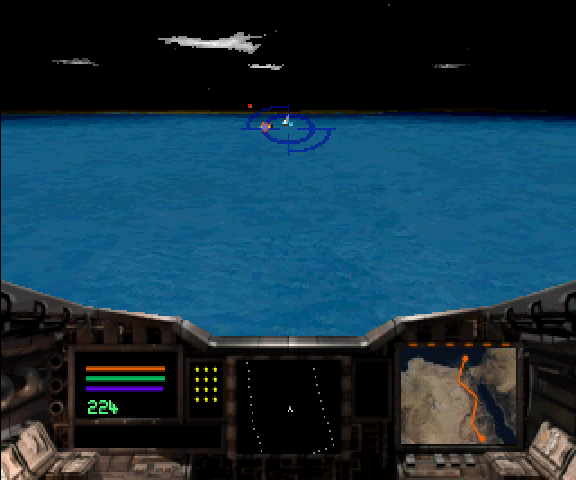
Cockpit Indicators
•
Shields (red): Displays remaining shield energy. Once the red bar disappears, the F177 is defenseless against enemy weaponry.
•
Laser (green): Displays laser energy remaining. When the green bar disappears, the F177 cannot fire its lasers.
•
Fuel (purple): Displays fuel energy remaining. When the blue bar disappears, the F177 runs out of fuel and crashes.
•
Odometer: Indicates the distance to the final mission objective.
•
Missile Bank: Displays available missiles.
•
Flight Path Indicator: Displays flight trajectory.
•
Cockpit Communications screen: Displays incoming messages from both the Omaha and other F177 pilots.




 (En,Fr,De,Es,It).png)