Starting the Game
•
1. Flip OFF the power switch on your Super NES™. (WARNING: Never try to insert or remove a Game Pak when the power is ON.)
•
2. Make sure a Controller is plugged into the port labeled 1 on the Control Deck. If you're playing against a friend, plug the other Controller into the port labeled 2.
•
3. Insert the Game Pak into the slot on the Super NES™. Press firmly to lock the Game Pak in place.
•
4. Turn ON the power switch. The Electronic Arts® Sports intro will begin. If you don't see it, begin again at step 1. •
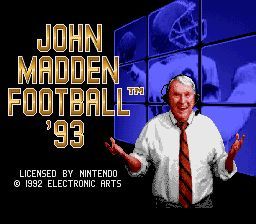
5. When Coach Madden's picture appears, press START to see the credits and START again to bring up the Game Set-Up screen.
Setting Up the Game
You need to use the Game Set-Up screen every time you play. First select the kind of contest you wish to have.
Press the Control Pad up/down to select options and left/right to change the options.
Game Modes
•
Regular Season: Play Clock enforced
•
Pre-Season: Play Clock not enforced
•
New Playoffs: Tournament vs. computer
•
Cont Playoffs: Tournament/password required
•
Sudden Death: First score wins game
•
New All-Time Greats: Tournament vs. computer
•
Cont All-time Greats: Tournament/password required
Player Modes
•
1P (Home or Visitor): One player vs. the computer
•
2P (Head-to-Head): Two players head-to-head
•
2P Teammates: Two players vs. the computer
•
Demo: The computer vs. itself
Teams
Team One is the Home Team and Team Two is the Visiting team.
If you're playing in One-Player Mode, in Regular Season, Pre-Season, and Sudden Death modes, you can control either the Home or Visiting team. In Two-Player Head to Head Mode, the player with Controller 1 is the Home Team.
Quarter Length
The game clock runs about twice as fast as a normal clock.
Field Type
The weather can come into play on an open stadium, but not in a domed stadium. The players tend to have better traction on artificial turf than on natural grass.
•
Open/Turf: Open stadium with artificial turf
•
Dome/Turf: Domed stadium with artificial turf
•
Open/Grass: Open stadium with natural grass
Weather
The weather is always listed as fair in a domed stadium.
•
Fair: Chance of light to moderate wind
•
Rain: Less traction on grass than on turf
•
Snow: Affects both surfaces equally
Press Start to begin play. If you don't press Start, the demo will begin automatically. Press Start to end the demo.
Team Comparison Screen
When you exit the Game Set-Up screen, the Team Comparison screen comes up. Here both teams are compared in nine major areas: Quarterback, Running Backs, Wide Receivers, Offensive Line, Defensive Line, Linebackers, Secondary, Place Kicker, and Punter.
One of the teams will have at least one, and no more than two, check marks at every position. Below are three ways teams can compare to each other:
•
Team A (√) / Team B: Team A is somewhat stronger than team B in this area.
•
Team A (√) / Team B (√): Both teams are relatively equal in this area.
•
Team A (√√) / Team B: Team A is much stronger than Team B in this area.
Use this screen to determine just how easy or difficult your game will be. If you want the maximum challenge, choose one of the poorer teams and go up against one of the All Star or Legendary teams. If you want an easy contest, play a strong team against an easy team.
Coin Toss/Wind
Before the referee can start the game, the coin must be tossed and the loser must choose which goal his team will defend in the first half. The direction of the wind usually has a bearing on which goal is chosen.
As prompted by the screen, Press Y for heads or A for tails. If you win the toss, you must choose whether to kickoff or to receive the kickoff. Press Y to kick or A to receive.
If you lose the coin toss, the computer's team captain decides. When the return man catches the ball in front of the endzone he will automatically move up-field. You can take over any time you wish by pressing on the control pad.
Press the Control Pad in the direction you want the player with the star to move on the screen.
Kicking
The following kicking instructions apply to kickoffs, punts, and field goals.
Press B to snap the ball and start the diamond on the strength meter moving upward. Press B again to stop the diamond and strike the ball. The closer to the top of the meter the diamond is when you stop it, the farther the ball will travel.
Press Control Pad left/right to aim the kick after you press B the first time, but before you strike the ball.
Offensive Sets
Besides the two special teams sets, there are four offensive sets:
•
Normal: Two wide outs, a tight end, a half back and a fullback—the standard package.
•
Hands: Your best receivers, including two running backs.
•
Fast: Your four fastest wide outs, and your fastest running back.
 (Rev 1).png)

.png)