Winter Olympic Games
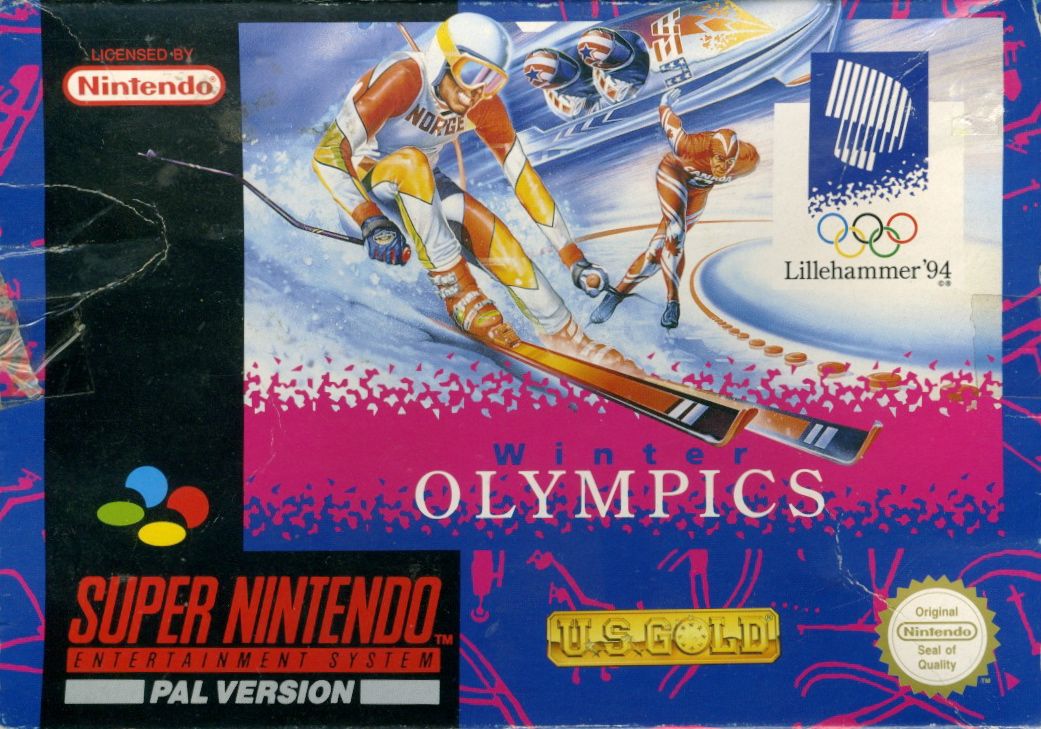
Up to four players can compete against each other and computer-controlled athletes in the XVII Olympic Winter Games.
The game features 10 events based on actual venues in and around Lillehammer:
•
Short Track Speed Skating
Game Modes
•
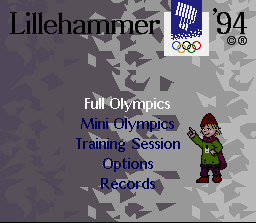
Full Olympics: Allows you to play all 10 events, including the Opening and Closing ceremonies.
•
Mini Olympics: Allows you to select specific events to compete in. Use the Control Pad to highlight event pictograms and press A, B, X, or Y to select. Choose the number of contestants with Left/Right on the Control Pad, then press A, B, X, or Y to confirm. Opening and Closing ceremonies are not shown.
•
Training Session: Allows you to train in selected events or compete Head to Head against another player. Select events using the same method as Mini Olympics, then press Start to begin. You will return to the Training Session screen after completing your practice.
Options Menu
Highlight options by pressing Up/Down on the Control Pad, and select them by pressing the A, B, X, or Y button.
•
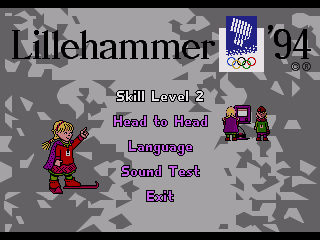
Skill Level (Difficulty): Choose between Club (easy level for beginners), National (tougher opposition), or Olympic (toughest international-level opposition). Select using the A, B, X, or Y buttons.
•
Head to Head: Press the A, B, X, or Y button to enable Head to Head rounds where available.
•
Language: Re-select your preferred language using the standard menu controls.
•
Sound Test: Highlight a tune or sound effect using Up/Down on the Control Pad, then press A, B, X, or Y to play it. Press Start to exit.
•
Records: View the world record times for all ten events.
Player Selection
Up to four human players can register. Use the Control Pad to move the pointer, the A, B, X, or Y button to change options, and the Start button to exit and start the game. Press Select at any time to return to the Main Selection screen.
•
Character Selection: Choose between a male, female, or computer participant.
•
Player's Name: Select this option to change the default name. Use the Control Pad to highlight letters, press A, B, X, or Y to select a letter, press the R button to erase the last letter, and press the L button to erase the entire entry.
•
Country: Scroll through and select an available country. Countries already chosen by other players cannot be selected.
Alpine Skiing Controls
These controls apply to all Alpine skiing events (Downhill, Super G, Giant Slalom, and Slalom).
Before starting, select your preferred steering method using Left/Right on the Control Pad:
•
Method 1: Hold the direction you wish to travel in.
•
Method 2: Push Left to ski to the Right.
•
Method 3: Push Left to ski to the Left.
To play:
•
Press any button except Select, L, or R in the starting hut to begin. Waiting too long results in disqualification.
•
Steer using your selected control method.
•
Press A, B, X, or Y to adopt a tuck position for extra speed.
•
Press the L and R buttons together to make a jump turn.
•
Press Start to pause the game.
Downhill
Held at Kvitfjell, this 3,150-meter course features a vertical descent of 820 meters. You must ski from the starting hut to the finish line through all gates.
Missing a gate results in disqualification; you can finish the run, but no official time will be recorded. Avoid hitting off-course objects, as this causes fatal injuries. The winner is decided by the fastest single run.
Super G
Also held at Kvitfjell, this is a shorter track than the Downhill. It features a natural sequence of long and medium turns with gates designed to slow skiers down. The winner is decided after one run.
Giant Slalom
Held at Hafjell, this course features long, medium, and tight turns. The winner is decided by the lowest combined time after two runs.
Slalom
Held at Hafjell, this is the shortest alpine event. It features rapid direction changes designed to test rhythm and speed. The winner is decided by the fastest aggregate time after two runs.
Freestyle Moguls
Held at the Kanthaugen Freestyle Arena, competitors ski down a steep 250-meter mogul slope and execute two jumps. Scoring is based on technique (50%), jumps (25%), and time (25%).
•
Press A, B, X, or Y to start.
•
Gain speed by pressing the opposite direction of the Control Pad just as the skier turns (e.g., push Right just as the skier moves Left and is about to turn Right).
•
Perform a single stunt (like a twister, daffy, or back scratcher) by pressing a direction on the Control Pad simultaneously with the A, B, X, or Y button. Double-stunts require higher speeds.
Ski Jumping
Held at the Lysegardsbakkene Ski Jumping Arena, competitors make two jumps. Points are awarded for distance, style, and technique.
•
Press A, B, X, or Y to start the
 (En,Fr,De,Es,It,Pt,Sv,No).png)

 (En,Fr,De,Es,It,Pt,Sv,No).png)
_2.png)
_3.png)
 (En,Fr,De,Es,It,Pt,Sv,No).png)
 (En,Fr,De,Es,It,Pt,Sv,No).png)



 (En,Fr,De,It).png)
.png)