Upgrades
The Spray Gun has two upgrade attachments that are granted over the course of the game. Once an upgrade has been acquired, you can cycle between the attachments by pressing the ⬅ and ➡ buttons.
•
Flamethrower Attachment: This upgrade gives Daxter the option of using the flame all the time, wreaking fiery death on bugs, and allowing greater spray distance and height.
•
Ultrasonic Attachment: This upgrade allows Daxter to launch a projectile attack with radial damage.
Vehicles
With so many bugs to splat and so little time, Daxter will often need to find some transportation to get around town. That's where Zoomers come in.
Daxter can hop on a variety of Zoomer vehicles and use them to hover across large expanses and uneven landscapes, sometimes spraying, ramming and tracking down pesky Metal Bug critters as he goes.
•
Push the analog stick to steer.
•
Press the ✖ button to accelerate.
•
Press the ◼ button to brake or reverse.
•
Press the L button while accelerating to hop.
•
Press the ▲ button to mount or dismount a Zoomer.
Some Zoomers come with extra features, such as the ability to release Bug Spray, while others will allow a co-pilot to come along for the ride. When the Zoomer has a secondary function, press the R button to use it.
Note: In order to dismount some Zoomers, the vehicle must be hovering over a launch pad.
Essential Items
•
Health Packs: These contain small amounts of Green Eco. One Health Pack will replenish two bars of Daxter's Health Meter.
•
Metal Bug Gems: These shiny yellow gems can be acquired from fallen Metal Bugs and must be collected to complete Daxter's extermination mission objectives.
•
Precursor Orbs: These valuable artefacts can be found stashed in and around each environment. Find enough of them to unlock and access new Dream Sequences, which can be completed to earn more powerful Electric Bug Swatter moves and Health Bars.
•
Bug Spray: Used to stun Metal Bugs, you can find globules of this toxic green spray in and around the environment. One globule of Bug Spray will refill a quarter of Daxter's Spray Gun Meter.
•
Bug Cages: These contain Combat Bugs, and are prized discoveries throughout Haven City!
•
Battle Tokens: These incredibly valuable items are the key to a winning strategy in the Bug Combat mini-game.
•
Bug Juice Vials: Scattered around the city, these vials allow you to power-up Daxter's Combat Bugs.
Missions
Accomplishing missions and tasks is the key to survival, and, ultimately, saving Jak. Unfortunately, being a Metal Bug exterminator is not all it's cracked up to be - each mission is more dangerous than the next, and it seems the bugs just get bigger and nastier.
Mission Structure
Daxter spends the first part of his adventure earning his stripes as an exterminator; thus gaining the access he needs to explore Haven City in search of Jak. Osmo, Daxter's boss, will send him on various assignments around the city. After a while however, Daxter begins to sense a sinister plan at work, and takes matters into his own hands.
As you progress through the game, icons will be displayed on the City Map indicating important destinations. At each destination, you will usually find someone waiting to send you out on a mission.
Most of the time you can re-play levels that have been previously completed to seek out more Precursor Orbs, or give the Metal Bugs an extra thrashing. The City Map is the key tool in helping you know where to go next in Haven City.
Dream Sequences
Always one to embellish a story or situation, Daxter's tall tales aren't only for waking hours. Help Daxter achieve victory in a variety of far-fetched and outlandish dreams!
Dream Sequences are unlocked with Precursor Orbs. Once Daxter has collected the required amount, a Dream Sequence will become available to play. To access unlocked Dream Sequences, Daxter needs to hop on his bed and take a snooze at the back of the shop.
Once unlocked, you can play Dream Sequences over and over in an effort to better your score and achieve higher medals. In every Dream Sequence, you must time and match your button presses and / or directional movements to the corresponding button icons as they flash up on screen.
Pause Menu
Press the START button during play to pause the action. Information displayed on the Pause Menu includes the number of Precursor Orbs and Metal Bug Gems collected and a brief description of Daxter's current mission. The following options can also be selected by pressing the ↑ or ↓ buttons, followed by the ⓧ button:
•
Continue: Return to the game
•
Save Game: Save your progress
•
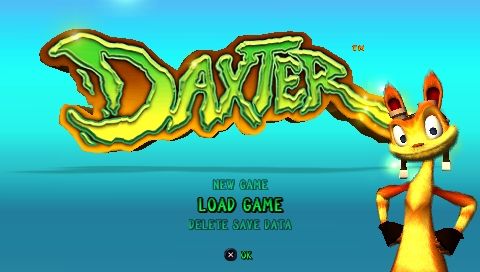
Load Game: Load a game previously saved to Memory Stick Duo™
•
Delete Save Data: Delete any DAXTER™ files previously saved to Memory Stick Duo™
•
Quit Level: Exit the current game and return to the Main Menu
•
Options: Access the Options Menu to alter Controls, Game and Sound configurations
•
Secrets: Select this to connect to the PlayStation®2 title 'Jak™ X' or to access any other secret stuff you have unlocked
Note: By connecting your PSP™ system to a PlayStation®2 console with a Jak™ X disc inserted (available separately), you can access additional functionality. Connect your PSP™ system to the PlayStation®2 console using a USB cable. Within the Pause Menu for DAXTER™, select .png)


.png)
.png)
.png)







_1.png)






_1.png)