Move Actions
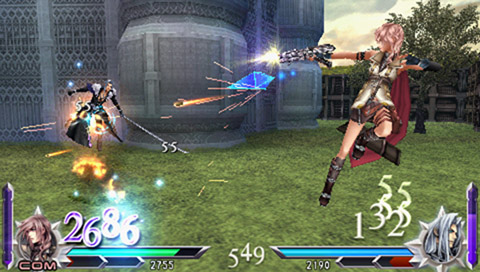
Press the Ⓐ button wherever you see Quickmove Indicators to execute Quickmoves such as:
•
Wall runs: Run on perpendicular wall surfaces
•
Grinds: Skid at high speed over set routes
When caught in a Banish Trap that robs you of your bravery, you can escape by pressing the Ⓧ button.
Guarding & Dodging
Pressing the Ⓡ button will block some attacks. A successful block can reflect an attack or cause the opponent to stagger.
Attacks can be dodged by pressing the Ⓡ button and Ⓧ button at the same time. When dodging, use the analog stick to control how you dodge. Some attacks possess a "Defense Crush" ability that can break through an opponent's block and deal damage.
Combos
Some attacks link into combos with an additional button press. When caught in your opponent's combo attacks, you can activate EX Revenge to free yourself from the barrage.
Chase
Some attacks that knock your opponent into the air allow you to press the Ⓧ button to chase your opponent and continue your attack. After chasing down an opponent, pressing either the Ⓞ or ▢ button will deliver another attack.
Pressing the Ⓧ button when being chased will evade an opponent's attack. Successful evasion of an attack lets you attack the opponent.
EX Mode
When your EX Gauge is filled, press the Ⓡ button and the Ⓞ button together to enter EX Mode. While in EX Mode, you gain the benefits of special effects such as Regen, which gradually restores HP.
Execute an HP attack while in EX Mode and press the ▢ button within a set time frame to unleash an EX Burst--an incredibly powerful HP attack.
When your EX Gauge is filled and you are barraged by an opponent's combo, press the Ⓡ button and ▢ button together to activate EX Revenge--slowing your opponent down for a set period of time or until you land an HP attack.
Assist Attacks
Press the Ⓛ button and the Ⓞ button when one block of the Assist Gauge is full to have your Assist Character use a bravery assist attack. Press the Ⓛ button and the ▢ button when two blocks are full to use an HP assist attack. If your Assist Character is hit, your Assist Gauge will be frozen (Assist Lock) for a set period of time.
Press the Ⓛ button and the Ⓞ button while you are receiving damage to call an Assist Character and use Assist Change to get out of a bind. Doing so will consume one block of the Assist Gauge and place you in Assist Lock.
Pressing the Ⓛ button and the ▢ button will consume two blocks to guard against an attack and allow you to escape a combo.
Gaining EXP
You gain experience points and level up by dealing damage to your opponent's HP.
Title Menu
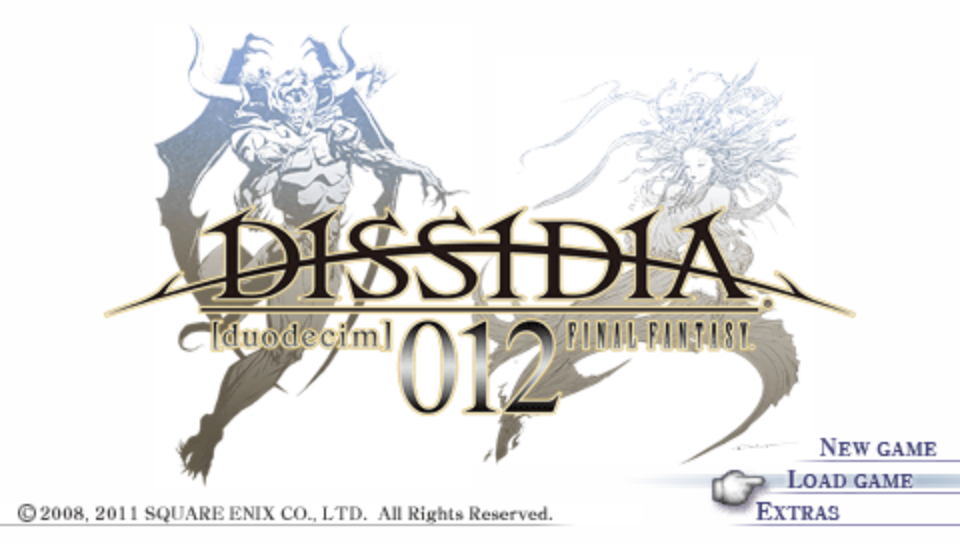
The Title menu will appear after you boot up the game. Select "NEW GAME" to start a new game, or "LOAD GAME" to continue playing.
•
NEW GAME: Select this to start a new game. First select whether to create new save data or transfer save data from "DISSIDIA FINAL FANTASY." If you choose to create new save data, enter your player name, select your Play Plan options, and your subtitle language setting. Your Play Plan selections will influence the bonuses you earn. Your player name, Play Plan options, and subtitle language settings can be altered later. Once your settings have been confirmed, you can transfer the "DISSIDIA 012 Prologus FINAL FANTASY" data as well. As soon as all your options have been confirmed the opening will play, followed by the tutorial. Once you complete the tutorial battles, you will be taken to the Start Menu. The tutorial battles will differ based on your responses to some prompts, but you do not have to win to proceed.
•
LOAD GAME: Continue the game from where you left off.
•
EXTRAS: Access additional options including Data Install and "Prologus" Data Transfer.
Extras Menu Options
•
< Data Install >: Data Install allows you to partially install game data to the storage media for faster load times. You can choose among three installation sizes: 492 MB, 574 MB, and 815 MB. The more you install, the more load times will be reduced.
•
< "Prologus" Data Transfer >: Your "Prologus" ("DISSIDIA 012 Prologus FINAL FANTASY") data can be transferred.
Transferring Save Data
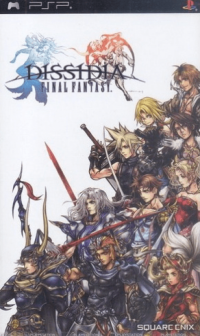
You can unlock some items in the PP Catalog, as well as some player icons by transferring over your save data from DISSIDIA FINAL FANTASY. When selecting this option, you can either have your characters at the level they were at or start a game from level one.
Only the save data found on your storage media for the titles listed below can be transferred over. The installed data for DISSIDIA FINAL FANTASY cannot be transferred over.
•
Transferring with "NEW GAME": Selecting to transfer "DISSIDIA FINAL FANTASY" data will earn you a special accessory.
•
Transferring in either "NEW GAME" or "EXTRAS": Selecting to transfer "DISSIDIA 012 Prologus FINAL FANTASY" data will unlock a special Assist Character.
Start Menu
The Start Menu is a hub to various features. Press the △ button to enter Customization or the ◯ button to