Season Play
During the season, the course selection is predetermined, and you cannot change players.
To save a Season, follow the on-screen prompts after a race is complete to save to the MEMORY CARD.
Continue Season
Resume a Season of races at the next scheduled race. To use this option, you must have already started a New Season and saved the results on the MEMORY CARD.
Exhibition (1 or 2 Players)
Use Exhibition races to perfect your skills and learn how to play 3Xtreme. Get a feel for the different vehicles and their effectiveness on each course.
At the end of an Exhibition race, you can view the race results. Exhibition races are not recorded in Season standings and cannot be saved to the MEMORY CARD.
Time Trials (1 or 2 Players)
Time Trials are slalom-style races. The main objective is to get the lowest time possible. Make every attempt to pass through the gates on the course. If a gate is missed, time will be added to your finishing time.
In a 2 Player Time Trial, each player has their own set of color-coded gates. Gates for Player 1 are red, and gates for Player 2 are green. You must go through your own gates.
Be aware of "combo" gates that are red and green. Both players should try to go through these gates. If you miss the "combo" gates, time will be added to your finishing time.
Freestyle (1 or 2 Players)
Freestyle is an event where you can really show off your stuff. The time allotted will be different on each course.
Use your entire trick arsenal to pull off breathtaking stunts and eye-popping maneuvers. The more tricks you do, the more points you'll receive. Try to place at the top of the Freestyle results. One Player/Two Players
Two controllers are necessary for a 2 Player game. In a 2 Player game, the player using the left controller of the PlayStation is Player 1. When the game begins, Player 1 races on the top portion of the screen and Player 2 races on the bottom portion of the screen. Exhibition races, Time Trials, and Freestyle can all be played in a 2 Player format.
Player Selection
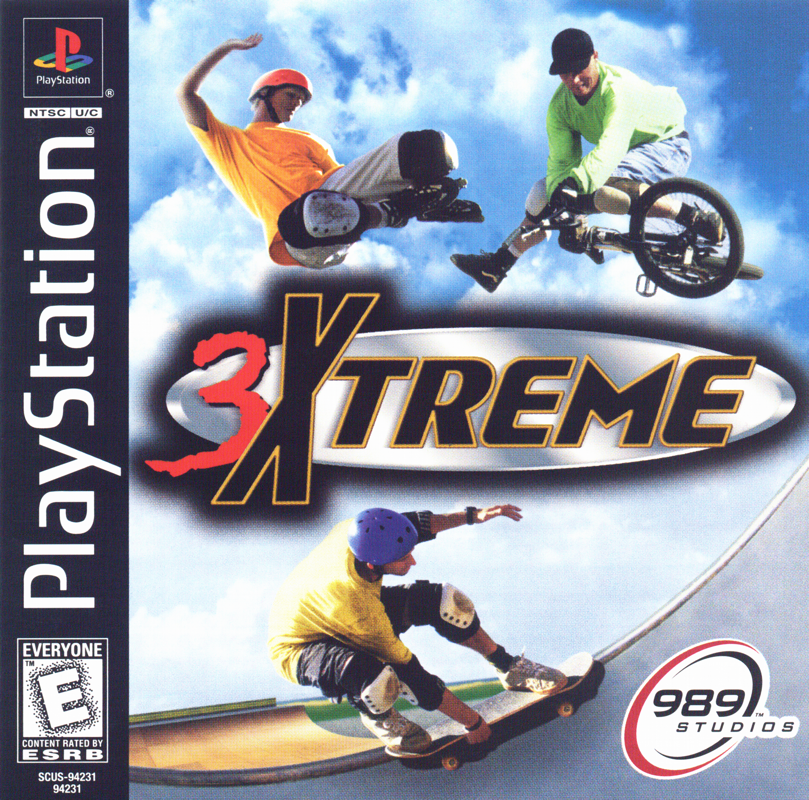
Seven players are available to choose from. The type of equipment used by a player will be based on the player chosen. For example, if you pick Michelle Carlson, she will race with a skateboard in all of her races.
To select your players for a two-player race:
•
From 2 Player on the Main Menu, press [button].
•
D-Pad Left/Right to select a player for Player 1 and press [button].
•
D-Pad Left/Right to select a player for Player 2 and press [button].
Equipment
Choosing the right equipment is vital to your player's race results. The points your player scores during a race will determine the additional equipment made available.
989 Studios' Tip
The points earned during a season race enable you to buy additional equipment for upcoming races.
Track
The track is the type of course you will be racing. You unlock additional tracks by winning seasons. There are a total of 12 Exhibition tracks; 3 when you start and 9 more unlocked when you win seasons. There are also a total of 5 Freestyle tracks and 10 Time Trial tracks (5 one-player and 5 two-player).
Options
The Options menu enables you to further customize your 3Xtreme race.
Music
Press [button] or [button] to raise or lower the music volume.
Stereo
Press [button] to change the game's sound to mono and [button] to change it to stereo.
Sound
Press [button] or [button] to raise or lower the volume of the game's sound effects.
Controller Configuration
Change the configuration of your game controller to better suit your needs.
•
D-Pad Down to view the controller diagram.
•
D-Pad Left/Right to choose a new controller configuration.
In a 2 Player game:
•
D-Pad Down from Player 1.
•
D-Pad Left/Right to choose a new controller configuration.
Rails
During the course of a race, your player will have every opportunity to use your rail sliding skills to ride rails. Rail Slides are not only cool to do, they are also a great way to earn additional points during a race.
The more points your player tallies, the more additional equipment will be made available for you to purchase.
•
To ride rails, when riding next to a rail, press [button]. As your player rail slides, points accumulate.
989 Studios' Tip
To quit a rail slide and jump off of the rail, press [button]. Or to jump off of a rail Left/Right, press [button] + D-Pad Left/Right.
Wiping Out
The goal of this game is to finish the race in the shortest amount of time with the most points. If your player hits an obstacle hard enough, a wipe out is certain to occur.
The time it takes for your player to get back up and onto the vehicle is valuable. Control your speed and your moves to avoid a wipe-out. Remember, if a trick is attempted and not completed while in the air, your player will not score any points and is destined for a nasty wipe-out.
Fighting
Fighting is another entertaining aspect of the game that adds additional competitiveness to the race. It is important to
.png)

.png)
.png)

.png)
.png)
_1.png)
.png)
.png)
.png)