Quick-Start Game Summary
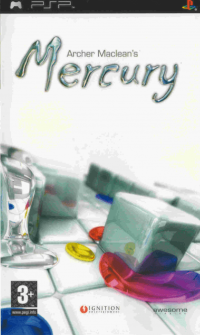
Test your tilting dexterity against 72 levels of liquid mayhem spread across 6 game worlds!
All 6 game worlds are accessed through portals around a central game HUB. When starting a new game, only Neon (the first world) is open because it's a Tutorial World. The simple levels within guide you through elementary tilt control, use of colors, basic object interaction and so on. All tutorial levels must be completed to access the tougher levels in World 2 and beyond.
You can load or save an entire game almost at will, so you can quickly pick Mercury up and carry on exactly where you left off. It's very addictive and hours will fly by!
Each world consists of 12 levels divided into 3 Time-based, 3 Percentage-based, 3 Task-based missions, followed by 2 Combo Levels, and finally 1 Boss Level. To unlock the next world, you must complete all levels within the current world.
Once you complete a level, you will get a Score based on time remaining, percentage of Mercury saved and tasks completed, with a bonus multiplier applied to the level type and multiplied by the world you have reached. The top 5 Scores per level are automatically saved.
There are many unlockable levels activated by improving your rank or progressing through the game. These hidden levels are designed to be ingenious and extra tough.
WLAN two player mode allows every level to be played head-to-head against a friend. You both share the same level and you see your opponent as a semi transparent blob. This will help to judge who's in the lead. Very addictive!
The communication function of this product includes software developed by the NetBSD Foundation, Inc. and its contributors. For a complete list of contributors please see http://www.scei.co.jp/psp-license/pspnet.txt. Main Menu
•
NEW GAME: Starts a new one player game from scratch. Any previous unsaved game progress, set-up data, or scores held in memory will be lost.
•
Two Player Game: Sets up a two player game using the WLAN connection.
•
Load Game: Loads a previously-saved game.
•
Options Menu: Adjusts settings for Camera rotate (90 degrees, 45 degrees, or free movement) and volume settings for sound effects, background music, and Mercury sounds.
New Game Details
The game flies you down into the main World HUB, around which are the 6 portals into the worlds beyond. Initially, only the NEON World portal is open. Neon is a tutorial area in which you will learn how to select levels. You will be shown 12 simple levels that introduce basic concepts of tilting, color blending, and splitting. You will also interact with common game objects such as Paint Shops to change your blob's color, moving floors, and switch-activated gates.
Initially, only the lowest levels of each type are accessible, with all others locked as shown by a red X. You can only access these by sequentially completing the lower levels.
Two Player Game Mode
In this mode, two people play the same level in a competitive manner on two separate machines. Each player sees their opponent as a semi-transparent blob to show who is winning, losing, or in a mess.
During two player mode, the game's status display shows two sets of Mercury-remaining levels and two tasks completed, but only one shared countdown timer.
Game Structure & The World Hub Menu
Mercury contains 6 worlds of 12 levels each, making 72 levels in total. These worlds are arranged in difficulty order around the edge of the game's central control HUB.
You see the Hub as soon as you start a new game, but you return to the Hub by leaving a world's Level Select Screen. The Hub shows the 6 World Entry Portals. If the portal is open, you can enter the Level Select Screen shown through it. Each portal will only open if you have completed all 12 levels in the world before it. If you complete the 12th level in a world, the game shows a short video and guides you out to the World Hub, looking into the next world's open portal. The World's names are:
•
Neon (easy tutorial world)
The 1st World NEON - Tutorial Levels
When you start a new game, only the portal into Neon, the Tutorial world, is open. Neon levels are very simple. They introduce you to the basic aspects of gameplay, such as level tilting, color blending, color activated switches, gates, moving floors, and other elementary object interaction skills. Many tutorial levels can be completed in seconds, whereas some higher world levels will take a lot longer. Each time you start a level, the game flies you around the level to introduce you to its layout.
You can skip to the start by pressing the ○ button. However, in tutorial levels, you will see instructions explaining the time limit and main goal.
Level Select Screen
The Level Select Screen shows a rising tier of 12 levels per world. These are split into 3 RACE, 3 PERCENTAGE and 3 TASK levels, then 2 Combo Levels and one Boss Level.
You start off at the bottom and unlock the higher levels by completing the lower ones. Locked levels are shown by a red X.
•
Use the directional buttons to jump about.
•
Start a level with the ✕ button.
•
Pressing the ○ button will quit back to the World Hub.
.png)


.png)
.png)
 (En,Fr,Es).png)
.png)




.png)

.png)




.png)
