Getting Started
Set up your PlayStation game console according to its Instruction Manual. Make sure the power is off before inserting or removing a compact disc. Insert the Ball Breakers disc and close the Disc Cover. Insert game controllers and turn on the PlayStation game console. Follow onscreen instructions to start a game. Note
Ball Breakers only supports MEMORY CARDS inserted into MEMORY CARD slot 1.
Console Top View
Console Front View
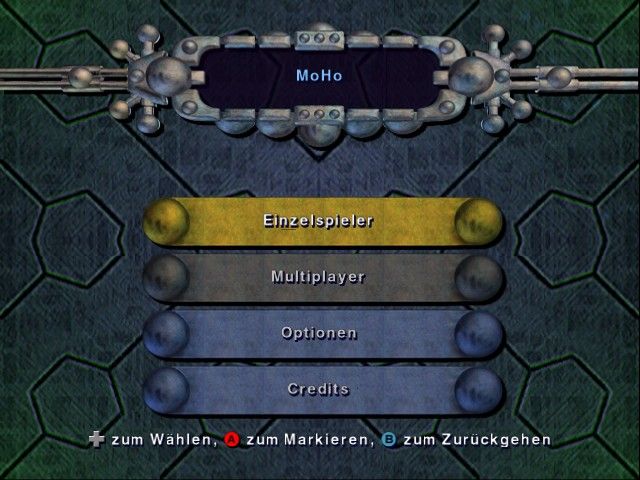
Single Player Menu
Use the Up and Down directional buttons to highlight an option, then press the button to confirm your selection.
•
Continue Game - Continue your game from where you left off. This option is unavailable if no game is in progress.
•
New Game - Start a new game from scratch. Starting a new game while one is in progress will cause the old game to be lost.
•
Load Game - Load a previously saved game from a MEMORY CARD. This will cause any existing game in progress to be lost.
Options Menu
Use the Up and Down directional buttons to highlight an option, then press the button to confirm your selection.
•
Configure Controller - Configure the Controller buttons.
•
Sound Volume - Use the Left and Right directional buttons to alter the volume of the sound effects (referred to as "SFX Volume" in-game).
•
Music Volume - Use the Left and Right directional buttons to alter the volume of the background music.
•
Stereo - Use the Left and Right directional buttons to toggle between stereo and mono sound.
•
Vibration - Use the Left and Right directional buttons to enable and disable the vibration function of the Analog Controller (DUALSHOCK).
•
Save - Save the current game progress.
Note
Ball Breakers only supports MEMORY CARDS inserted into MEMORY CARD slot 1.
Character Select Screen
This screen displays an image of the current character along with their statistics.
Single Player Character Select
Use the Left and Right directional buttons to highlight characters, then press the button to confirm your selection. This will take you to the Prison Select Screen.
Multiplayer Character Select
Use the Left and Right directional buttons to highlight characters, then press the button to confirm your selection. You can cancel your current selection by pressing the button.
When both players have selected their characters, pressing the button on Player One's Controller will take you to the Tournament Select Screen. Both players cannot select the same character.
Prison Select Screen
Select the prison to compete in here. Later prisons become available after completing a certain number of earlier arenas. Completing a certain number of arenas to Gold Medal standard also enables selection of the Leisure Mountain bonus prison.
Use the Left and Right directional buttons to highlight prisons, then press the button to confirm your selection. This will take you to the Arena Select Screen. Use the Up directional button to select the Leisure Mountain prison when it becomes available.
Pressing the Down directional button will bring you back from Leisure Mountain. Pressing the button will move you back to the Character Select Screen.
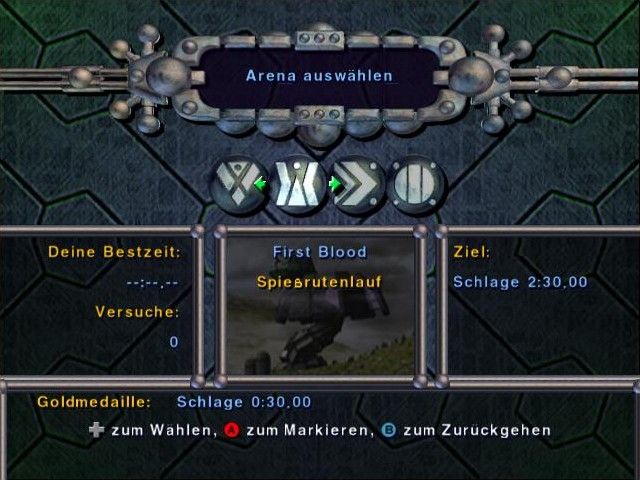
Arena Select Screen
Each prison has different arenas. Select which arena you would like to try next. More details on arenas can be found in the Arena Types section.
Use the Left and Right directional buttons to highlight arenas, then press the button to confirm your selection. Pressing the button will move you back to the Prison Select Screen.
Tournament Select Screen
Choose from a variety of multiplayer tournaments, each encompassing a different selection of arena types.
Use the Left and Right directional buttons to highlight tournaments, then press the button to confirm your selection. Pressing the button will move you back to the Character Select Screen.
Pause Menu
Use the Up and Down directional buttons to highlight an option, then press the button to confirm your selection.
•
Continue - Returns you to the action. •
Restart Arena - Starts the arena again from the beginning.
•
Exit Arena - Aborts the current attempt at this arena.
•
Sound Volume - Use the Left and Right directional buttons to alter the volume of the sound effects (referred to as "SFX Volume" in-game).
•
Music Volume - Use the Left and Right directional buttons to alter the volume of the background music.
Display
In-Arena Features
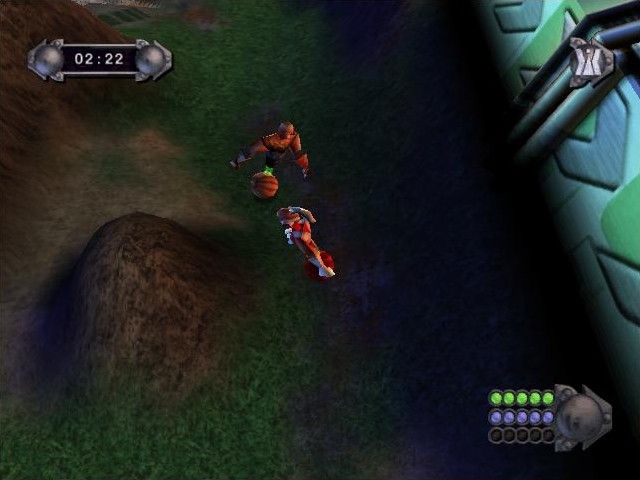
Keep an eye on these features while competing in arenas:
•
Level Timer - Time remaining to complete the level.
•
Arena Status - Indicates the type of arena you are attempting and, in some cases, how close you are to completing it.
•
Character Status - Displays the Health, Energy, and Rage levels of the character.
Health
Damage to the character is taken off this health gauge. Damage can be received from being shot, burnt, falling too far, or bringing the magnetic coupling in contact with water. If the gauge reaches zero, the character breaks and the level ends.
Energy
Energy is used to stop the ball from rolling. It is also expended when you block enemy attacks or use your Spin Attack. If you have no Energy left, none of these functions will work
.png)

.png)
