GETTING STARTED
THE CONSOLE
Top View
Front View
Set up your PlayStation game console according to the instructions in its Instruction Manual. Make sure the power is off before inserting or removing a compact disc. Insert the Destrega disc and close the Disc cover. Insert game controllers and turn on the PlayStation® game console. Follow on-screen instructions to start a game. 1. Insert Destrega CD (label side up) into system. If you wish to save your game data, insert a memory card (sold separately) into the system.
2. Turn on the PlayStation® game console. Wait several moments and the game's opening sequence will begin playing. Pressing the START button will skip to the Title and Mode Selection Screen. 3. Using the directional buttons, choose an item from the Mode Selection menu, and then press the START button to select.
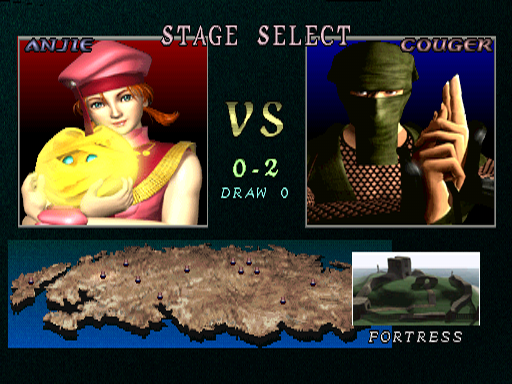
4. In the Character Selection Screen, choose your character with the directional buttons, and then press Button to select.
DUAL SHOCK™ ANALOG CONTROLLER
•
Hold down SELECT and START to exit from the game and return to the Mode Selection Screen.
•
Change the Controller Button settings when selecting a character.
•
L2 Button: Not used during game
•
Left Stick: Move a character
•
Analog Mode Switch: Switch between Analog/Digital Modes
•
Right Stick: Not used during game
•
R2 Button: Not used during game
•
Button: Long-range magic (See pg. 10)
•
Button: Close-range body blow (See pg. 9)
NOTE
You may have a controller that looks like this. If so, please follow the digital instructions outlined below: All controls using the digital controller are the same as the ones for the Dual Shock™ Analog Controller (above).
The Controller has been pre-set. If you wish to change the settings, see Option section on page 20. For instructions on how to operate special commands, see page 7.
VICTORY CONDITIONS
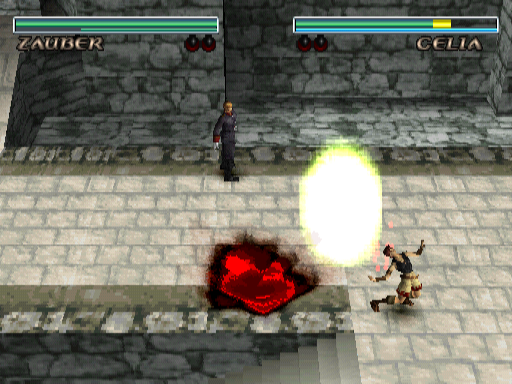
The game is divided into stages and rounds. Once you win the necessary number of rounds, you complete your current stage, and then advance to the next stage.
Round
•
Reduce opponent's Life Meter to 0.
•
Have more life than opponent when time runs out.
Stage
•
Win necessary number of rounds
DRAW
If time runs out, and both opponents show the same amount of life remaining on the LIFE METER, it will be considered a DRAW. A double knockout will also be considered a DRAW.
When there is a DRAW, both players win the round. If the final round is a DRAW, that stage will also be a DRAW, and the game will be over.
CONTINUE
On this screen, press START at the "YES" prompt to continue the game at the same stage. Choose the "No" prompt to end your game and return to the Mode Selection Screen.
CHARACTER MOVES/CONTROLS
BASIC MOVES
The commands are the same for any character played during the game.
MOVE
•
Character will move towards the direction pressed on the Directional button.
•
When the Down Directional button is pressed
JUMP
•
The height of the jump will vary depending on the duration the button has been pressed.
READ OPPONENT'S MOVE
To respond quickly to your opponent's attack, it is important to know what type of Magic Attack has been executed. During battles, each button ( ● ■ ▲ ) produces a distinct sound (TIDU, EST, and FOH respectively) when pressed.
Remember the sounds of these attacks and you will know what kind of attack is on the way, and then dodge or counter accordingly.
DODGING MAGIC
All magic will home in on a target, either vertically or horizontally. If your opponent fires magic with vertical homing ability, use the Dash button to dodge. Likewise, if your opponent fires magic with horizontal homing ability, use the Jump button to dodge it.
•
For (TIDU), press Dash to escape the attack
•
For (FOH), press Jump and avoid the attack
MAGIC VS. MAGIC
Based on a principle similar to rock, paper, and scissors each type of magic can be countered with another type. If a Magic Attack of the same level is executed, refer to the following:
•
■ Button (Speed) beats ▲ Button (Power)
•
▲ Button (Power) beats ● Button (Span)
•
● Button (Span) beats ■ Button (Speed)
For Magic Attacks higher than Level 2 (see page 11), the property of the attack will be based on the first button pressed. If Magic Attacks of different
.png)

.png)
