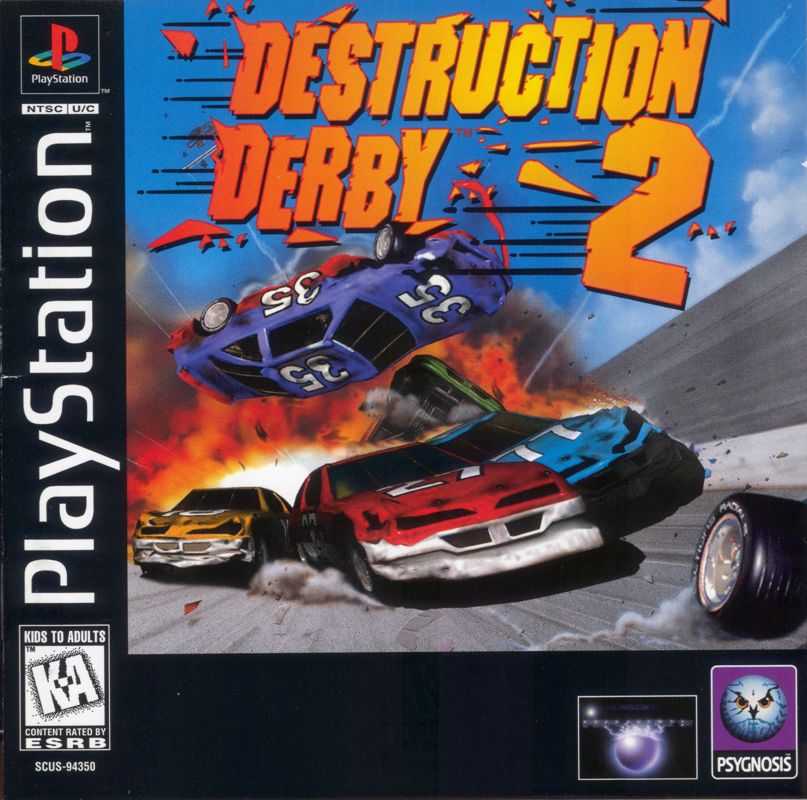
STARTING THE GAME
To play Destruction Derby 2 on your PlayStation game console: •
Set up your PlayStation game console in accordance with the instruction manual supplied with the system. •
Follow your system directions to open the disc cover and place the CD onto the bed of the drive, ensuring the printed side faces upwards.
•
Close the disc cover. If the unit is switched off, press the Power button to begin play. If the unit is already on, press the Reset button.
To skip through intro screens, press the X button or Start on the controller.
WARNING!
Do not insert or remove controllers, memory cards or other peripherals during the game.
CONTROLLING YOUR VEHICLE
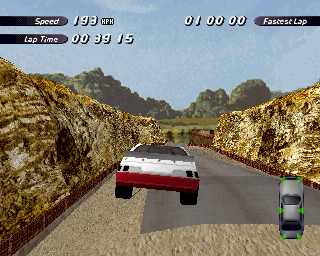
Destruction Derby 2 has two game environments, the menus and the races. When in the menu system, use the directional buttons on your controller to highlight each option box. Press the X button on your controller to select the option currently highlighted. Press the Triangle button on your controller to back up one screen anywhere within the menu system.
•
Square button: Brake/Reverse
•
Directional buttons: Steer car left and right*
•
Start button: Pause game
•
L1/R1 buttons: Fast steer**
•
R2/L2 button: Toggles through in game views
THE MAIN MENU
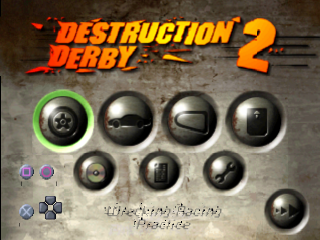
Once the game is loaded, you will be presented with the Main Menu screen. Use the directional buttons to move around the menu options and press the X button to make your choice. You may quick select all the options in this menu except Multi Player by using the Circle and Square buttons to scroll through each choice.
Race
Select this to access the Race Mode Menu where you can choose between Wreckin' Racing, Stock Car Racing and the infamous Destruction Derby. Car
You have a choice of vehicle ranging from Rookie to Pro. Use the Left and Right directional buttons to toggle through your car choices. An on screen indicator will show acceleration, top speed and grip for each vehicle. Press the X button to make your choice.
Track
There are 7 different tracks of metal crushing mayhem to choose from and you will find out what these are as you progress through the Championships.
Memory Card Manager
To load a previously saved game, make sure you have a memory card inserted according to the system instructions. Use the Circle button to move between memory cards. When you have done this use the directional buttons to highlight your chosen game slot and press the X button to select it. The game you have selected will then be loaded from the memory card.
Note that you cannot save anything at this point. See section Memory Card Options in Race Over Menu to find out how to save stuff.
Information
Accesses the Information Menu screen where you can view a selection of statistics.
Configuration
If you want to go to all the trouble of changing the finely tuned controls that we spent months perfecting then this is the choice for you. Selecting this also allows you to tinker with the volume and generally make essential adjustments like ensuring your screen is centred.
If you are using an analog controller this will be detected automatically and show up on screen when you are in the "Select Controller" area of the Configuration Menu. Select either Mad Catz or Negcon from the menu. You can then tailor these control methods to suit your requirements.
You may also save a newly configured controller to a memory card using the Save Configure option. See section Memory Card Options in Race Over Menu to find out how to save stuff.
CD Audio Player
Use this to play the CD track of your choice.
Go
When you are satisfied with all your menu choices use this to start the race.
THE RACE MODE MENU
There are 3 styles of race action to choose from, each with its own particular rules and tactics. Decide between Wreckin' Racing, Stock Car Racing and the infamous Destruction Derby. Wreckin' Racing
Takes place on a variety of circuits where drivers are awarded points for damaging other cars while racing to complete a fixed number of laps. Stock Car Racing
Quite simply, a piece of classic circuit racing. It's a flat out race to the finish with no points awarded for smashing other drivers. Of course, those other drivers like Skum, Master and The Undertaker may have something to say about that. Destruction Derby
Not for those with a nervous disposition, Destruction Derby is total car carnage. Race around one of the four bowl tracks with the aim being to inflict as much damage as possible on your opponent's vehicles. Race Type Menu
Choose between Championship, Race Practice, Time Trials and Multi Player options.
Championship
After selecting a race style and car you can choose this option and enter your name for a league. The tracks will be autoselected for you over a full race season. In Wreckin' Racing a full season is 5 races where the last race is a Destruction Derby contest. In Stock Car Racing a full season is 4 races. Use the directional buttons to move around the alphabet and press the X button to make your choice. You may enter a name up to 8 letters long. When you are happy with the name entered move the highlighting effect over "END", press the X button and you will return to the Main Menu.
Select "GO" from this menu and you will shortly be pitting your wits against The Bouncer and the rest of the Destruction Derby crew. There are four leagues of five drivers with points awarded for winning and, in Wreckin' Racing only, for damaging other vehicles. Points in Destruction Derby and Wreckin' Racing mode are awarded as follows .png)

_1.jpg)
.png)

.png)
.png)
_1.png)
.png)
.png)
.png)