Starting the Game
1. Set up your PlayStation game console according to the instructions in its Instruction Manual. Make sure the power is OFF before inserting or removing a compact disc. 2. Insert the Extreme Pinball disc and close the CD door.
3. Insert game controllers and turn on the PlayStation game console. 4. Follow on-screen instructions to start a game.
5. Press START to advance after each introduction screen. The Game Setup screen appears.
Setting Up the Game
Game Setup Menu
Use the Game Setup menu to choose the table, number of balls, and number of players for your game. Default options are listed in bold type in this manual.
To start a new game with the current settings, highlight BEGIN and press START or X.
Action
•
Highlight menu item: D-Button ↑↓
•
Adjust sound or music volume: D-Button ←→
•
Activate/change highlighted item: START or X
•
Exit options menu: SELECT
Begin
Start a new game with the current settings.
Select Table
Select one of the four tables: URBAN CHAOS, MONKEY MAYHEM, MEDIEVAL KNIGHTS, or ROCK FANTASY.
Players
Select 1, 2, 3, or 4 player icons. When you select more than one player, players take turns shooting. Watch the Scoreboard area at the bottom of the table to see who shoots next.
Balls
To cycle the number of balls per game between 3, 5, or 7, press START or X. If you're a novice, increase the number of balls to give yourself more chances. As you improve, decrease the number of balls to raise the level of challenge.
Options
Go to the Options screen to set sound and game options.
High Scores
Go to the High Scores screen to view the top ten scorers for the selected table. Press any button to exit.
To view scores for a different table, select the table, and then select HIGH SCORES.
Credits
Go to the Credits screen. Press any button to cycle to the next credits screen and then exit.
Options Menu
Set sound and scoreboard display options.
Music Volume
D-Button to adjust the volume of the background music.
Sound FX
D-Button to adjust the volume of the game sound effects.
Sound
Press X, O, ▲, or ■ to toggle between STEREO and MONO sound.
Scoreboard Color
Press X, O, ▲, or ■ to cycle through available colors for the table scoreboard.
Scoreboard Visibility
Press X, O, ▲, or ■ to cycle between AUTO, MANUAL, PREFERRED ON, and PREFERRED OFF.
•
AUTO means that the scoreboard is displayed only when necessary for gameplay.
•
MANUAL means that you can toggle the scoreboard on/off during gameplay by pressing L2 + X.
•
PREFERRED ON means that the scoreboard is displayed throughout gameplay.
•
PREFERRED OFF means that the scoreboard is off unless it has some useful information.
Exit
Return to the Game Setup menu.
Playing Pinball
Starting a Game
1. Select BEGIN from the Game Setup menu and press START or X. The selected Table appears. The camera scrolls up and down to show you the entire table. If you wait long enough, you can view a demo of the table—watch it to pick up tips.
2. To begin a game by launching the ball, hold X. The camera immediately moves to the bottom of the table to show you the ball in the launcher tube.
3. To launch the ball, release X.
On the Table
Pinball
To launch the ball, hold X. The longer you hold the button, the further the plunger goes down (giving you more power). When you have the power you want, release X.
To shoot with the left flipper, press D-Button ↑↓, ←, or L1. To shoot with the right flipper, press R1 or R2. These controls apply to all flippers on the left or right side of the table.
Link Descriptions
•
L1: Lower ramp in the center of the playfield
•
L2: Middle ramp connected to L1, L4, and L5
•
L3: Side ramp in the middle of the playfield that connects to L4
•
L4: Large horseshoe-shaped loop that goes around the playfield
•
L5: Top ramp that goes to the isolation area
Link Activator Targets
•
L1: Oversized drop target in front of the ramp (must be hit twice)
•
L5: Isolation area Rehab captive ball
•
L6: Parasites bull's eye
To get an SCP MONITOR REPORT detailing the status of your bonuses, hold the left or right flipper in the up position.
Monkey Mayhem
Astronaut Binford T. Dremmel was on an uneventful intergalactic mission when he accidentally warped through a worm hole and ended up in uncharted space. Out of fuel, he crashed on a mysterious planet known only as the Monkey
.png)

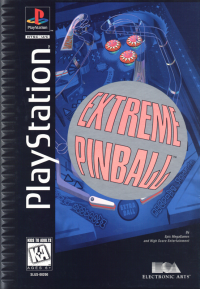
![Extreme Pinball [Long Box] box art for Playstation](https://media.retro.gold/moby_img/Sony_-_PlayStation/Named_Boxarts/Extreme Pinball [Long Box]_Front_Cover.jpg)
![Extreme Pinball [Long Box] screenshot 3 for Playstation](https://media.retro.gold/moby_img/Sony_-_PlayStation/Named_Snaps/Extreme Pinball [Long Box]_screenshot_0.jpg)
![Extreme Pinball [Long Box] screenshot 4 for Playstation](https://media.retro.gold/moby_img/Sony_-_PlayStation/Named_Snaps/Extreme Pinball_0.jpg)
![Extreme Pinball [Long Box] title screen for Playstation](https://media.retro.gold/Sony_-_PlayStation/Named_Titles/Extreme Pinball [NTSC-U] [SLUS-00200].png)


_1.png)



.png)
.png)